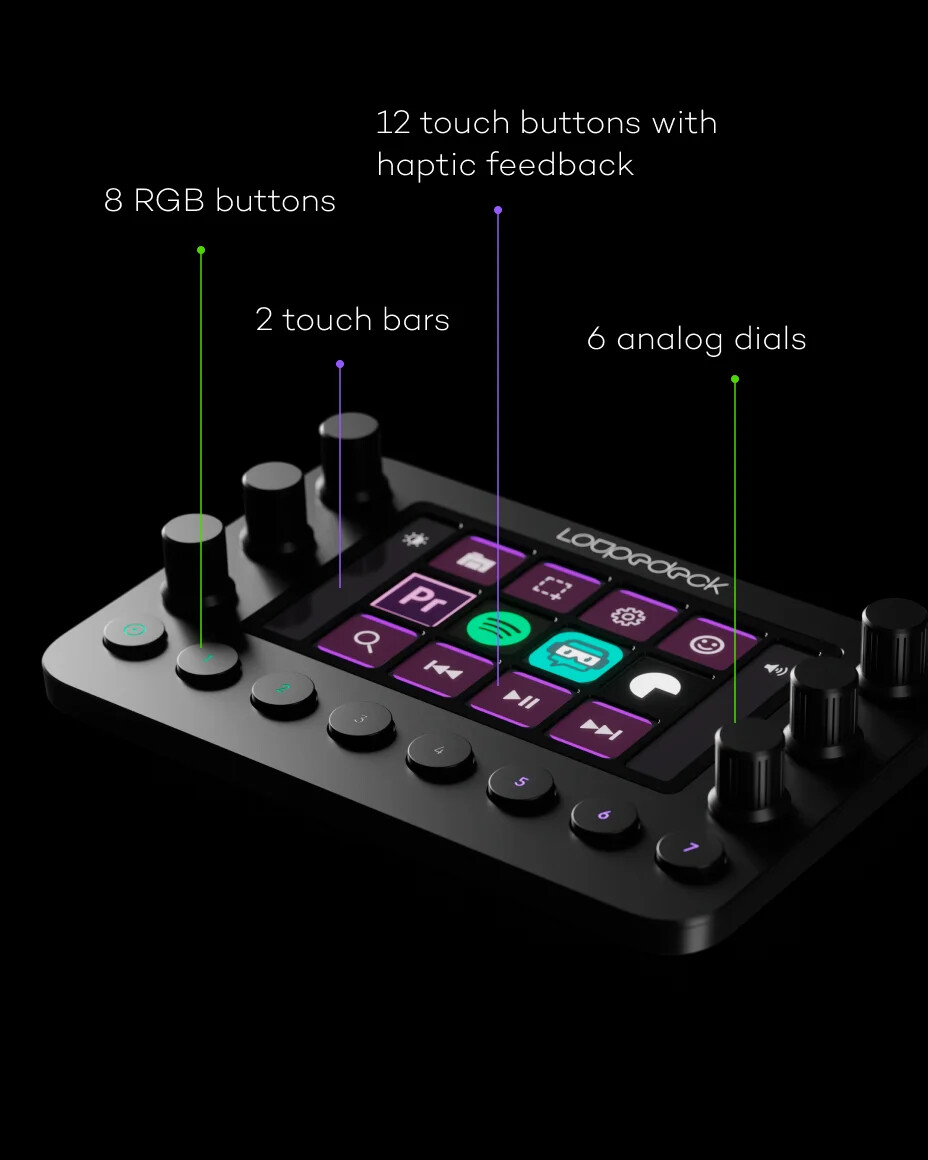
The main center area buttons are touch screen buttons - not physical buttons
The knobs are described as analog dials, but they’re actually rotary encoders with push button
There’s an official SDK for writing plugins to integrate with their desktop app
There’s an unofficial SDK for direct access. With this, the center touch screen area isn’t limited to the button arrangement shown - display anything there and implement any touch like gestures.
Expensive (current pricing on Amazon AU: LoupeDeck Live almost aud$500 compared to StreamDeck+ aud$300) (but see update below)
There are other versions too… one smaller/cheaper (but perhaps hard to get), others much more expensive.
TL;DR: would you consider one of these if there was an integration with Cantabile?
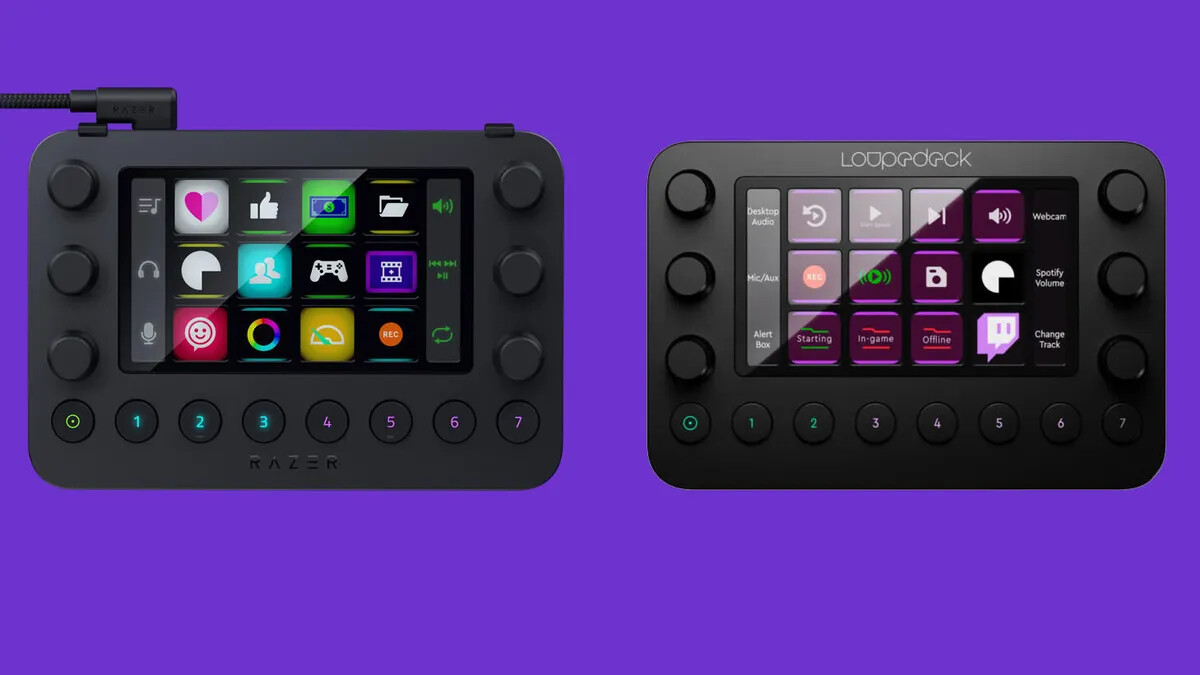
Update: I just realized the LoupeDeck Live and the Razor Stream Controller are essentially the same device and the unofficial SDK works with both. The Razor is about the same price as the StreamDeck+.
They look pretty good, and offer a larger number of controls than the Stream Deck+. A shame that the display buttons aren’t physical buttons. Other than that… nice.
At face value this is better value for money than the SD+, but overall it depends on how well their software works. Not a budget option, though.
The Loupedeck Live is unavailable on Amazon UK. A couple of searches suggests that it may be discontinued.
In Italy, only the Loupedeck Live S is available. At least, that’s what I read, but I have some doubts. Their homepage and online-shop make me think there’s something strange going on (no price, no delivery information).
The device seems interesting, but at this point I’m not sure if it’s better than the Stream Deck.
I’d consider buying a secondhand one to install custom Cantabile-only software. But…
Button-wise I don’t know that it would give me any more than my Stream Deck. And for rotary controls there are cheaper options, such as the Behringer X-Touch Mini.
The beauty of the LoupeDeck is having these controls in one device, but it does seem a bit of a compromise.
I’m going to leave this device for now, maybe revisit later.
I did some more reading about this and as best I can tell that whole display area (the buttons and the vertical touch strips on each side are all single display panel, but there’s a grid fascia over it dividing it into those areas. There’s also supposed to be some haptic feedback, but apparently it’s pretty weak. Sounds meh.
Has anyone looked into availability of the Razor Stream Controller in other parts of the world? LoupeDeck’s distribution seems poor, but I think Razor might be better.
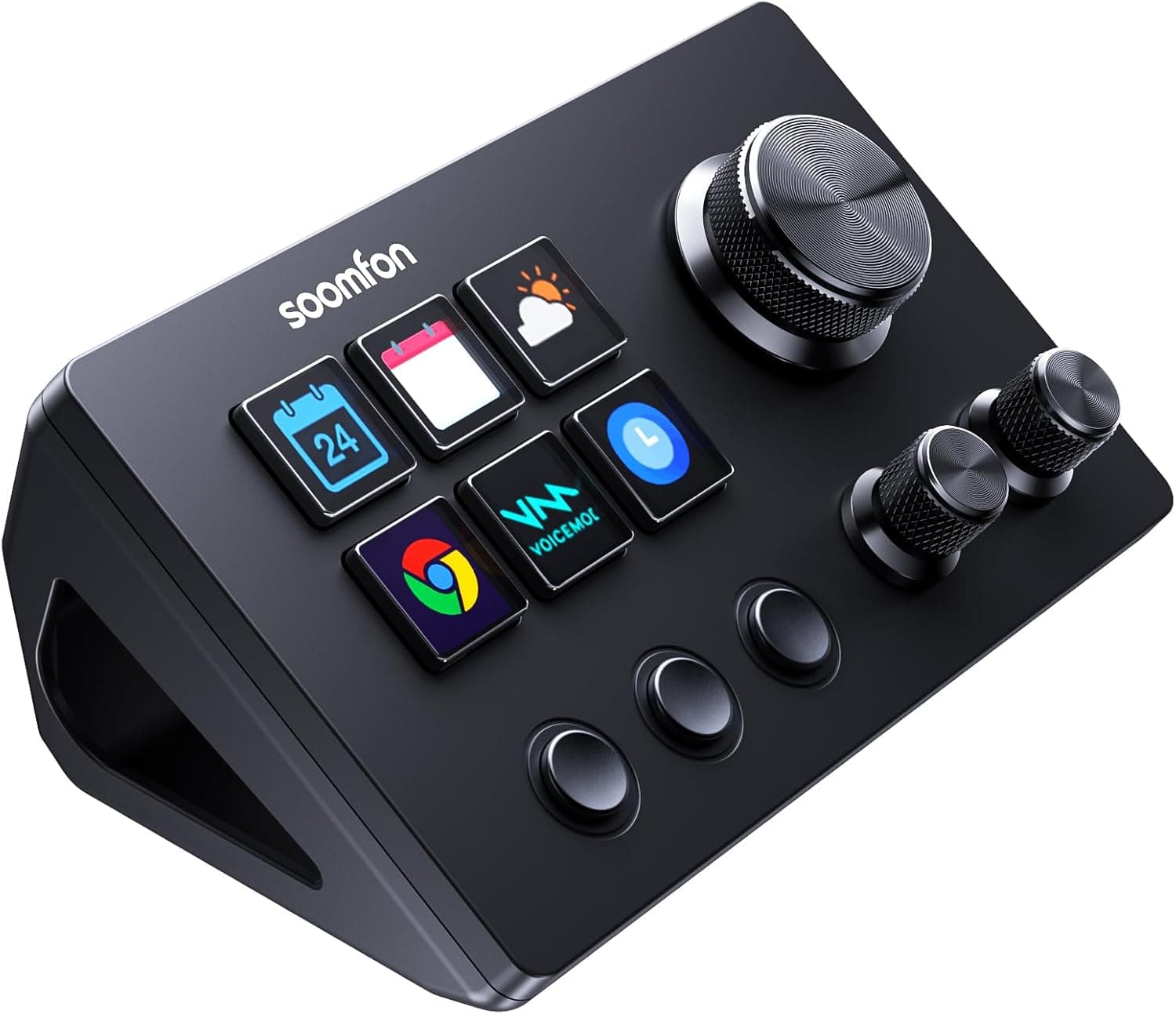
For me there are too few display buttons on the Soomfon, but I can imagine that for many people it would be fine.
KoolShiro do something similar to the Soomfon (same device, different badge?), for even cheaper on UK Amazon - 45 pounds as I type. That would make it attractively cost-effective.
I’d say that the Waveshare is potentially the ‘power’ option, especially if the upper screen can be exploited meaningfully by Cantabile, e.g. timecode, song & state names, etc. All it seems to lack is a solid raked stand. It’s considerably more expensive, though, and the only UK supplier I can see is AliExpress.
I’m guessing that the Waveshare is made for customisation?
Yes looks like the same device as been rebadged multiple times. There’s also the Ajazz AKP03 which is just aud$54 on aliexpress. (less than 30gbp).
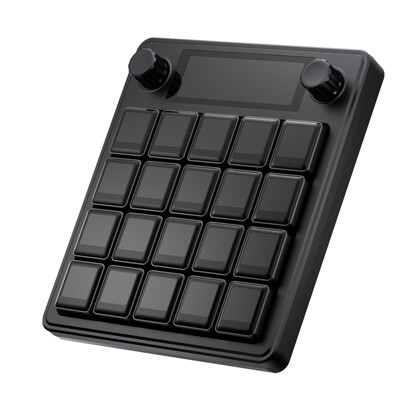
One thing which might be interesting about this device is the buttons are implemented very differently to the StreamDeck buttons. The StreamDeck is basically a big touch sensitive screen with “touchy” clear caps overlaid. The Waveshare device has actual mechanical switches with a tiny lcd screens in the keycap (at least that’s how it’s described on their site). This would mean the buttons are much more tactile like PC Keyboard keys and less mushy like StreamDeck keys.
And yes, it’s more expensive, but I think it’s a really nice form factor - 20 display keys, 2 encoders and a bonus display area. Apparently, it runs two separate machines internally - a linux machine and a QMK compatible MCU. Sounds complex.
I’ve written to WaveShare asking about SDKs, awaiting reply.
I’d favour the Waveshare, primarily for it’s generous amount of buttons, and potentially for that small upper screen, which could be of huge value, were Cantabile able to populate it with useful information.
If you decide to pursue this, and you find that it can be done, I’m minded to grab one for myself to play guinea-pig.
If it had a built-in audio interface I wouldn’t touch it. I’m always wary of devices that try to do too much. The best devices specialise in one function and undertake that function uncompromisingly well.
I just purchased a mini PC for my new Cantabile machine and I’m trying to decide what to use for a keyboard. I already have a StreamDeck. However, during our live gigs I often need to search for a song, for a request. Any advice on how to search for a song without being able to type a partial name on a keyboard? Can this be done with one of these controllers?
Thank you - David
Brad’s Profiles include one that displays all of the Songs in the current Set. Not a search function, but that isn’t really a job for a performance device such as the Stream Deck (though you could do it if could invoke the search function with a button and a create a set of pages for letter keys…).
StreamDeck XL has 32 buttons - that’s enough for 26-alpha keys + some nav keys. You could program those keys to send key presses and use Cantabiles F3 set list search.
Interesting idea. Which suggested another idea - if I purchase a touch screen for the mini PC, then could i just use the pop up keyboard on the touch screen to search for songs?
You could, but the Windows onscreen keyboard is a bit of a fiddly thing, TBH. I haven’t found a way for it to just pop up whenever text entry is needed. It is supposed to do that when you make some system settings (show keyboard when no physical keyboard attached), but it seems like my Stream Deck is throwing this mechanism off. So I’ve dedicated a button on my Stream Deck to launch the onscreen keyboard. But that’s all pretty clunky, and operating Windows by touch is not a lot of fun on a small touch screen (I use a 10 inch screen on a mic stand), so I try to avoid that.
My solution is that I use LivePrompter to select Cantabile songs via MIDI; LivePrompter has a couple of easy-to-use mechanisms to find and load up songs in a tablet operating mode (finger-friendly), be it within or outside our current set list, so that’s a lot easier to operate for me than trying to fiddle with Windows on a touch screen. I have my Stream Deck (15 keys) for a few quick operational task like saving states, saving songs, launching backing tracks or selecting my few standard “rehearsal” songs in Cantabile.
I manage all my set lists or song selections in LivePrompter - Cantabile loads up with a big “repertoire” set list that contains all current songs (I clean it out now and then), and LivePrompter is used to load up songs, so I have both my lyrics / chords AND the Cantabile song loaded. Works perfectly for live and rehearsal situations…
Even if you don’t want to use LivePrompter for lyrics / chord duties, you could just create “minimal” LivePrompter files for all your songs (that simply select Cantabile songs) and use LP on a smartphone or tablet connected to your Cantabile PC - just to manage set lists and song selection. Just a thought - LP is free, after all…
Very interested in your thoughts on the Waveshare MK20. It looks like it could be useful with all sorts of applications, especially music apps and Cantabile. It is not too expensive, but there is not a lot of detailed information on it, in particular on the supporting software, and how easy it is to configure for someone like me who is reasonably technical but not a developer, although I have some scripting skills but little experience of these devices.