There is a way around this: When creating a new profile, Cantabile creates a new folder in C:\Users<your_name>\AppData\Local\Topten Software with the configuration as part of the name
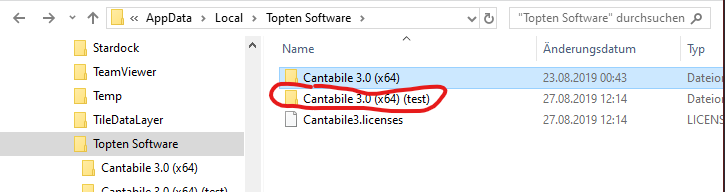
(in this case, the config is called “test”).
So, if you want to avoid making all your settings again, simply confirm the default settings in Cantabile’s setup dialogs and afterwards, copy all your files from the original folder (“Cantabile 3.0 (x64)”) to the new folder (…(test)).
Now your “test” configuration should be set up exactly like your original config.
Cheers,
Torsten