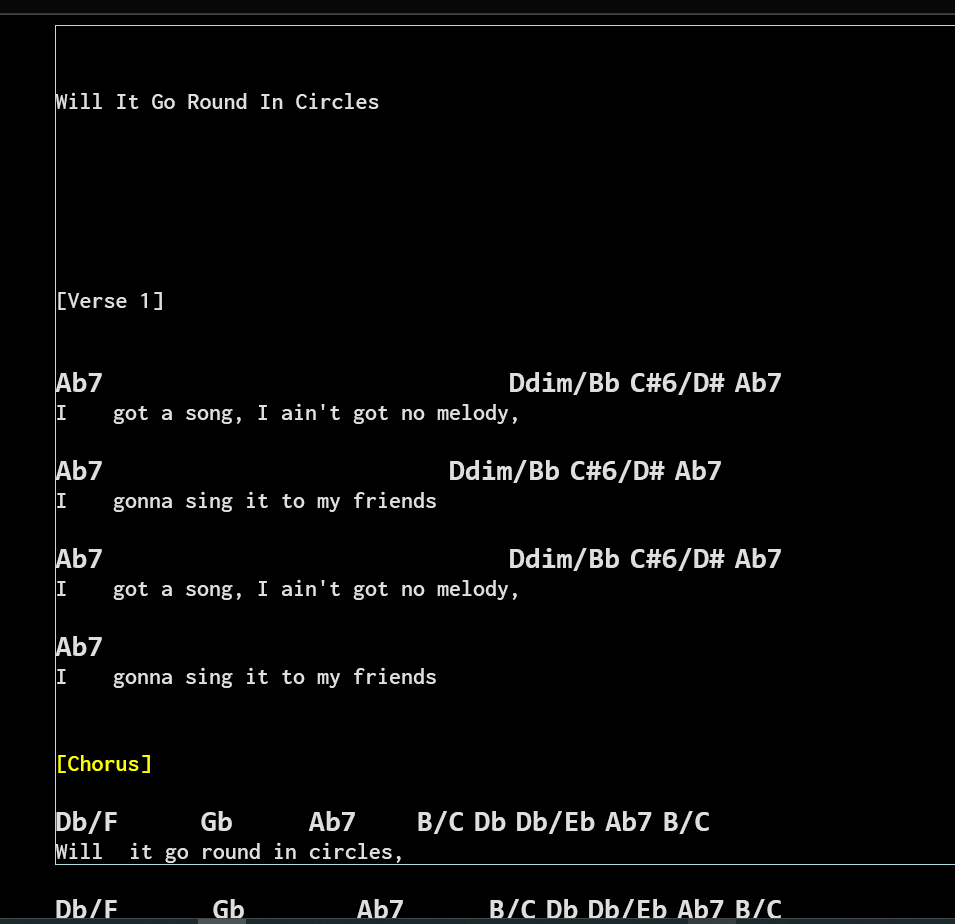
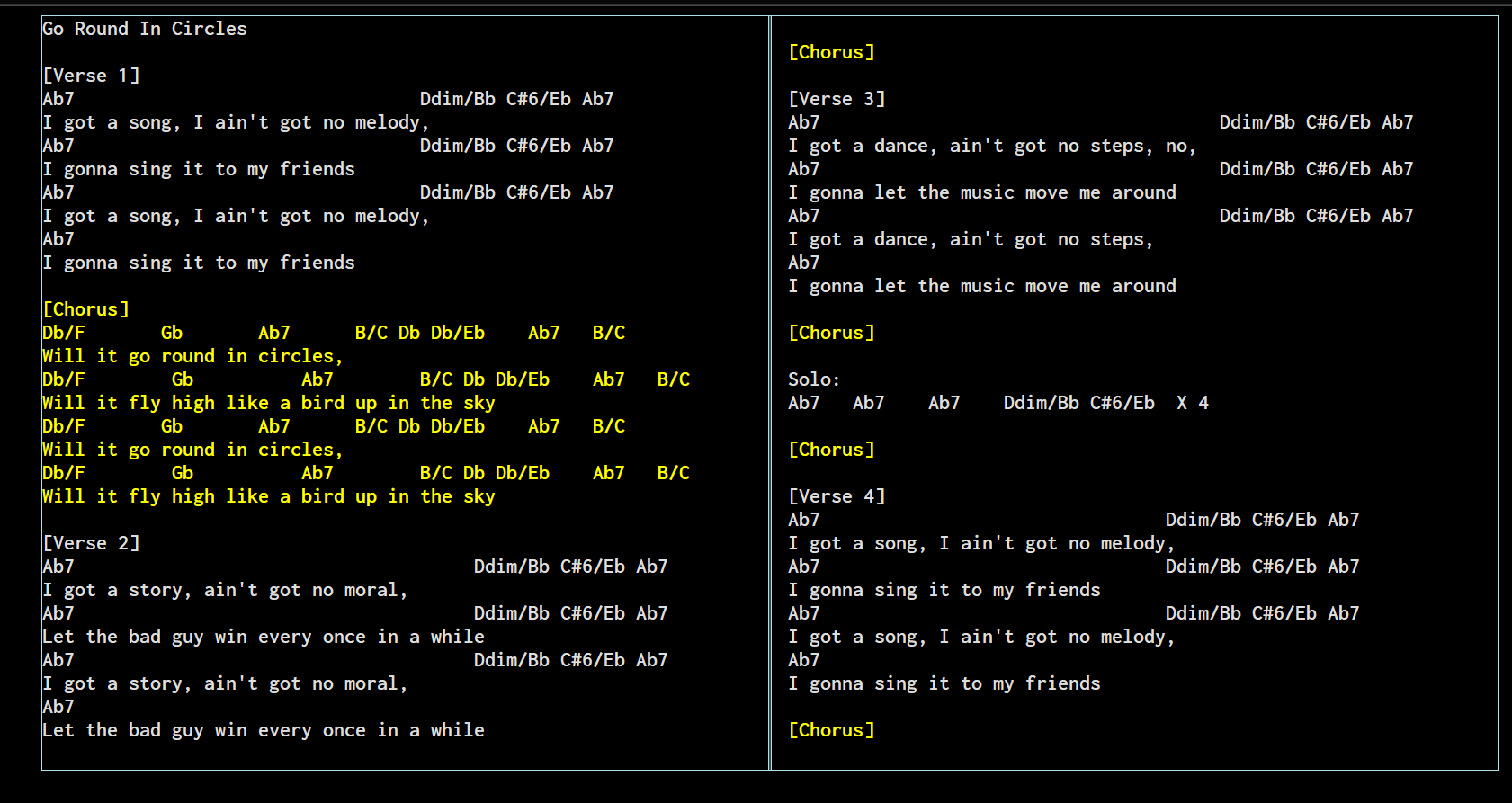
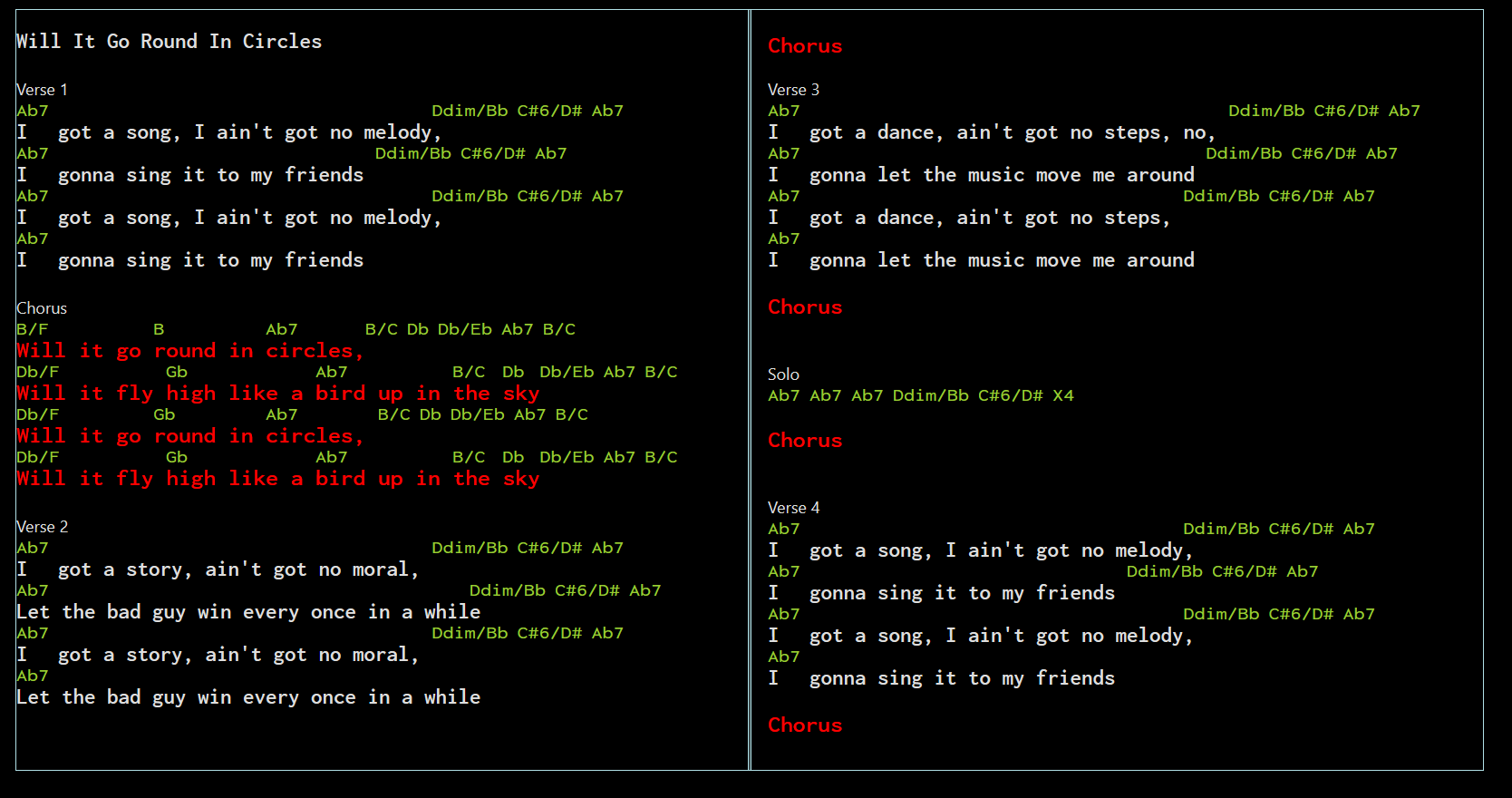
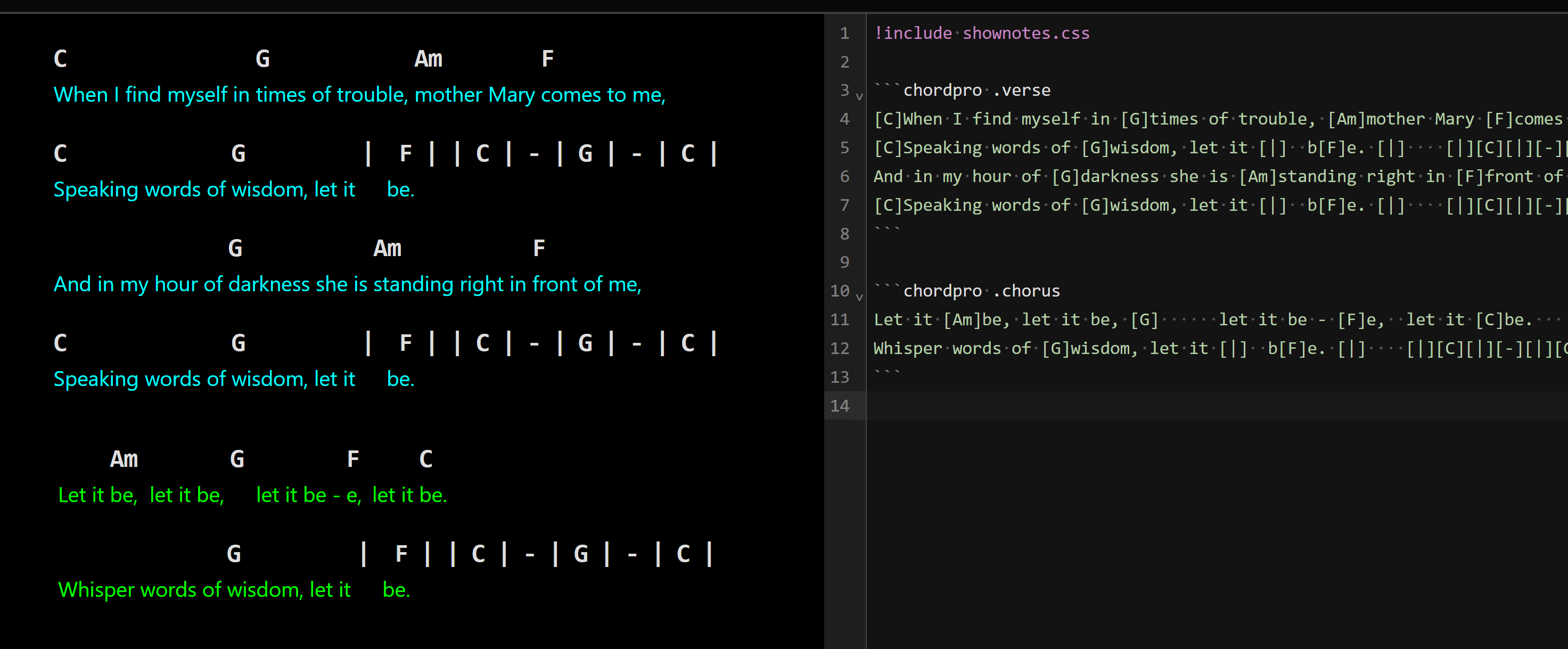
Yes, I did. It does process the text but the problem is that it ignores the container height and keeps on printing to the display in the first column beyond the container limit. This was with 2 columns set.
so to me it seems it is ignoring the division properties regarding the columns settings, font size and type and still drawing the border for the division. It’s likely because the chordpro is placed in it’s own division as part of it’s execution, so the nesting is not working because the script division is disagreeing with the division I established to create the columns. FWIW I also ran the script with none of my mods and tried using the !split commands to split up the text and they also were rightly rejected by being inside the script container.
I would love too see some examples when you get a chance. Thanks.
Hrm, that’s weird. My understanding was that css columns are supposed to be able to break most elements and I think the chordpro just renders as HTML div’s.
If you’d like to send me a copy of your entire markdown with it working in columns and I’ll see if I can figure out how to make it work and I’ll show how to style the chord pro output.
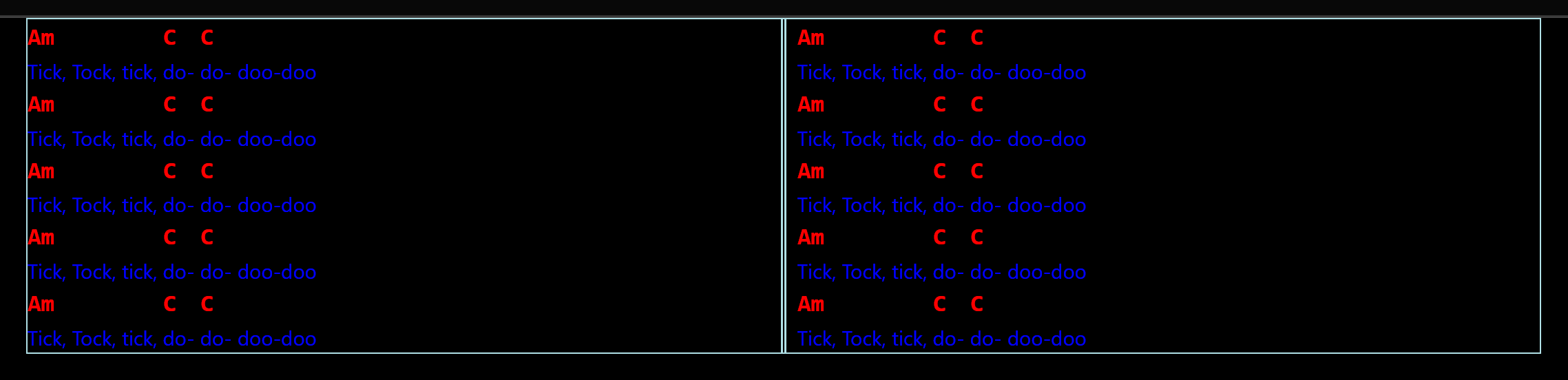
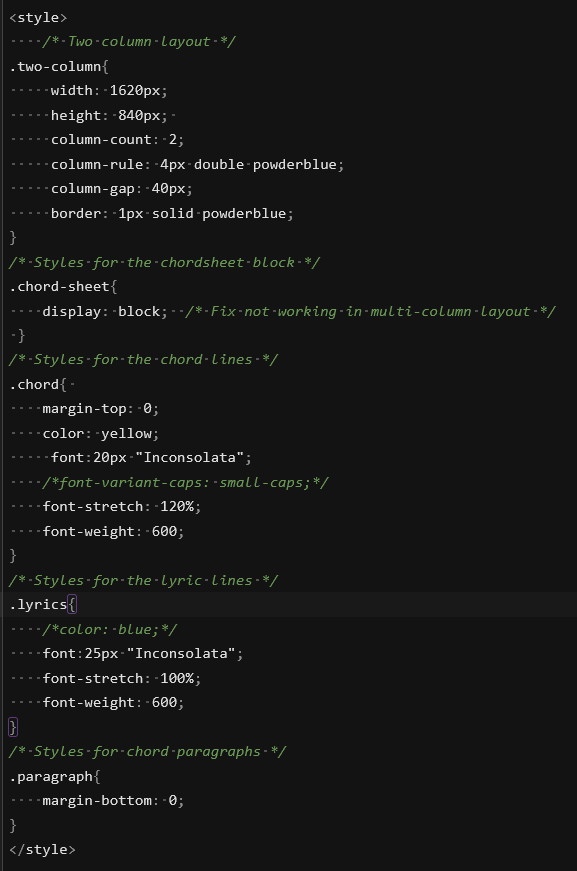
I figured this out. For some reason, the chord-sheet class is configured as display: inline-block which breaks the column layout. One line in your style section fixes it. Also here’s some examples for styling the chord-sheet output.
<style>
/* Two column layout */
.two-column {
    column-count: 2;
    column-rule: 4px double powderblue;
    border: 1px solid powderblue;
}
/* Styles for the chordsheet block */
.chord-sheet
{
    display: block;  /* Fix not working in multi-column layout */
    font-size: 10pt; /* Overall font size for chord sheet */
}
/* Styles for the chord lines */
.chord
{
    margin-top: 0;
    color: red;
}
/* Styles for the lyric lines */
.lyrics
{
    color: blue;
}
/* Styles for chord paragraphs */
.paragraph
{
    margin-bottom: 0;
}
</style>

<div class="two-column">

```chord
Am                C   C
Tick, Tock, tick, do- do- doo-doo
Am                C   C
Tick, Tock, tick, do- do- doo-doo

Am                C   C
Tick, Tock, tick, do- do- doo-doo
Am                C   C
Tick, Tock, tick, do- do- doo-doo

Am                C   C
Tick, Tock, tick, do- do- doo-doo
Am                C   C
Tick, Tock, tick, do- do- doo-doo

Am                C   C
Tick, Tock, tick, do- do- doo-doo
Am                C   C
Tick, Tock, tick, do- do- doo-doo

Am                C   C
Tick, Tock, tick, do- do- doo-doo
Am                C   C
Tick, Tock, tick, do- do- doo-doo
```

</div>
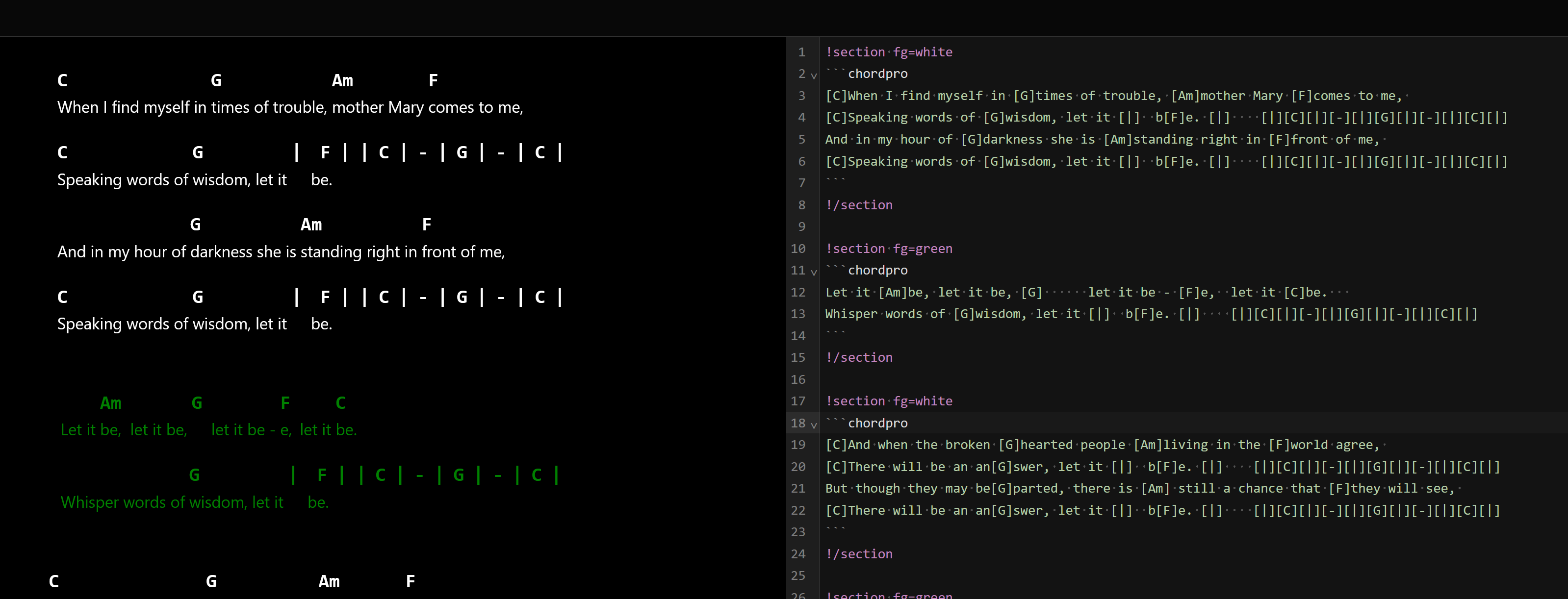
I got a lot figured out and really like this development but one thing gets lost in the process and that is inline font coloring. Is that possible too?
ADDENDUM:
I did some digging into it and .chordpro script allows inline style spanning in the lyric syntax and it works well but it does not work with the .chord script.
I ran into some interesting quirks here using inline styling for the chorus lyrics and the <br> tag but got a version of the same song above working after some fiddling. I found an online site that does conversions from .chord format to .chordpro format to get the syntax converted. As you can see the coding to get the red lettering in the Chorus took a lot of tags and fiddling with the spacing of the and frequency of styling tags it took to color it as I desired but the code is nasty in that there lots of <m> tags, indeed for almost every word a tag and closing tag was needed to color all the text properly. If you put a tag at the begining of a text phrase and expected to see the phrase react you would see only the first word react in some cases and maybe 2 words in other cases. So I tagged each word(s) in this case using that method to get it to work. I would need others’ expert input on the subject of why that is the case.
{c: Chorus} [b/F]<m>Will <m>it </m><m>go </m>[b]<m>round </m><m>in </m>[Ab7]<m>circles,</m> [B/C] [Db] [Db/Eb] [Ab7] [B/C] [Db/F]<m>Will <m>it fly </m>[Gb]<m>high <m>like a </m>[Ab7]<m>bird <m>up in [B/C]<m>the [Db]<m>sky[Db/Eb] [Ab7] [B/C] [Db/F]<m>Will <m>it go [Gb]<m>round <m>in [Ab7]<m>circles, [B/C] [Db] [Db/Eb] [Ab7] [B/C] [Db/F]<m>Will <m>it fly [Gb]<m>high <m>like a [Ab7]<m>bird <m>up in [B/C]<m>the [Db]<m>sky</m>[Db/Eb]<br> [Ab7] [B/C]
Haha. It was just an example. Reminds me of a person I used to work with who had their console window set to yellow on magenta which for me is about 3 seconds away from a migraine.
As you’ve found this would be a feature of the chordsheet library/format and not really related to show notes per-se.
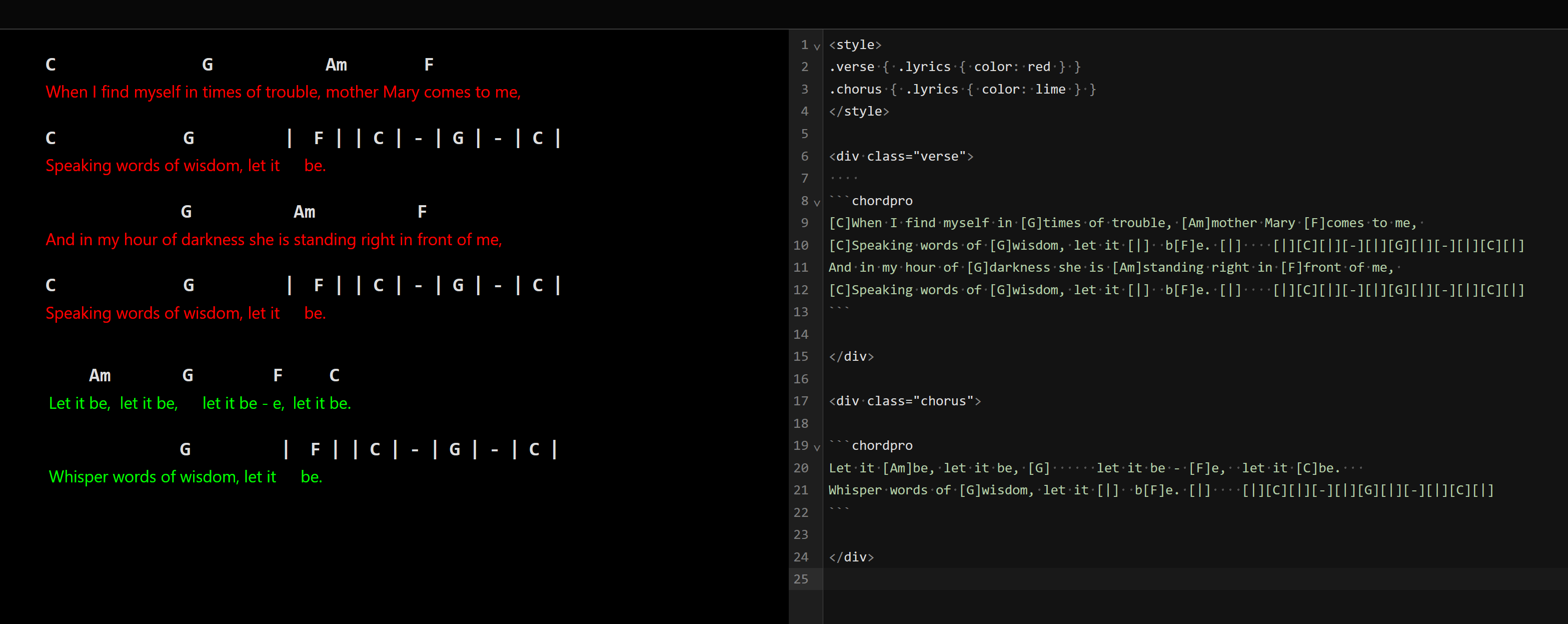
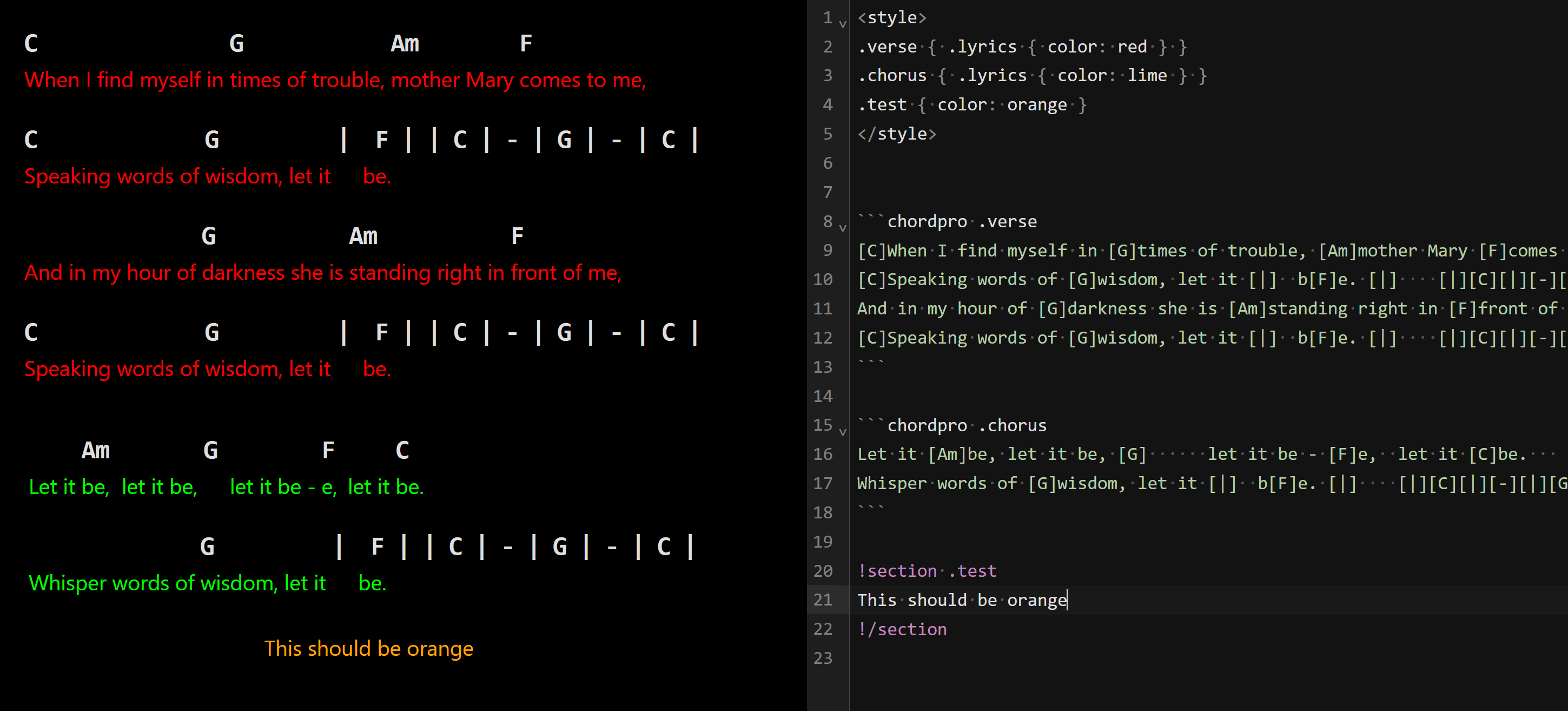
That said, it looks like you’re trying to highlight entire blocks, not just words/phrases in which case there’s some simpler options.
Thanks, I was experiencing some issues. I tried the 0.2.20 update and still am getting unexpected jumps and unwanted edits from interacting with scripting symbols like curly braces, brackets and tags. The stuff you showed me for alternate coloring was a great help!
v0.2.22 now supports using the !include directive to bring in css style sheets:
!include my-shownote-styles.css
This should save having to duplicate your custom css classes across every song. Declare once, use everywhere.
The same rules as locating other assets applies - looks first in the same folder as the song then in the asset search path.
Note: you’ll need to use a separate editor for editing the style sheet itself. After editing a browser refresh or any edit to the show notes markdown should get the latest version into the show notes.