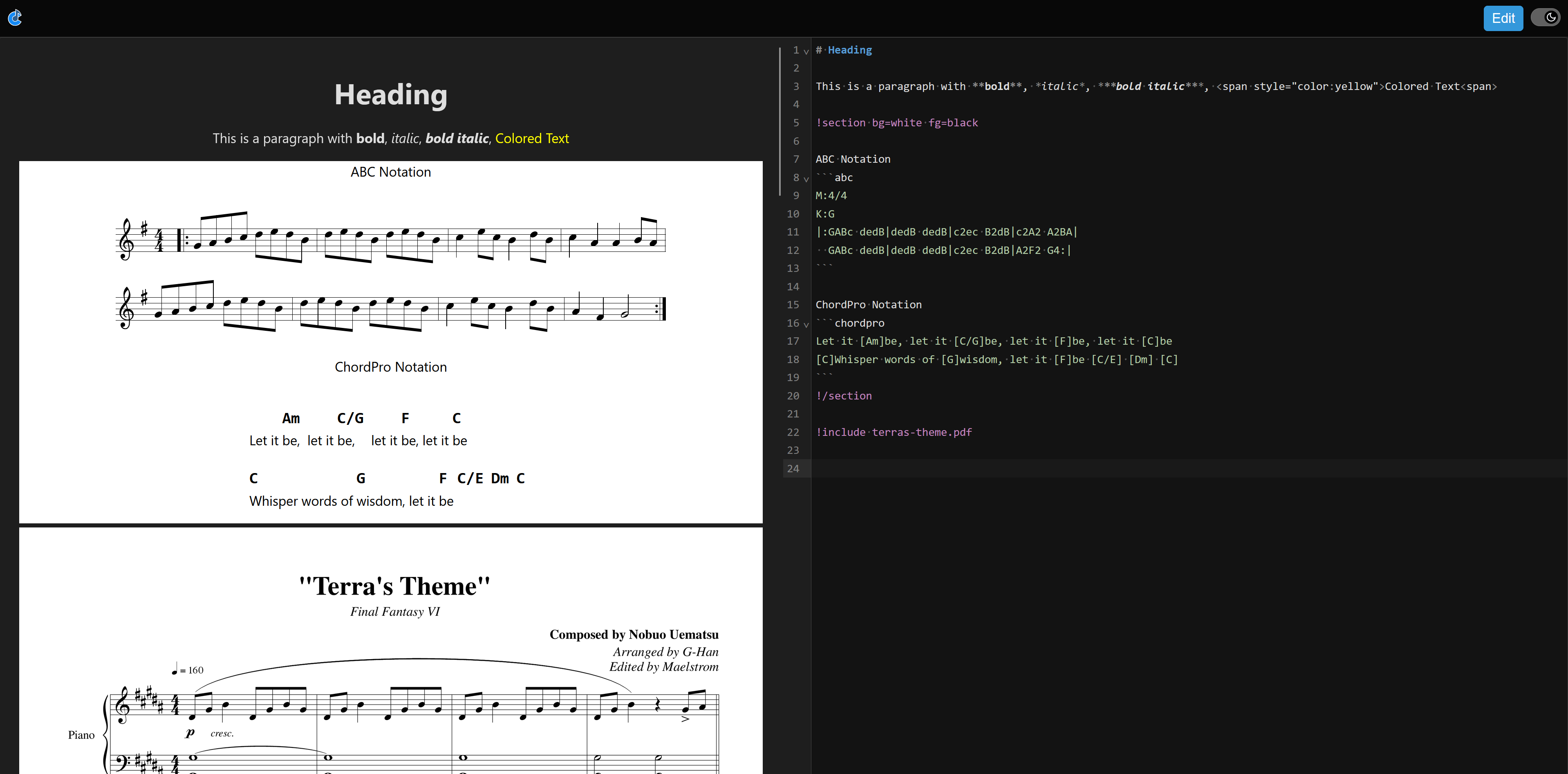
As has been discussed here many times before Cantabile’s show notes is long overdue for an update. In the past I’ve attempted various approaches in but never been satisfied with how those attempts worked out and mostly abandoned them.
In addition to the audio engine work I’ve been doing (see here and here) I’ve also been prototyping yet another approach to show notes - and I think this one will work out, here’s some info…
This new approach:
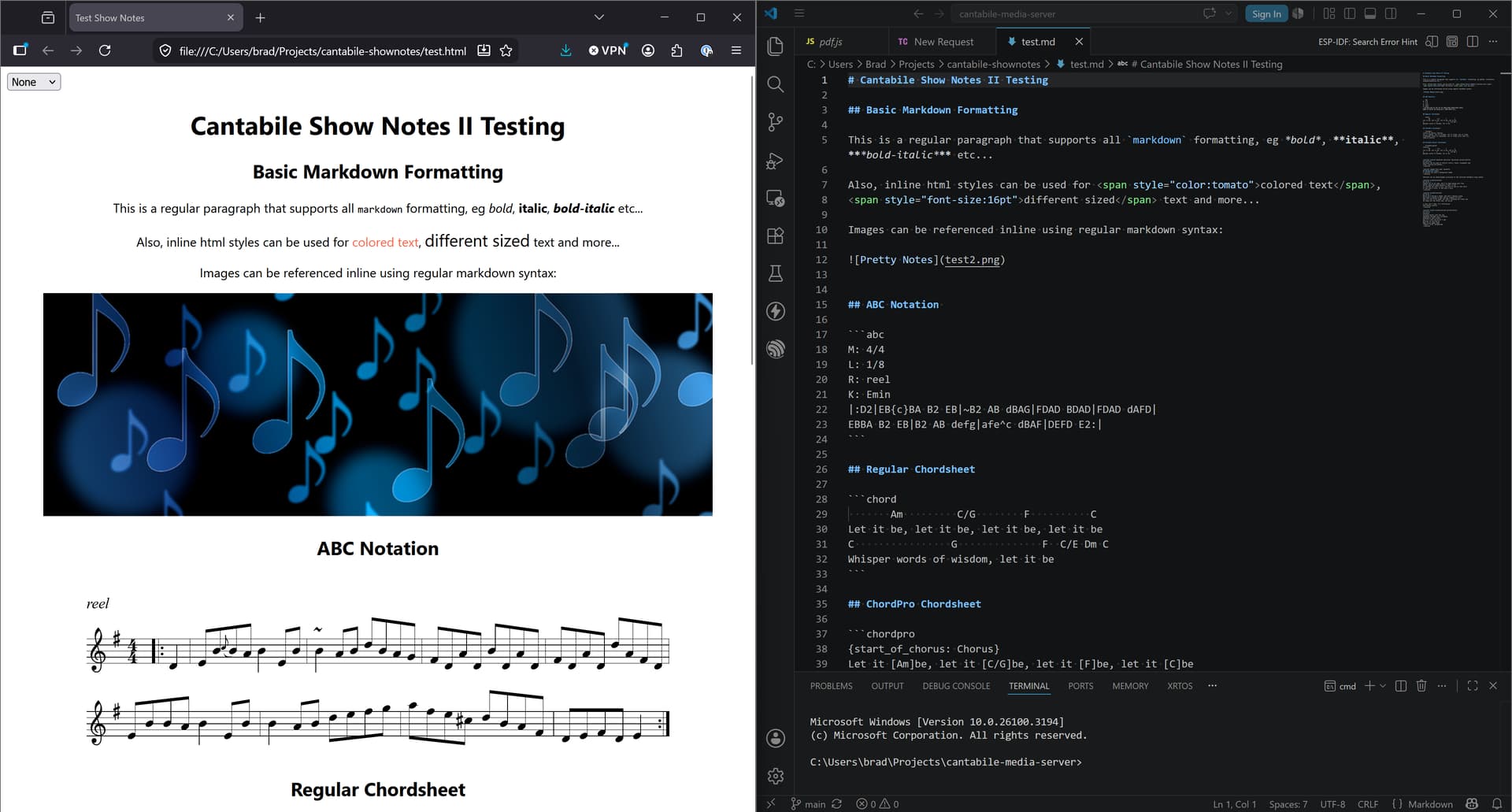
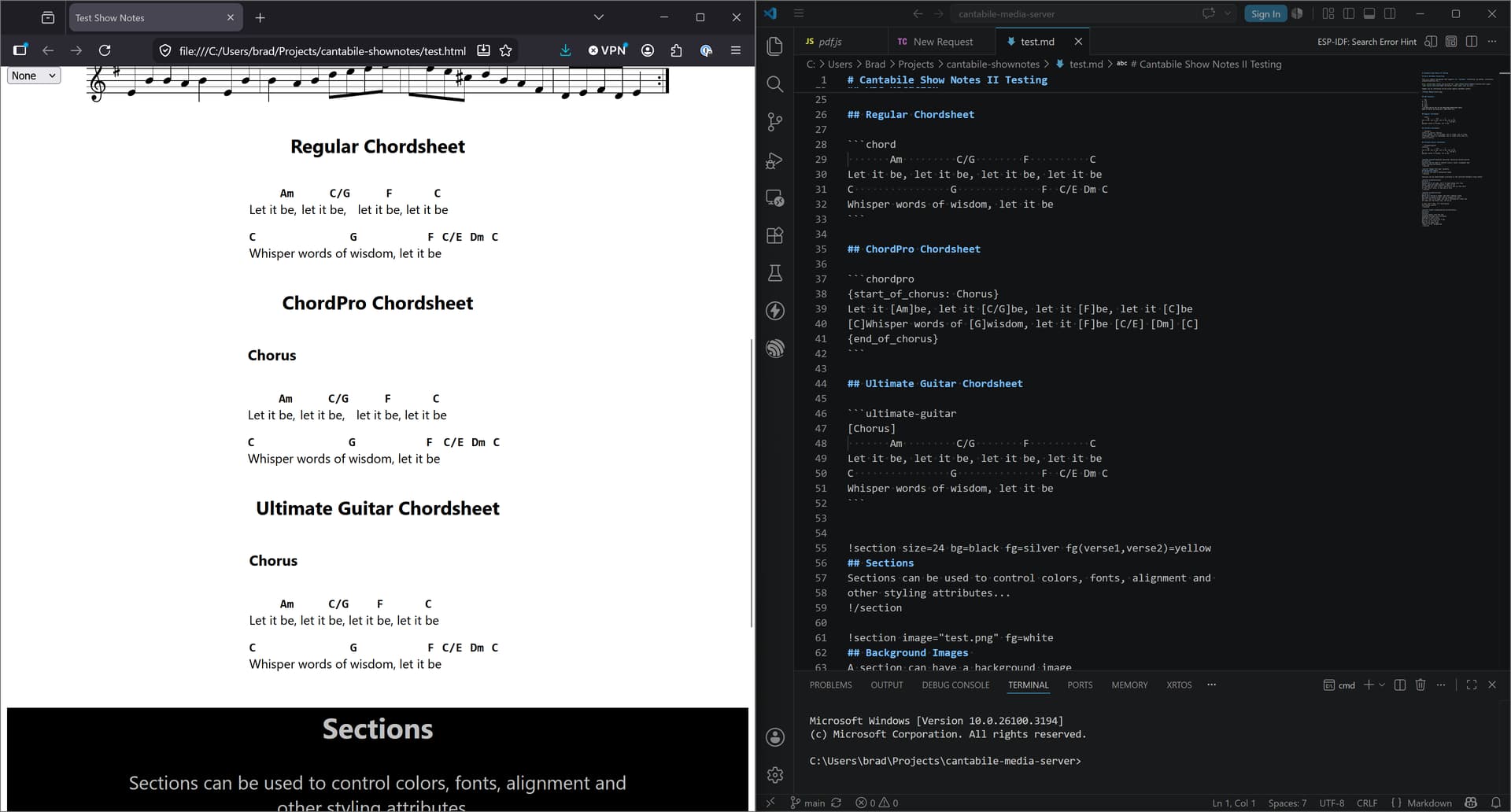
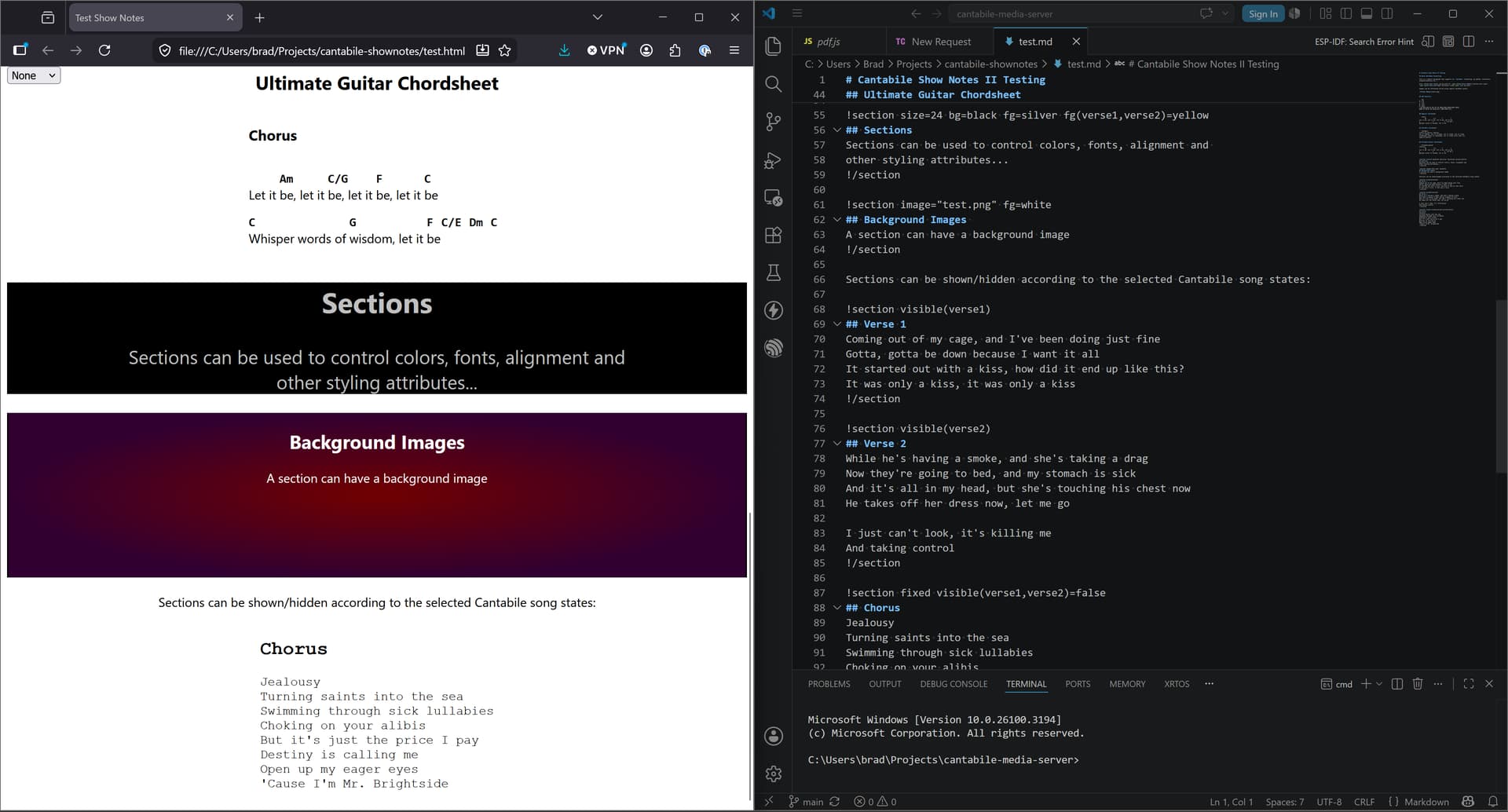
will be based around markdown with some custom extensions to support easier formatting and Cantabile States.
will use web based technologies (ie: show notes will be displayed by a web browser).
will be written almost entirely in JavaScript.
will be open source.
Initially this new approach will only work via Cantabile’s web server in an external browser. Once mature I’ll look to moving it to an embedded browser in Cantabile’s main window where the current show notes are displayed.
Because most of this will be open source - you guys can also work on it, tweak it, adjust it and push back changes which I’ll consider including in the official version.
So far I’ve worked out a minimal set of extensions to markdown that supports everything that Cantabile’s current show notes support and I’ll be developing a migration path that converts the old show notes to the new. At least for a period of time, both the new and old approaches will be available.
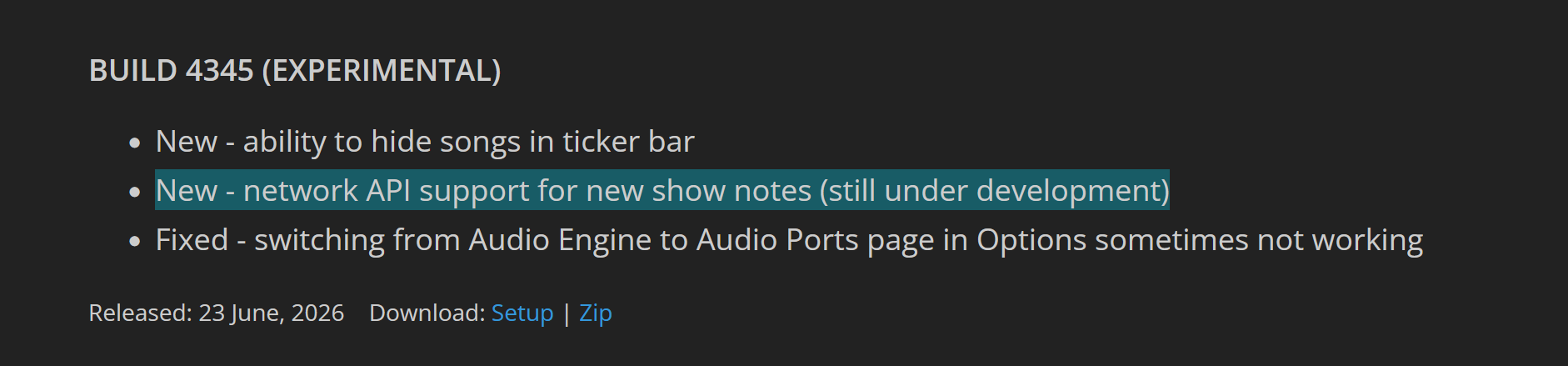
Today I released a new build of Cantabile which aside from some other tweaks and fixes includes some network API support for this new approach:
New endpoint GET /api/shownotes/v1raw - returns the current song’s old show notes in JSON format including all state information. This will be used for the migration process to convert old show notes to the new format.
New endpoint GET/POST /api/shownotes/markdown - gets or sets an arbitrary string associated with the song. This will be used to store the new show notes markdown format. Currently this is stored in the song file but eventually might be moved to an external sidecar file for easier external editing. The web client will include an editor for editing the markdown and previewing the result.
New endpoint GET /pdf/somesong.pdf gets metadata for a PDF file including number of pages and page sizes. The filename is relative to the currently loaded song.
New endpoint GET /pdf/somesong.pdf?page=1 renders a PDF page as PNG. By default renders at 300dpi. Override with optional query string res=120 to adjust.
Not yet, but it should be possible to implement this entirely externally to Cantabile in the browser.
I was thinking autoscroll directives in the markdown file that cause that point in the document to scroll into view based on the current state or timecode in Cantabile.
For state markers it would jump to that position in the document when the state is selected
!autoscroll Verse1
!section
do re mi
!/section

!autoscroll Chorus
!section
la de da
!/section
For time based positions it could interopolate and slow scroll (teleprompter style) based on Cantabile’s transport position:
eg: this would animate to the scroll position to arrive at this point in the document at the start of bar 12:
!autoscroll 12
or by wall-time eg: arrive at the 2 minute mark:
!autoscroll 2:00
Note that within a single song you’d have to use either state based jumps, or interpolated time scrolls - the two don’t mix well.
The front end for editing notes will be a text editor. While this might seem daunting at first I think you’ll find it a lot easier, faster and more flexible than editing individual note items as with the current system.
To help get you started there will be a song-by-song option to convert your existing notes to the new text format which should also ease the transition. Don’t like the result? Don’t save the file and continue using the old notes, but without any of the new features.
Initially the editor will be quite basic, but I would imagine eventually there would be a toolbar with commands for common editing functions.
fwiw: the editor will be similar to the editor you use in this forum for composing posts and replies - split view with editor on one side, preview on the other.
Hi Brad - I was wondering how these changes fit in with what I currently do. I almost never use text - I use a music editing program to create a score for myself, and have it output the score into a pdf with each page being 5" high, 11" wide (to match my monitor). Since Cantabile doesn’t currently support pdfs, I then convert the pdf into a series of images, which each “state” of a song having an appropriate image of that part of the score. I then use the programming mode for editing, and performance mode to show the pdf.
It sounds like the new system will natively support .pdfs. But here are some questions - 1) will I be able to write an action associating some point in the transport with loading a new pdf (that would largely replace my using states to change pages; 2- how would I display the notes in my performance view? I only use one tablet size monitor, so there is not enough room to show a browser window and simultaneously control Cantabile.
Thanks for suggesting this. It sounds like you want parts of the show notes shown only when the transport is between certain positions? I hadn’t planned for this but should be possible.
As mentioned above initially this would all be external to Cantabile in a separate browser (basically while under development, testing etc). Later, Cantabile will use an embedded browser to show the notes in its own main window (ie: in the Show Notes tab).
As for pdfs your current work flow could be simplified to not need to convert pdf pages to images - Cantabile’s web server can do that automatically. Ie: you just reference the pdf file and a page number in your notes and that page will appear.
I’ve just put up a new version that can migrate old show notes to new which should help learn the markup language.
You’ll need Cantabile 4350 and the latest shownotes2.webfolder. Once installed, opening a song with existing show notes should automatically migrate them to the new format (when viewed with the new show notes viewer/editor).
The videos are great help and the pathway looks good moving ahead. One more question though, if I was using Cantabile string expansion variables in my current Show Notes they transfer as plain text to the browser. Will there be support for these variables in the new model moving forward?
I use the current Cantabile Show Notes extensively with one video screen at my feet (native) for guitar and another over the keys (Webserver). Is the new system going to support multiple, different displays? Running multiple displays for different members during a live performance would be quite useful.
I’m glad your brought this up. I’ve considered this and it’s reasonably easy to add. The question is: would you want one markdown document with conditional switches on various parts depending on who’s viewing, or would you want completely separate documents for each viewer?
I’m probably not the best to answer that even though I use the Show Notes during live performances. What I do is very rudimentary (no state changes).
I use the internal Show Notes to show what foot pedals are sending midi-wise to a X32 Mixer and a Kemper. It’s a static jpg background (lyrics, chords) with overlay variables (midi to the onscreen keyboard). For instance, if I step on a pedal that boosts the Kemper volume, I’ll show “LEAD SOLO” on the video floor monitor. Maybe a wah pedal will show the position of the pedal (0-127). If the X32 needs to unmute a vocal echo channel, then “ECHO” would be on the Show Notes. I don’t change states during a song. Maybe I should?
The video monitor over the keys is also a static jpg with all the notes/lyrics/etc. that I can fit on a screen that’s easy to read (Webserver). Those are keyboard related notes and maybe lyrics if I’m singing. I don’t know of a way to use variables with the current webserver, so it’s just the jpg. I would like to show variables for keyboard patch changes, foot pedals states, etc. just like the native Show Notes. BTW, @dsteinschneider helped me get the webserver formatted and working.
I could see plugging in a USB video adapter and showing lyrics to the vocalist, another maybe some notes to bassist, etc. Display whatever they want to help them during a performance. I could give them a template to fill in and save as jpg then show it on their personal monitor with every song change. Adding variable to those could be helpful, too.
I’m assuming each screen would have a different URL and opening a browser to that port (35007 and others) would open that particular set of notes.
OK, so from what you’ve described it sounds like you’d like a completely separate document for each monitor/band member.
I’m hoping the new show notes will help you move away from having to create static image files. Is there anything in these images that you can’t compose directly with the new show notes? I’m curious about anything that will help in this area.