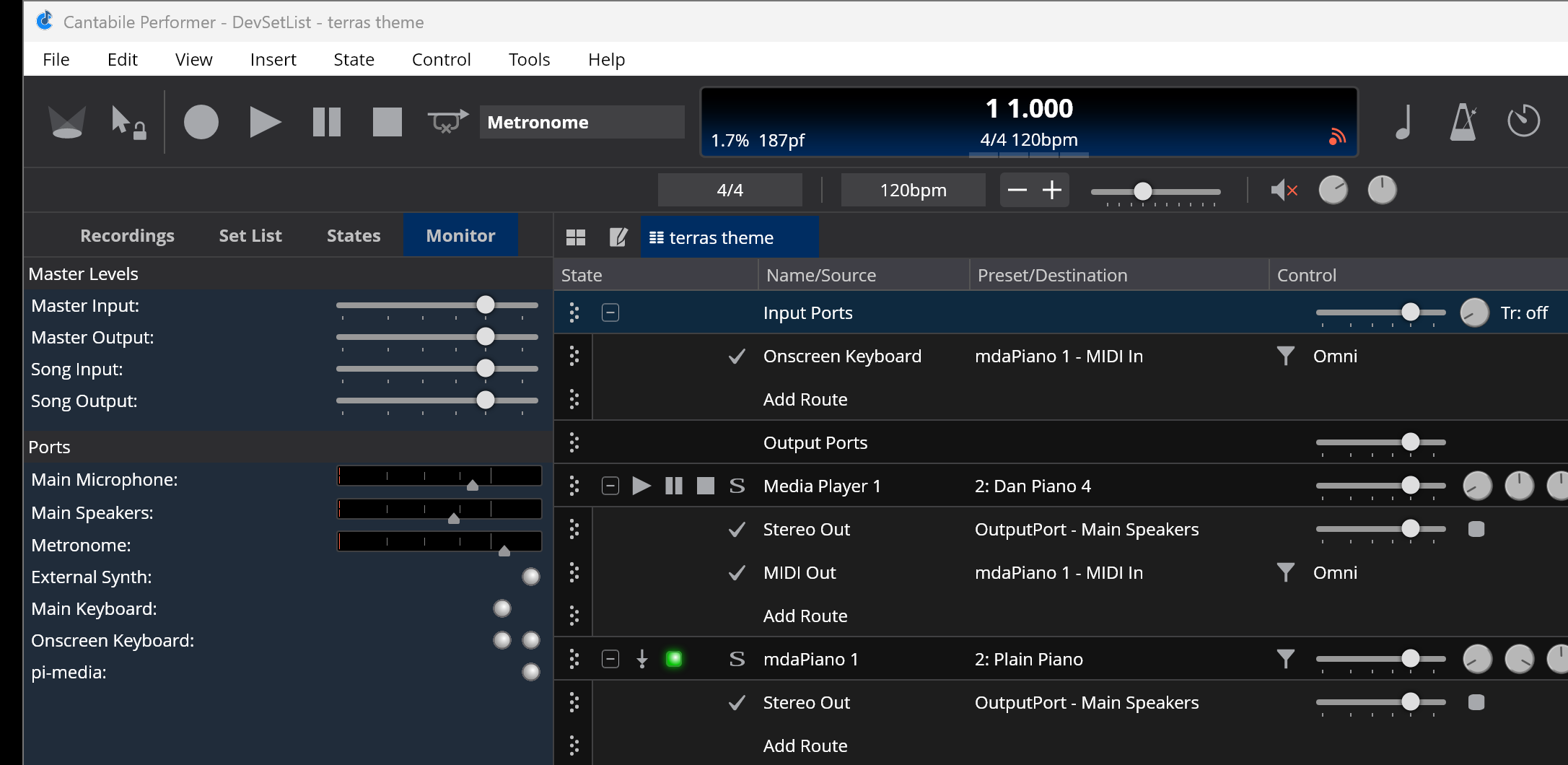
Currently these settings are effectively just an additional adjustment on the master input/output gain levels. ie: they’re applied externally to the song.
This has several perhaps unexpected effects:
Adjusting a song input gain level causes the master input gain level indicators to be affected
Adjusting a song input gain level causes the recorded level of audio input ports to be adjusted
Adjusting song gain sliders affects audio signals to/from environment ports in racks
The same thing happens with output levels, but it’s effect is more nuanced and only makes a different in some edge cases.
Besides making the code messy, I think this is also a counter-intuitive because moving a slider inside the song panel, causes changes both outside the song and also inside contained racks. In fact I’d even forgotten that adjust song level affects recording level of input ports - and I don’t think it should.
So I’m thinking of changing things so that these sliders only affect things directly in the song:
Song/Rack input gain sliders affect only audio routed from that input port section
Song/Rack output gain sliders affect only audio routed to that output port section
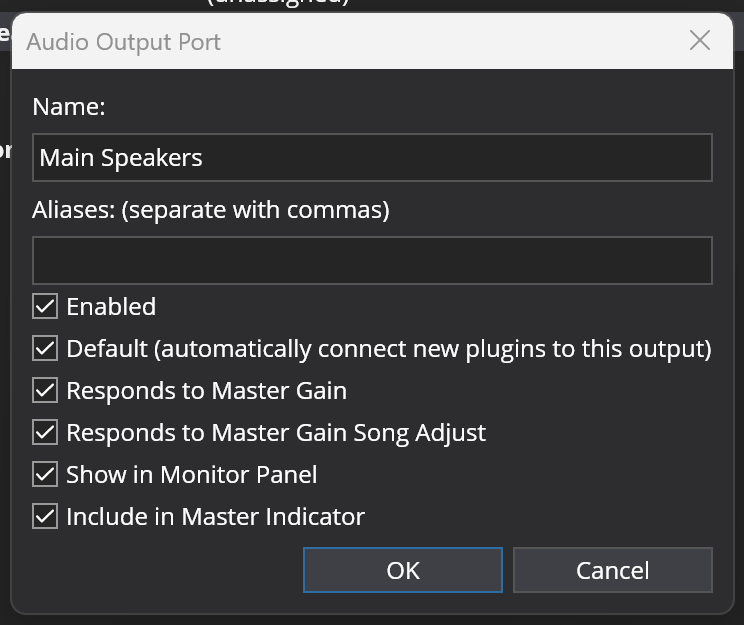
Removing the “Responds to Song Gain” setting from environment level audio ports.
This feels much cleaner to me and my suspicion is this won’t affect most users too heavily because I’m not convinced those sliders are actually used much anyway (primarily because their behavior is a bit messy)
But, I’d like some feedback on this before I make the change. Thoughts?
Is this just for songs, or is it for racks too? I never use those sliders for songs, but I use them all the time for racks. I’ve treated them as a master gain adjustment applied to all the rack’s input/output ports. Is that a misunderstanding of what they do?
Thanks for the blog post! I think all my usages are unaffected, because I don’t have any environmental ports in my racks, and I think I’ve always believed (erroneously!) that those sliders already work how you’re considering changing them.
I do use the separate “Output Gain” and “Output Gain (outer)” binding points for racks, so I sort of hope those won’t disappear.
The only bit of questionable behaviour here is that the outer gain setting affects the level meter shown inside the rack. This is a side affect of using the rack’s own output mixer for the outer gain to save having to mix twice for the two different gain settings.
ie: this:
[mixer with both gain settings combined] -> [audio level reader] -> [target]
as opposed to:
[mixer with internal gain] -> [audio level reader] -> [mixer with outer gain] -> [target]
TBH when I first started using Cantabile I found the multiple volume sliders a bit confusing. I liked that I could create sends to effects Racks, but it took a lot of hunting up and down the Racks to make sense of it. It’s one of the reasons I came up with my own mixer Rack (plus MCU compatibility).
I still hanker for a Mixer tab with this all consolidated into one place, and looking like… a mixer.
TBH, I haven’t used the song input/output gain sliders in years - just too broad for me. I typically have MIDI-controlled output faders in my various mixing and master racks that allow me to control output more selectively, so I’m not very invested in the current behavior of these sliders.
@brad: I like the approach you are proposing - sliders only controlling what intuitively “belongs” to them. Feels logical.
Hmmm…How would that work? Every port would not respond to Song Gain, or would? I’m fine with the other changes but I do use that Responds to Song Gain function on everything. If that goes away I’ll have to redo every song for 2 bands I’m in:
I use the Song Output Gain to adjust final mix on many songs. When building a new song once all my song states are done sometimes in Rehearsal I need to bring everything up/down a bit, and if you have complex songs with 10 or 15 states that are perfectly set between each other, changing them individually isn’t practical.
So my main output ports need to to Respond (I have 2 stereo pairs for 2 instruments), but I also have Monitoring ports for my IEM rack that needs to Not Respond (another stereo pair), so that my feed from the band doesn’t change.
.
I guess I could put the IEM rack in the Background Rack if the latency issue is corrected. But with 200+ songs it’s still a massive change for me, unfortunately. And you may ask, why have an IEM rack at all? Because I got tired of sound guys giving me a bad mix, so now I can compress and EQ to taste, and keep my own instruments out of the sound guy’s hands!
Just my .02. Thanks Brad!
Tom
The song output gain setting isn’t going away and you’ll still be able to set it per-song. The difference is where its applied and what’s affected by it.
Currently this setting affects the output gain of every port where “Reponds to Song Gain” is selected. This means regardless of where the signal to those ports is coming from it will be affected. The change is that the song output gain will now affect only affect signals sent directly from the song file.
The biggest impact of this change (and something I hadn’t considered earlier in the week but can now see will be a problem) is if you have a rack that is sending directly to environment output ports and not routed back through the song then these signals will no longer be affected by the song output gain (but will be by the master output gain, but that’s global not per-song).
The problem I’m trying to solve is the sliders in the song UI are visually similar to those in the Rack UI but work very differently and I want to make these more consistent. But I can also see the need for per-song settings to control gain levels regardless of source/target.
Comment: As for the environment ports directly exposed in a rack, I don’t use the feature, it feels too much like multiple entry coding, of which I am not a fan. When I feel the need, I create an explicit rack port and route to it from the song input (so I don’t have effectively hidden routes). I can think of one use case where it might be a useful shortcut ie., using a rack as a virtual input object, so I won’t judge it too harshly.
Comment: For future consideration: Cantabile has gain settings in many places, each of which has a useful function. However, there is no place where the whole chain is graphically exposed. On occasion, I have spent too much time chasing down an errant gain. Perhaps there is something that could be done with the wiring view (of which I am a great fan).
The sliders in the Input Ports/Output Ports slots now only affect routes to/from them - in both the song and racks.
When opening a file from previous versions, the current song input/output levels will be loaded to the side panel and the in-slot values will be reset to 0dB.
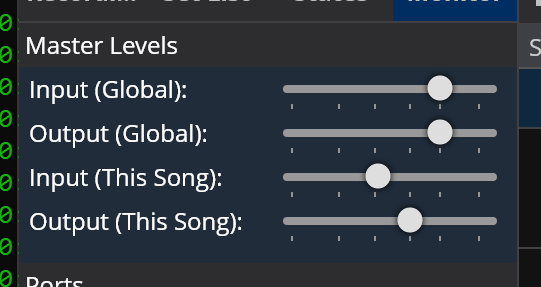
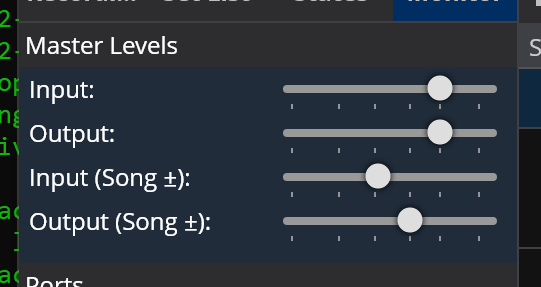
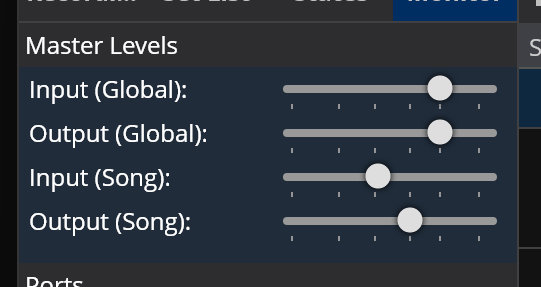
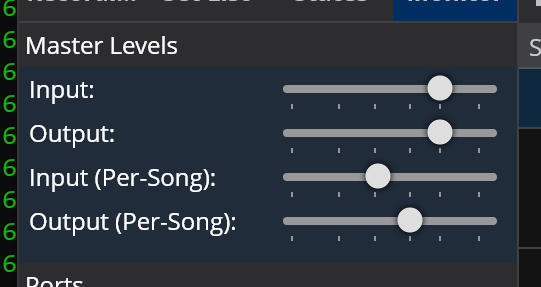
But, I need to come up with some better naming. Currently these settings and the associated bindings are called “Song Input Gain” and “Song Output Gain”, but that’s not really what they are. They’re actually per-song master gain adjustments but that doesn’t exactly roll off the tongue.
Maybe:
“Global Master Input Gain” and “Song Master Input Gain” or,
“Master Input Gain (Global)” and “Master Input Gain (Song)”.
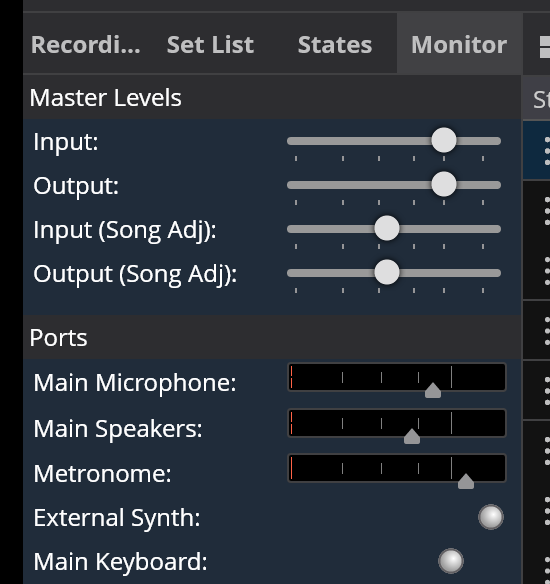
Hi @brad, there’s a few challenges here - partly that this feature is esoteric, and shouldn’t be particularity high-profile in the UX, but also that it’s very unclear what these settings do (I re-read the description and then forget 5 minutes later :)). Also this looks like it’s under monitor at the moment which doesn’t feel like the right place to put “levels”.
True, but also it’s song functionality that affects global level settings so it’s a bit of a weird one. Not important enough for the main toolbar. Conceptually doesn’t belong inside the song UI and wanted to keep it very visually separate from the Input/Output Ports gain setting.
It does exactly what the old setting does. Which kind of proves my point that the existing setting was confusing. I think this is as least more obvious what it does that the old UI. Conceptually what it does is pretty simple - it adjusts the master gain settings on a per-song basis. Conveying that in the UI not so simple.
I agree and really it should go in a mixer panel, but that doesn’t exist yet. So this seemed like a suitable stop-gap - ie: not important enough for the main toolbar, conceptually not inside the song UI and it’s close to where the output level indicators are which you might want to use with these.
Also that panel already has port gain sliders so I don’t think too much of a leap.
fwiw: I also considered including audio level activity indicators on these but it seemed redundant since the individual port indicators are just below. Also making both of these level indicators is also redundant since they’d both show the same thing (since the global and song settings are just multiplied together to get a final master gain level).
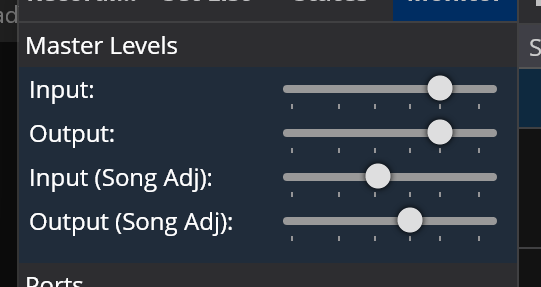
The existing “Song - Input Gain” and “Song - Output Gain” binding points still control the in-song “Input Ports” and “Output Ports” gain sliders (but their effect has changed to only adjust the gain on direct routing to/from them).
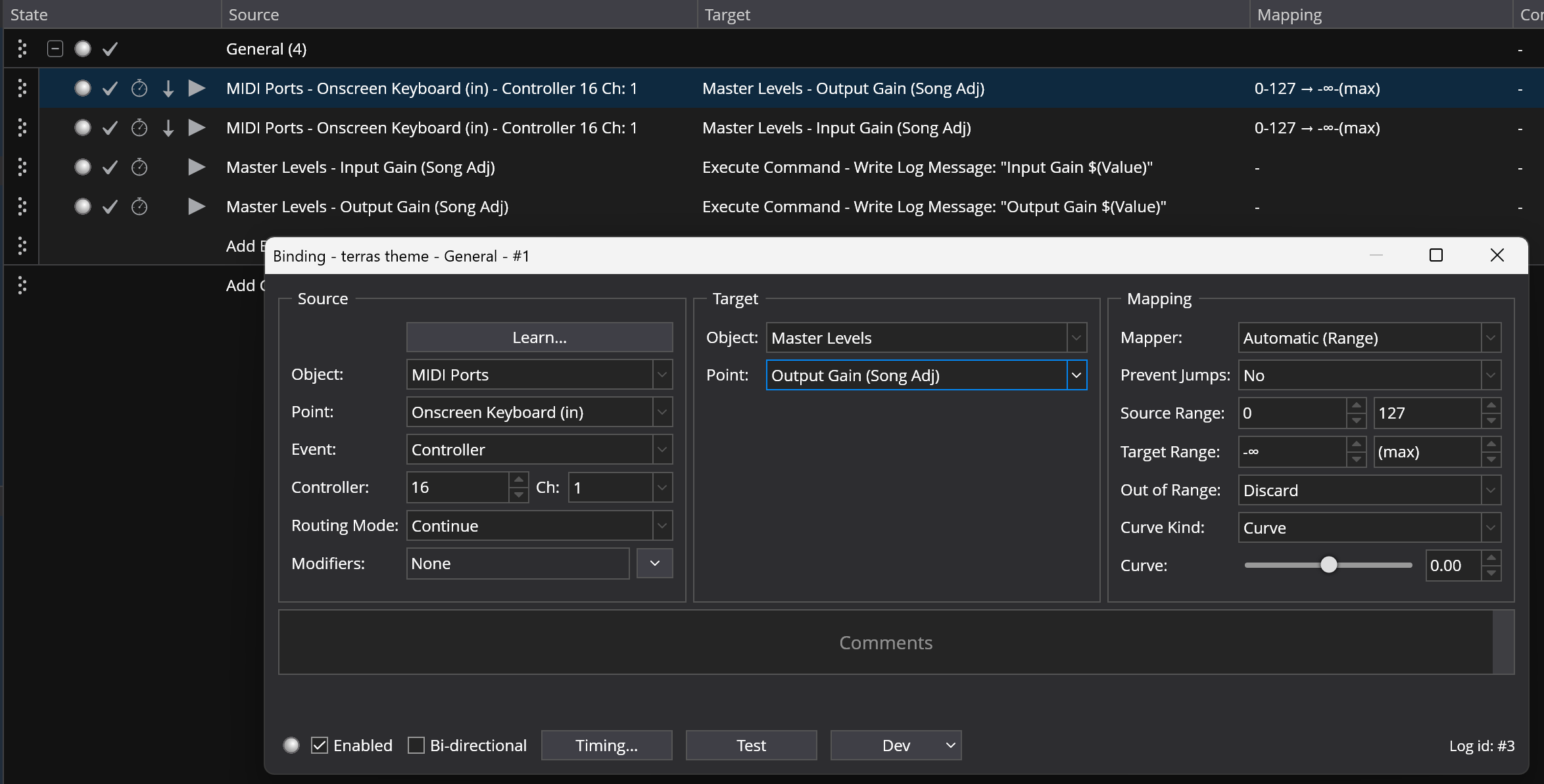
When opening a files from previous versions any “Song - Input Gain” and “Song - Output Gain” bindings will be converted to “Master Levels - Input Gain (Song Adj)” and “Master Levels - Output Gain (Song Adj)” to maintain the previous functionality.
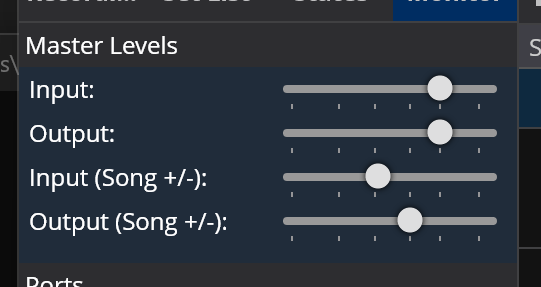
Until released there’s still opportunity to change this and I’m open to suggestions.
Bearing in mind your response to my earlier points I think this is probably close to a works-with-what-we’ve got solution. One consistency point, a bit of a mix of “gain” and “level” - but might be one to defer. l’ll definitely try this out when you have a test build.