Hmm, looks like Microsoft are getting their act together around MIDI:
Now MIDI 2.0 may become relevant - @brad, is there a roadmap for MIDI 2.0 in Cantabile somewhere in your mind?
Hmm, looks like Microsoft are getting their act together around MIDI:
Now MIDI 2.0 may become relevant - @brad, is there a roadmap for MIDI 2.0 in Cantabile somewhere in your mind?
Until now the roadmap has been based on discussions with Pete Brown (author of that post) and was: wait till Microsoft gets its act together.
I’m afriad I won’t be holding my breath ../Steve
Heads-up: the new services are already being rolled out via Windows update - and they have some breaking bugs: amongst others, all my virtual MIDI ports (loopMIDI, loopBE, …) have suddenly stopped working - they’re just not seen anymore by the Windows system…
This seems to be due to an issue with the new MIDI stack.
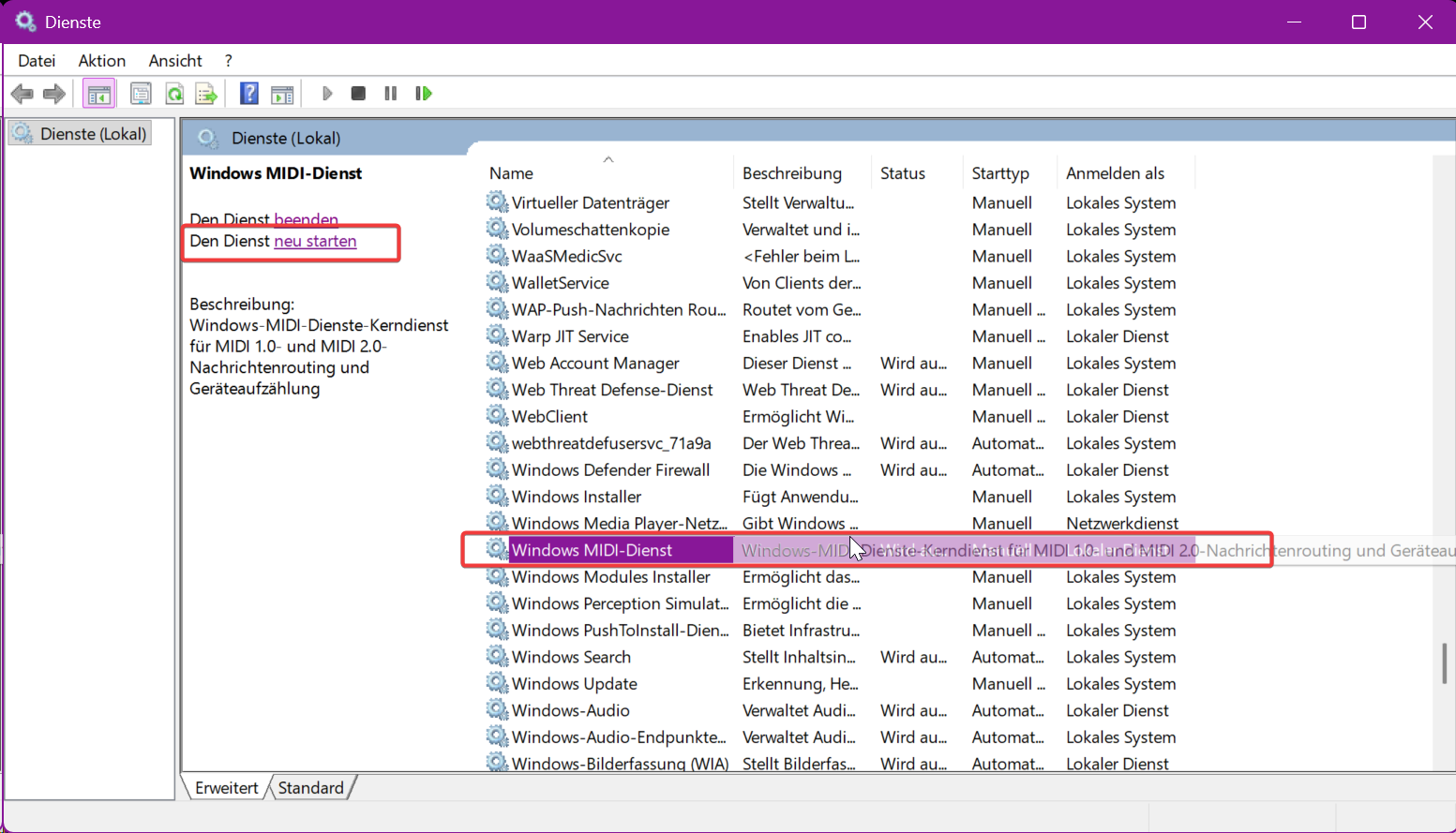
If this affects you, there is a quick and dirty hack - should work as long as you have less than 16 virtual MIDI ports. You simply stop and re-start the Windows MIDI Service, either using the Windows Services Dialog (Win-R → services.msc) or using an admin-level commandline:
net stop midisrv

net start midisrv
Or you can use my script  , which does the same, automatically enabling admin level…
Restart MIDI.zip (583 Bytes)
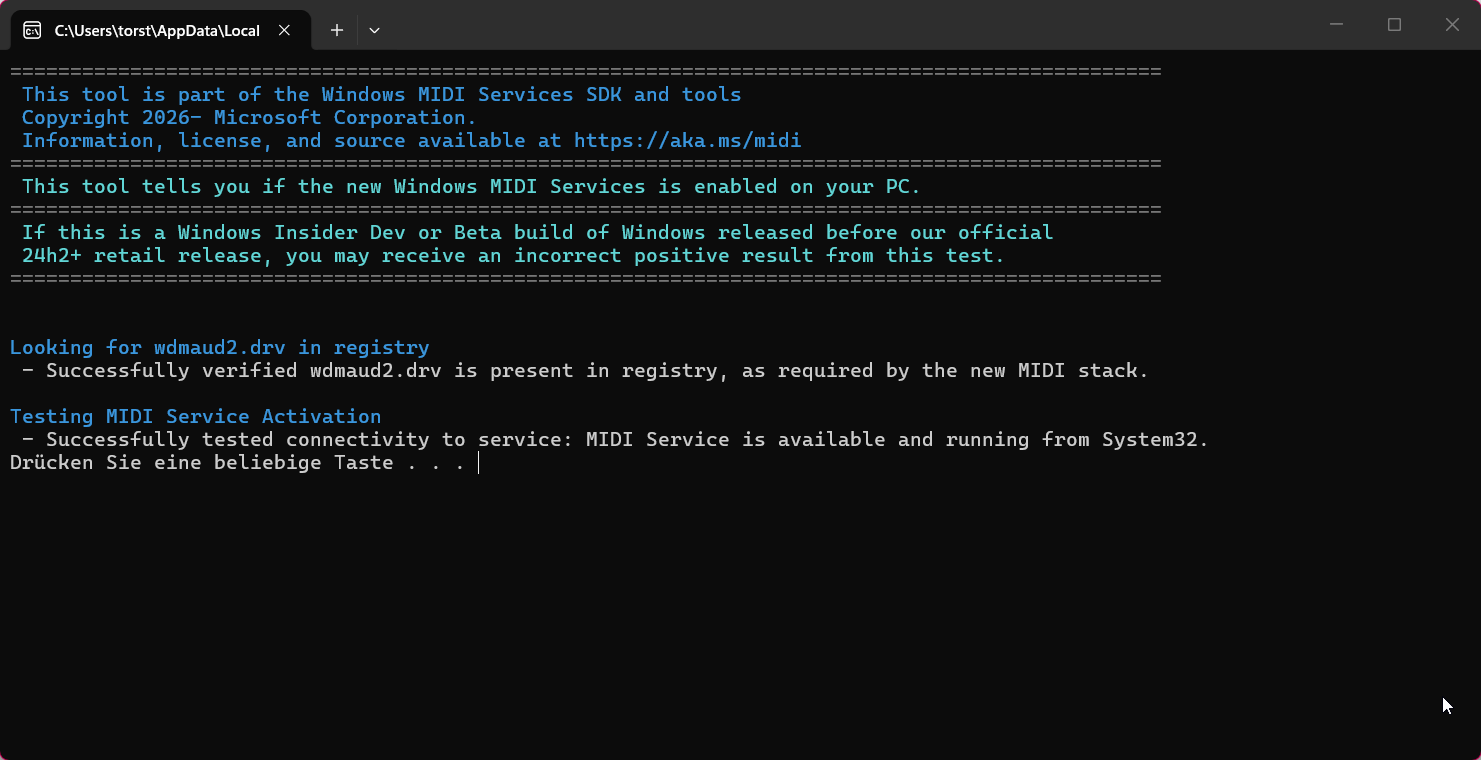
To be sure: this applies only if you already have the new MIDI stack - you can find out by downloading the checker tool here:
Looks like this when the new service is installed:
Find out more here:
The positive: the new Windows MIDI services bring their own loopback mechanism, so tools like loopMIDI aren’t really needed anymore. Just a bit of migration work will be required…
I’ve hit a number of problems with the new MIDI services. The most serious, so far, are connected with the Stream Deck. I have yet to try Cantabile, but I’ll report back when I have.
I noticed a few nights ago that I had no MIDI in either Cantabile or Cubase, but it was back the following evening, but I think I need to do a full check tomorrow
For me I wasn’t able to restart the service until both loopmidi and rtpmidi were removed, then a reboot. I am not sure which did the trick, but since not using either at the moment, no loss (my understanding is that the SDK tools let you create “simple loopback”, they are talking about “network midi” but based on a quick scan through some references, this is not compatible with rtp/applemidi, happy to be corrected).
yes, this is a different approach, but from some MS posts I gathered that RTP Midi is under consideration for a later release.
interesting - on my system it just took a restart of the service after loopMidi and rtpMidi were active. After the restart, both ports were available again and functioning nicely.
OK, it looks like I have not been upgraded yet - I ran the checking application, so I still have no clue why I had no MIDI the other night. It all seems to be working again…
I am a little concerned with this direction as rtpMIDI is really important to me. I have used loopMIDI but that is not so essential so long as rtpMIDI remains functional.
I have the new MIDI system active. LoopMIDI seems to have stopped working on my system, despite my following workaround guidelines. But the new built-in loopback ports do seem to be working as an alternative.
A few things are broken on my system since the update, including my MIDI-over-MADI ports and the Stream Deck MIDI plug-in. I’m working my way through the problems to find solutions I can live with. I have yet to try Cantabile on the new system, but will ASAP.
I have found it useful to delay starting the StreamDeck app until all virtual MIDI ports are properly initialized, otherwise the MIDI plugin (and the Cubase plugin) complains. So far, I have forced the StreamDeck autostart to wait for 3 minutes after login; that has been very useful.
Maybe it is a good idea to de-activate autostart and start the Streamdeck app manually after a MIDI Service restart - at least until Microsoft have implemented their fixes to the MIDI service - ETA appears to be late March…
No amount of restarting and resetting has made any difference for me.
The good news is that Cantabile and the Stream Deck plug-in for Cantabile are both working perfectly under the new MIDI system. That’s a huge relief here!
Many of us will have to ditch old loopmidi devices and redo the routing with native Windows service loopback feature. Wich will take some time but should future proof for a very long time. I really don’t mind to take a whole week to redo my studio as long as I can get a reliable multiclient driver once and for all! 
I’m not so worried about loopMIDI - agree, it’s eas to replace. But rtpMIDI builds on the same underlying driver by Tobias Erichsen as loopMIDI, and if rtpMIDI won’t work, I do have some serious issues.
This issue references trpmidi not working [BUG]: loopMIDI not working properly without service restart (also teVirtualMIDI, possibly loopBE, and possibly Bome) · Issue #835 · microsoft/MIDI · GitHub
According to MS fix will be made available “4th week of march”:
Yes, I posted both the link to the issue report and the ETA to fix in previous posts…
It is pretty fundamental for me as well if Microsoft has broken rtpMIDI. I cannot believe they have not tested with it before release given how ubiquitous it is
But so long as they fix it in the next month, I could probably live with it.
LoopMIDI I am less worried about if there is a built in equivalent
Hmm, now my LiveCubes were also automatically pulled onto the new MIDI stack, so I had to do a bit of fiddling to get my rtpMIDI running again. The good news: restarting the MIDI service on both ends of the network connection seems to do the trick on my systems. I need to be sure I do this before starting the apps that actually use these MIDI ports, but that’s to be expected…
I found that the script I had posted originally wasn’t reliably restarting the service, so I did a bit of a rework on it. Seems to work better for me now:
RestartMIDIAsAdmin.zip (659 Bytes)
The most reliable way is still to open services.msc, find Windows MIDI service and click “restart”
(German version of Windows):
Doing this before starting Cantabile on my LiveCube and my DMX software on the studio PC gets everyone to behave again…
So I can wait more patiently for Microsoft to fix this…
There’s a restart facility in the new MIDI Settings utility.