Brad - just tested, all indicator lights are working, upper/right 2, side monitors and at the input port…all good.
…moving boldly forward I went to patch view and created a connection to the yet-unassigned external synth and it also illuminates at side panel monitor. I went t midi ports and began to assign it to midi #1 but got a po-up saying I’ll need to restart to complete, which I did not do. Cancelled out and awaiting further instructions.
In thinking about this last night, there are several clues that point both to Cantabile and away from it. Specifically, the fact that V2 continued to function for a day or 2, then lost connectivity also. This would seem to indicate a hardware/computer malfunction. But the fact that midi connectivity continued to work properly on Midi Master pointed the other way. Finally, the fact that the sole indicator light on the “Input Port” line continued to brighten when a note was played on either keyboard but no other indicator light would illuminate seemed to indicate that there was a midi signal being received, but for some reason not being forwarded/processed, and also the midi ON signal activity on the logs when notes were played on either keyboard.
It’s an intriguing set of circumstances, hoping you can shed some light on it.
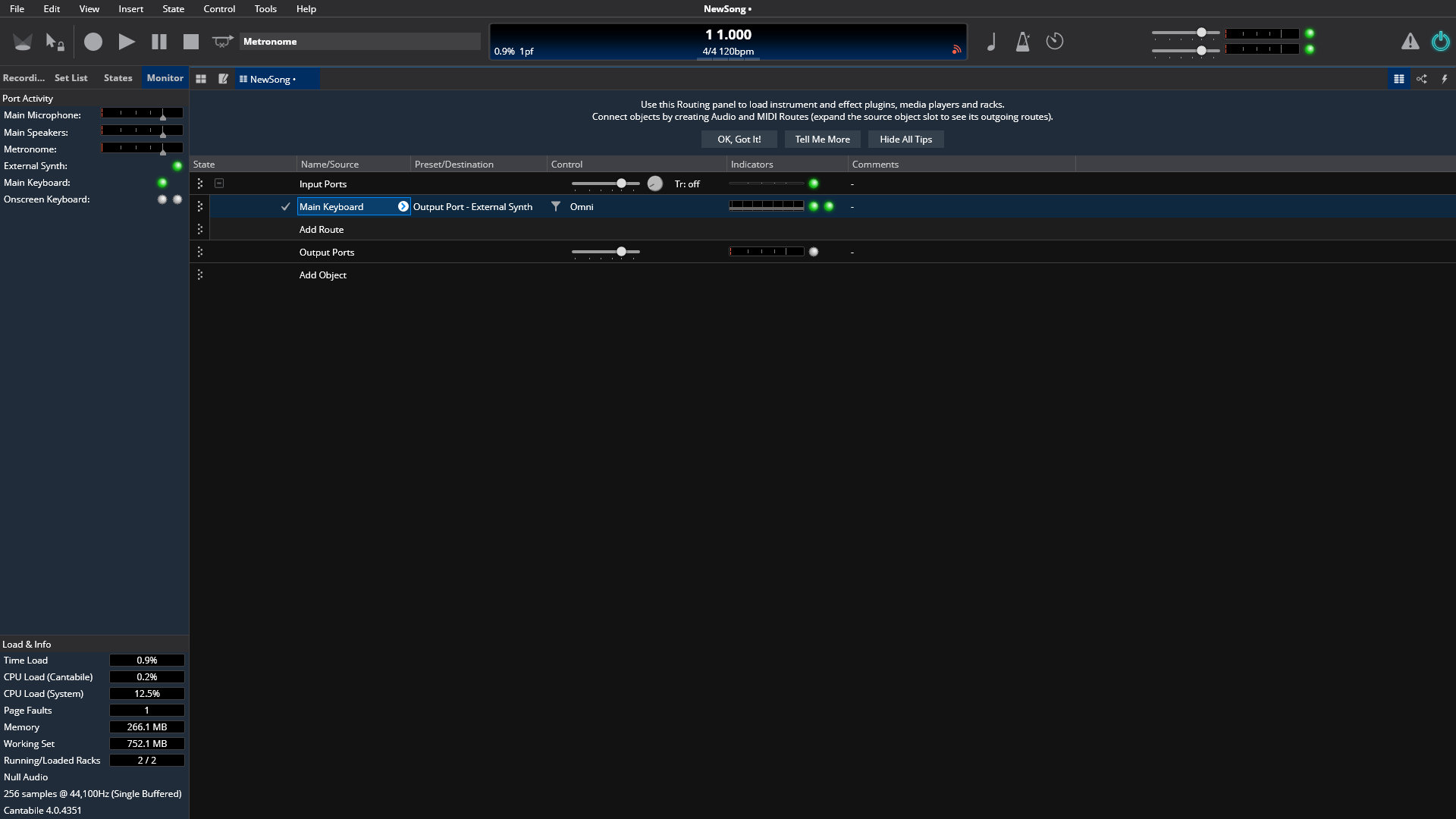
Glad to finally make some progress on this.
I’m not sure what this popup is - can you post a screen shot?
I’m wondering… since this is working in this config with null audio driver and since this problem started when changing audio interface I wonder if this is all actually audio driver related. What happens if you run you original broken config and set the audio driver to the Null driver. Does midi then work?
Hey Brad - previous/4351/upgrade (NOT the test/mirrored version) seems to now be fully functional after changing Audio Driver: setting from ASIO4ALL V2 to ASIO MOTU M Series setting. Just loaded one existing song, but everything seems fully back to normal. Will continue to put it through its paces and report back here if any further similar glitches.
Did try to find the pop-up/restart warning window, but couldn’t find it. If important, as best as I can recall it happened after I followed your instructions: “In MIDI Ports, right click Main Keyboard and map to micro-lite port 1 or 2”. On my own initiative I believe I tried to map/right click the external synth to micro lite 1 (out), selected accordingly and then got the pop=up saying I needed to restart for changes to take effect…than is my best recollection, not positive.
Let me play with it now and follow up later.
Can’t thank you enough for helping me work through this…
So it was the audio driver.
Best guess is the driver wasn’t actually running properly, therefore not driving Cantabile’s audio engine therefore midi not getting processed.
First time for everything…
Glad it’s fixed.
Follow-up:
Recall that I swapped out the Focusrite 8i6 for the new MOTU M4 A/D audio interface. After installing the M4, with ASIO4ALL driver setting I lost all midi functionality.
Now using Cantabile version 4351 which is functioning perfectly with the MOTU M Series audio driver setting, all midi issues resolved. The audio is superb, both within Cantabile and without when I play audio tracks, MP3’s, etc. I had for years used the ASIO4ALL driver driver setting with Cantabile V2 and later V4 with no issues and full functionality and assumed it was the best driver for Cantabile and other numerous audio devices/software, even if not explicitly required. Brad tells me that he continues to use the ASIO4ALL driver setting.
I downloaded/installed the latest ASIO4ALL driver, 2.21 thinking it might help. It restored midi functionality back to normal, but the audio is garbled when I play a VST instrument in Cantabile and so I am stuck with the MOTU driver for now.
I opened up Reaper to see how it is impacted by the new M4. Same result; garbled audio with updated ASIO4ALL, but sounds great with the MOTU M4 driver.
Finally, I reached out to MOTU support late Friday local time and described the issue. Am far from an expert and wondering if not being able to use ASIO4ALL could create problems down the road.
Any insights appreciated.
Yep, sounds like a compatibility issue between ASIO4ALL and the underlying Motu hardware driver. Given it works with Moto driver and not with ASIO4ALL probably more a question for ASIO4ALL devs than Motu.
Anyway, glad this is otherwise resolved.