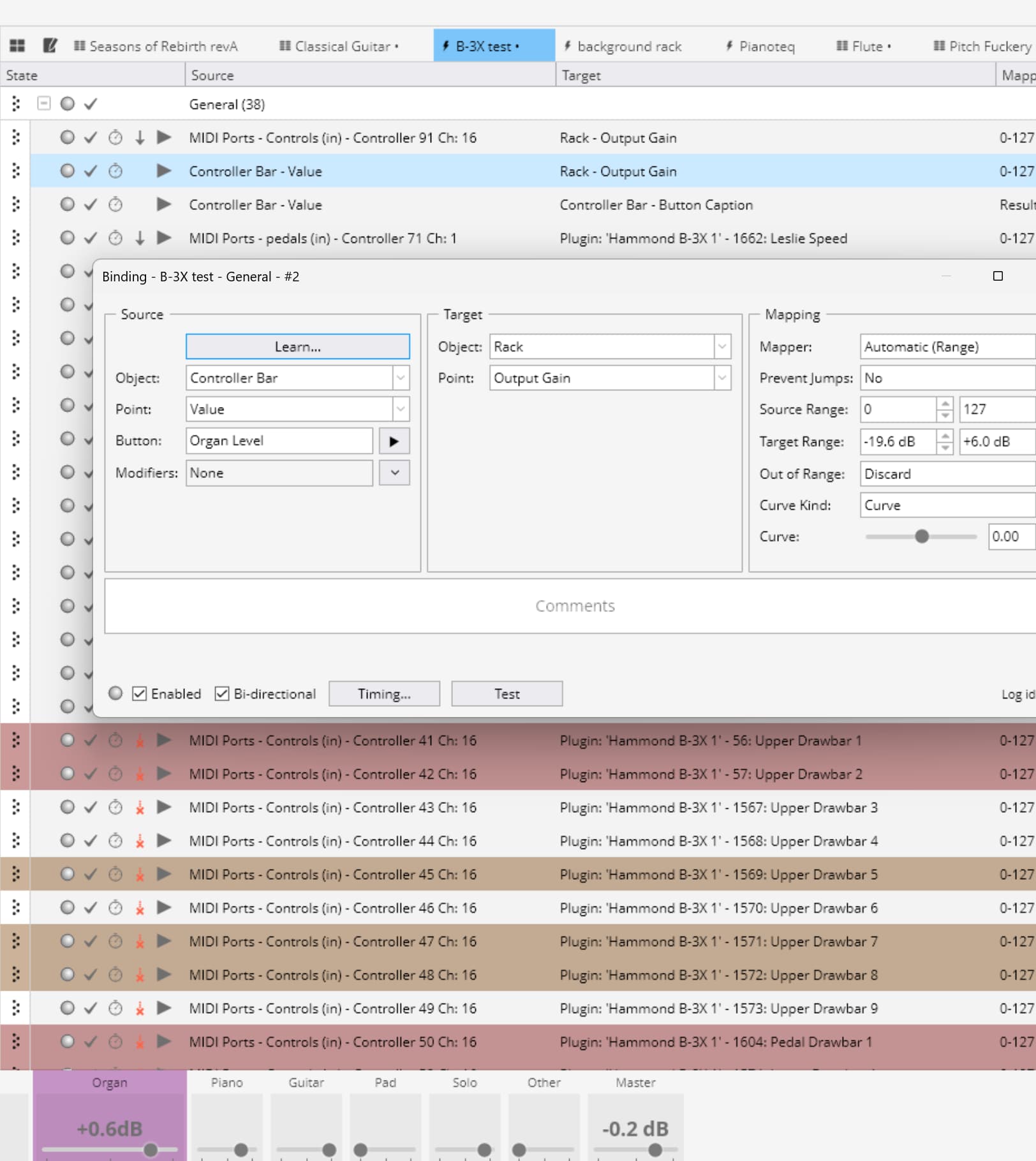
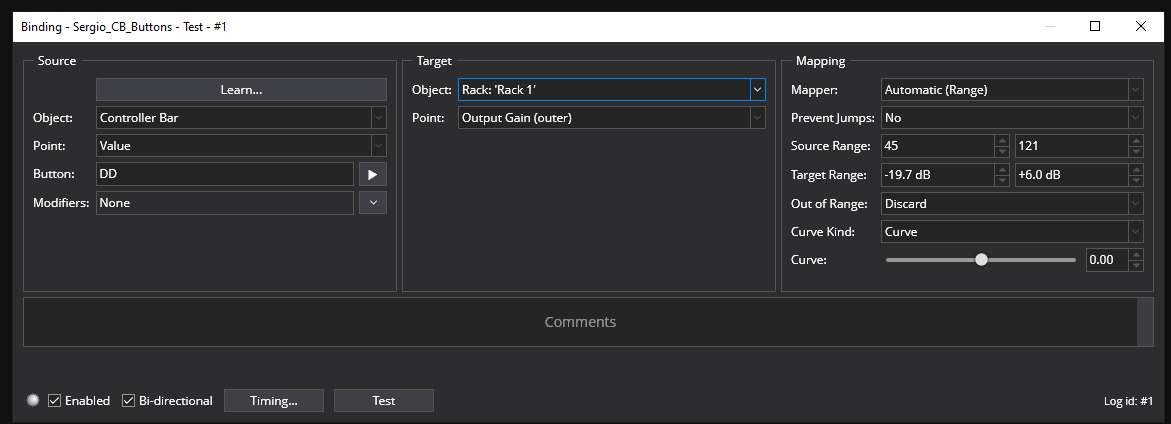
As you can see in the first pic, it is basically working. I need to fix the math so it matches my limited range. (I don’t want a live situation where I can drive the rack into clipping or completely off).
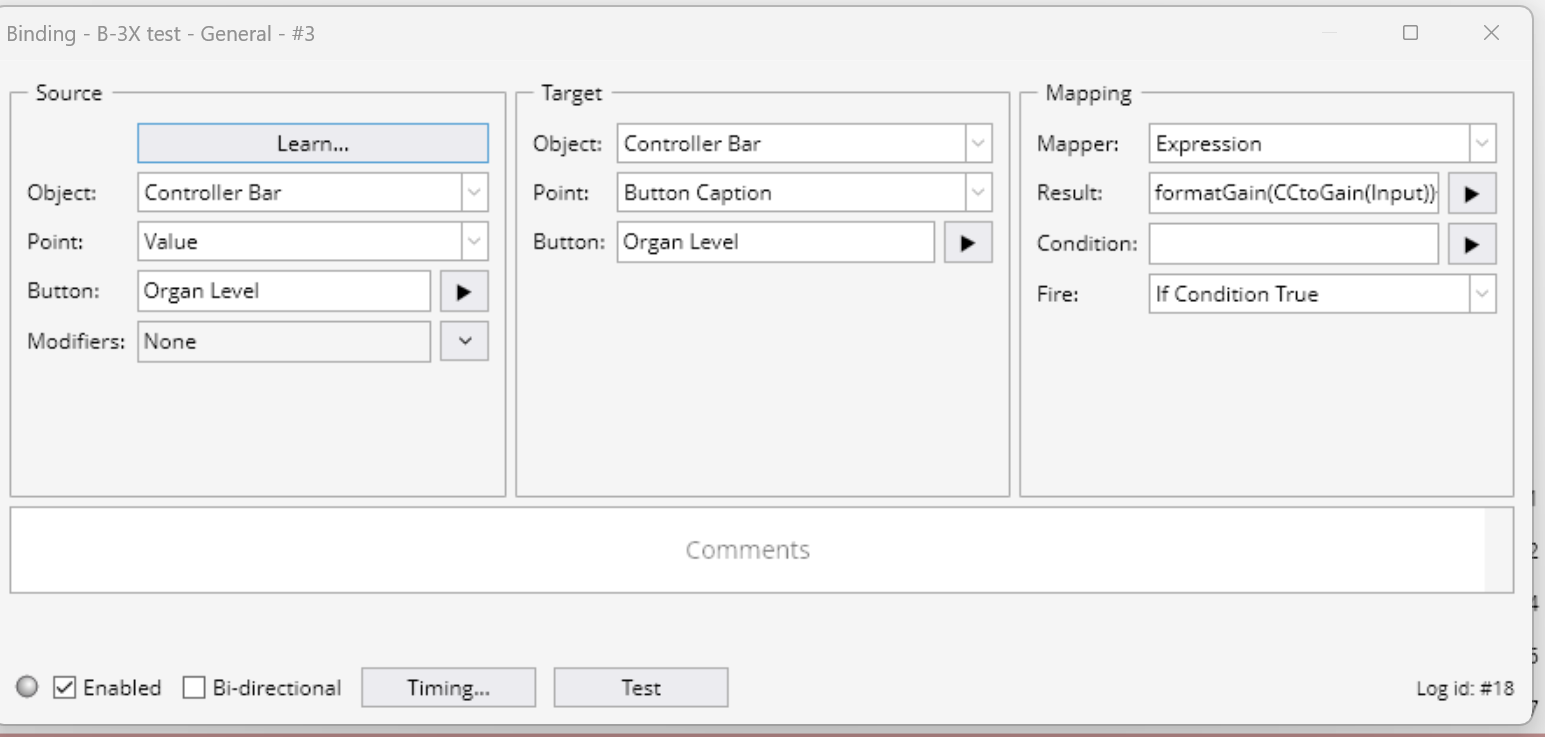
It still seems “off” that I need to recompute the number that’s already sitting there in the original binding. Of course, that’s easy to say when you aren’t the one writing the code. Maybe one for the wish list? It would also be nice if the button’s popup slider could reflect the target value instead of 0-127. Or maybe it can and I just haven’t discovered how?
Anyway, this looks like it will do the job with a little more tweaking. Still two things that need to be tweaked for future changes. But at least they are all in one place.
Good find!
A little off topic. I see some sample control bars in the forum with bigger caption text. Where do you adjust that?
The reason the values are not coded in as you mentioned is because the 2 logic flows are are separated in Cantabile. One is performance oriented and the other is display oriented. The display oriented functions are generic in nature and don’t follow the calibration or ranges you might set in the bindings. So as you said it’s one for the wish list since the coding would need some changes.
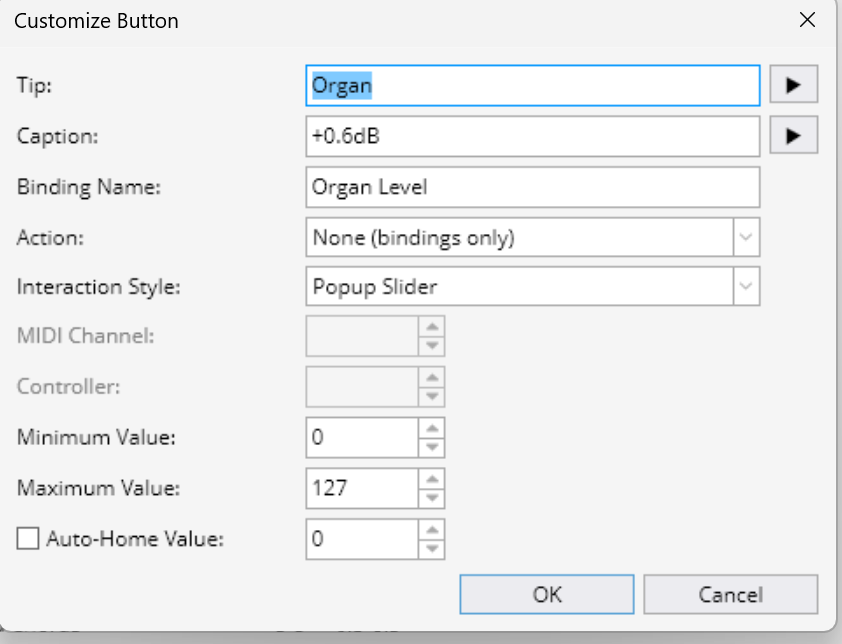
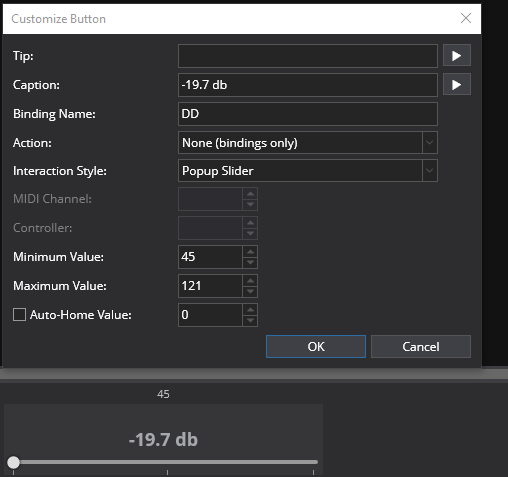
In the mean time you can set the pop slider range like so for the -19.6 ~ 6.0 db range you have in the binding to (45 ~ 121)
That will calibrate the 2 sliders and maintain the correct db readout. I had to find those values by experimenting with the slider value (which defaults to 0 ~ 127) The value readout that is built in to the slider is helpful for finding those numbers to set the range.
Yes, it can be done but it is rather complex. You have to edit the Theme file to do it. The Theme is located in the Topten Software/Cantabile folder in the Programs folder. Here are a link to help explain it and get you started if you want to edit the theme file to your spec.
After you unzip the theme file into a folder for editing you want to open main.gtl file in a text editor and locate the controller bar fonts you want to change. Save your results & make sure you that the same theme folder is selected in Options. So as you can see it’s for ambitious types due to all the moves needed to get there.
Getting back to this after Thanksgiving and wife birthday celebrations. I plugged in your numbers, but for some reason I wasn’t getting the same results. Plus I was concerned about how this would pay with a hardware knob that is also bound to the same rack output level. I went back to 0-127 all around and, instead tweaked the expression in the controller bar caption binding as follows:
formatGain(CCtoGain((((Input-24)/128)*45)+78))
My theory:
input -24 gives me CCx=0 → 0dB
/128 normalizes the range to 1.0
*45 scale to the ~24db range I wanted
+78 offsets CCx=0 to my desired minimum range
I thought I was smart enough to compute the scale and offset. But I was way off. I’m sad to admit that the numbers I arrived at are based on trial and error. I get -19.2 to +6.4 with those numbers. I could not get back to my original -19.2/+6 numbers. I think that maybe the inputs are converted to integer, so I could not fine tune it. But that’s just OCD talking. I am perfectly happy with that range, and I can still hit 0dB exactly to partially satisfy the OCD.
I haven’t studied the theme business, but I’ll probably just leave it alone for now. I have lots more to do with controller bar bindings. Hopefully it will be easy now that I’m an “Expert”. Ha!