This has happened twice (randomly) over the past two weeks, once during a live show. I’ll be playing a song and suddenly Cantabile freezes and become totally unresponsive, no longer processing incoming MIDI messages. The program doesn’t crash, it just hangs. I am unable to end the Cantabile process using Windows Task Manager: clicking “end task” does absolutely nothing. I am forced to either logout or reboot Windows to exit Cantabile.
For context, I am running Windows 11, the 25H2 version with all of the latest updates. My laptop is an Intel i9 with 64GB and a 4TB SSD drive. The only USB connection is to a Focusrite Scarlett 4i4 4gh generation that is running the latest firmware and Control 2 software. The 4i4 receives MIDI via 5-pin Din from my Studiologic Numa X Piano controller.
The two instances of freezing have been with the same set list, but different songs. The only common plugin in the two songs is Kontakt 8.8. Over the past month or so, I have been running Cantabile versions 4324 thru 4327.
Any ideas what could be causing these random freezes? I am frantic, fearing this will happen again during a live performance. Thanks in advance.
It happened again today, this time while I was exiting/closing Cantabile. The program hung, completely unresponsive just prior to releasing all memory. Once again, I could not stop the Cantabile process using the conventional Task Manager “end task” function. All other Windows functions remain active and responsive. I had to log out and log back in the kill Cantabile. No dump file was generated. What is going on? @brad?
An process that can’t be killed via task manager almost certainly suggests this is a driver or hardware level issue. Also, nothing in this area has changed in Cantabile over builds 4324-4327 suggesting this is external to Cantabile itself.
The first thing I do is change any USB cables between the PC and your audio interface. It wouldn’t surprise me in the least if this resolves the issue.
If this happens again, go to Task Manager → Details Tab → cantabile.exe right click and choose Create Memory Dump File. This will create a probably very large dump of the entire process. Send it to me here and I’ll see if I can figure it out. Also take a copy of the log.txt file but it will probably be less useful.
Thanks for the information, Brad. This issue has actually occurred with two separate cables, but they are identical. These braided one-meter cables are almost brand new and are spec’d for Thunderbolt 4, although the Scarlett audio interface only supports USB 2.0. Should I be using just plain old USB 2.0 cables instead of Thunderbolt cables?
Also, there was recently a Control 2 firmware and driver update for the Focusrite Scarlett 4i4 audio interface. I assume that could also be considered a culprit?
FWIW - I’ve run my “backup-of-the-backup” setup in operation for a couple of weeks recently, using a Scarlett 4i4, and I’ve had regular crashes of that PC (often on starting Cantabile, but sometimes even before starting Cantabile). Typically during the first couple of minutes of operation, once the first crash was through and the machine was re-started, system was stable afterwards.
Not sure if related, but your comment got me thinking - I hadn’t immediately thought of the Scarlett as a potential culprit, since that setup has other components I had under suspicion, but now that you mention it, I’ll have to look at the Scarlett more thoroughly.
So may be something to consider in your setup as well.
BTW: my system is running a pretty old version of Focusrite Control 2 (1.416.0.25026); I’ll have to see if the latest version behaves differently. Will keep you posted!
Look at plugin licensing.
I went through this and it wasn’t Cantabile.
The only reliable way to use Cantabile offline whilst live is with plugins that have licenses stored locally on your machine.
Any plugin that requires its’ license authentication via a cloud will constantly try and hit its’ server and this caused Cantabile to hang.
Roland plugins were the cause of my crashes. Once I replaced them everything stabalised.
A caveat: Roland advise that log in to their cloud keeps a local license alive but it wasn’t the case.
I liked the PolyMax synth but it was cloud authentication via iLok. I liked the synth so much I bought an iLok dongle, which worked for a few weeks but eventually failed with the same results as the Roland. Latency slowly creeps in and stuff hangs. iLok is suppsed to have a work around but it didn’t work for my set up so I ditched it.
It may not be Kontakt. Have a look at all your plugins and disable them individually to see which one is a likely cause if you’re not sure about their license location
Thank you to everyone that responded with ideas and suggestions. I started with swapping out the USB-C cable and so far, so good. I played a show on Thursday that was without incident. Since the issue is very sporadic and impossible to reproduce on demand, I’ll just have to wait a few weeks before declaring victory. I will report back if it recurs, at which time I will explore other options (like regressing the Scarlett firmware and driver software).
Well, after weeks of stability (with the new Belkin USB cable), the random crash/hang happened again this morning while I was rehearsing for an afternoon gig.
@brad I uploaded the Windows task manager memory dump file (while Cantabile was still hung) and the Cantabile log file, as you requested. Any insight you can provide into the root cause is greatly appreciated.
Are you sure you uploaded the memory dump - I can only see a single file with the log.txt in it.
I had a look at the log, but it was truncated.
It looks like the last thing it was trying to do was close Kontakt, but the log file write is usually cached before written so there could be more between what I can see and what actually happened.
If you’ve got the memory dump I’d be interested to see it.
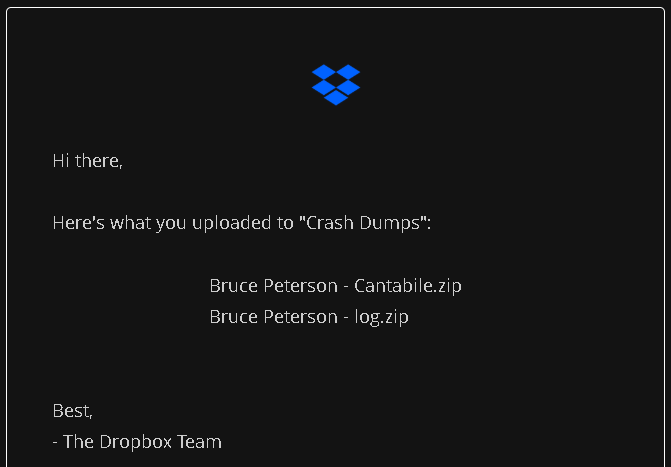
I uploaded the log.zip and Cantabile.zip, the latter is the zipped memory dump file, approximately 11GB in size. The email I received from Dropbox confirms the receipt of the two files.
Let me know if I need to re-upload the Cantabile.zip file.
Also, at today’s gig and using a different laptop, Cantabile spontaneously crash dumped in the middle of my first song. I just uploaded that dump file (zipped) to your Dropbox for you to take a look at.
I think I’ve may have found the cause of this one. Fix will be in the next build.
Could you clarify, this was while the audio engine was running? How long had it been running - just started, or a couple of minutes in? I don’t suppose you have the log.txt file that goes with this?
(For future reference: when manually capturing memory dumps, if you can capture the associated log file too that provides more context information that can help with diagnosis).
I’m still looking through this, but looks like root cause of this might be SampleTank throwing an exception during audio processing which leads to a subsequent deadlock.
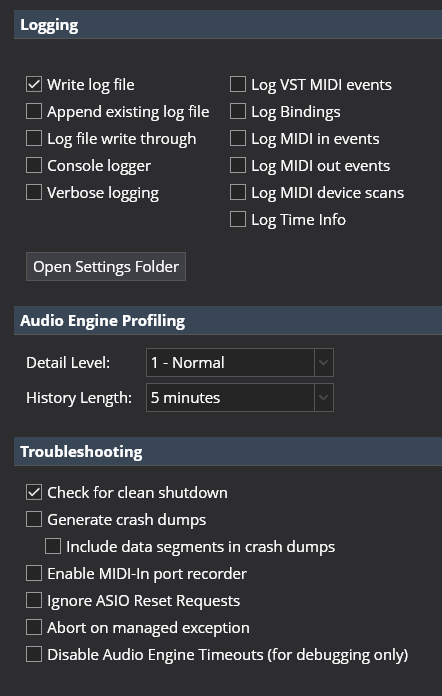
Really important question: did you have Cantabile’s own crash reporting enabled when this happened? (Tools → Options → Diagnostics → Generate Crash Dumps). If so, the crash reporting could be why it’s hanging instead of crashing with useful information about the problem.
In either case, I’ll get you to turn off Cantabile’s built-in error reporting (using the above option) and instead capture any issues using external tools. See this page for how to setup procdump or DebugDiag. Or, you could use Windows Error Reporting:
In the Windows registry (regedit) create this key:
DumpFolder (REG_EXPAND_SZ): C:\CrashDumps (or any path)
DumpType (REG_DWORD):
0 = Custom dump
1 = Mini dump
2 = Full dump (recommended for this case)
DumpCount (REG_DWORD): 10 (keep last 10 dumps)
Also, create the C:\CrashDumps folder
To test this is working before the real crash, you can force Cantabile to crash with this secret trick (Don’t tell anyone :)): Go to Help → About, hold Ctrl+Atl+Shift and click the “Website” button. Kaboom. You should see a crash report in the C:\CrashDumps folder.
Once you’ve set this up, if it crashes again we should get more reliable information.
In the meantime, I’m going to review Cantabile’s crash reporting to see why it might be deadlocking.
Should I consider switching to “Compatible” Multi-processor Mode in Cantabile’s Audio Engine settings for my Focusrite Scarlett 4i4 audio interface? I’ve been running in “Aggressive” mode. Might that help reduce crashes?
Since SampleTank (and IKM plugins in general) have been a recurring theme in your crash dump analyses of my issues, should I consider switching from VST3 plugins to VST2? I’ve heard that VST2 plugins have less issues in general, although may underperform VST3.
Another crash today during practice. I uploaded the Windows task manager memory dump file (Cantabile(2).zip), but it didn’t create a crash dump file.
This time the crash occurred while I was switching songs within my setlist. The other crashes have happened mid-song, while I was playing. The song I was switching to had only Kontakt instruments, with IKM Amplitube and MODO Bass 2, and Waves audio processing plugins.
I had already changed Cantabile’s audio engine multi-processor mode setting to “Compatible”, so apparently that doesn’t make a difference.
You should be fine to leave that on aggressive. This option is from way back when many plugins didn’t expect multiple instances to run on different threads. All modern plugnis should work fine in aggressive mode.
I have no insight into this - that’s more a question for the SampleTank devs.
I’m confused by this statement. If it didn’t create a crash dump file - what did you upload? Was this a crash (program disappeared, prompted with error message) or a hang (where it just became unresponsive)?
Could I get you to check one more thing for me. Load up your biggest session and exercise it a bit to put it under some load for a few minutes. Then bring up the profiler (Tools → Profiler), click the menu button at the top right, choose “Save” and send me a copy of the saved file (you can just email it to me).
The Cantabile(2).zip file I uploaded earlier today was created manually through task manager, while Cantabile was hung and still running. I assume that ProcDump initiates a crash dump automatically when a program terminates abnormally, which was not the case.
ie: it stopped responding, you captured the crash dump through task manager and because the process didn’t actually crash procdump wasn’t invoked. Got it.