OK, here you go:
First, the Main Keys Rack:
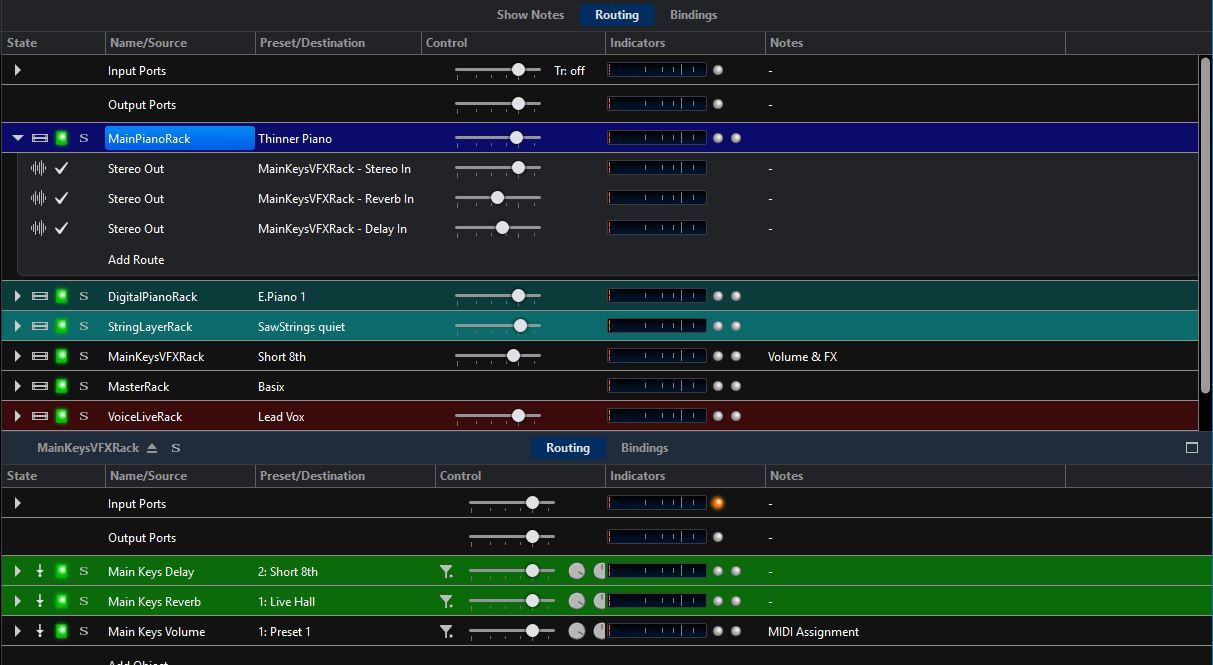
It contains a delay, a reverb, and a volume fader which is MIDI-controlled.Each of the racks in my main layer send their output to the rack’s main input, plus, optionally, a separate route to the reverb or to the delay. This way, I can have different levels of reverb/delay for each element in my main layer!
Now, the volume fader controls the sum of all layers, plus both effects. This way, I can easily raise or lower the volume of my main sound with ONE fader, maintaining the balance between all elements, and without affecting the volume of any solo or effects sounds. Cool, huh?
Next, the Master Rack:
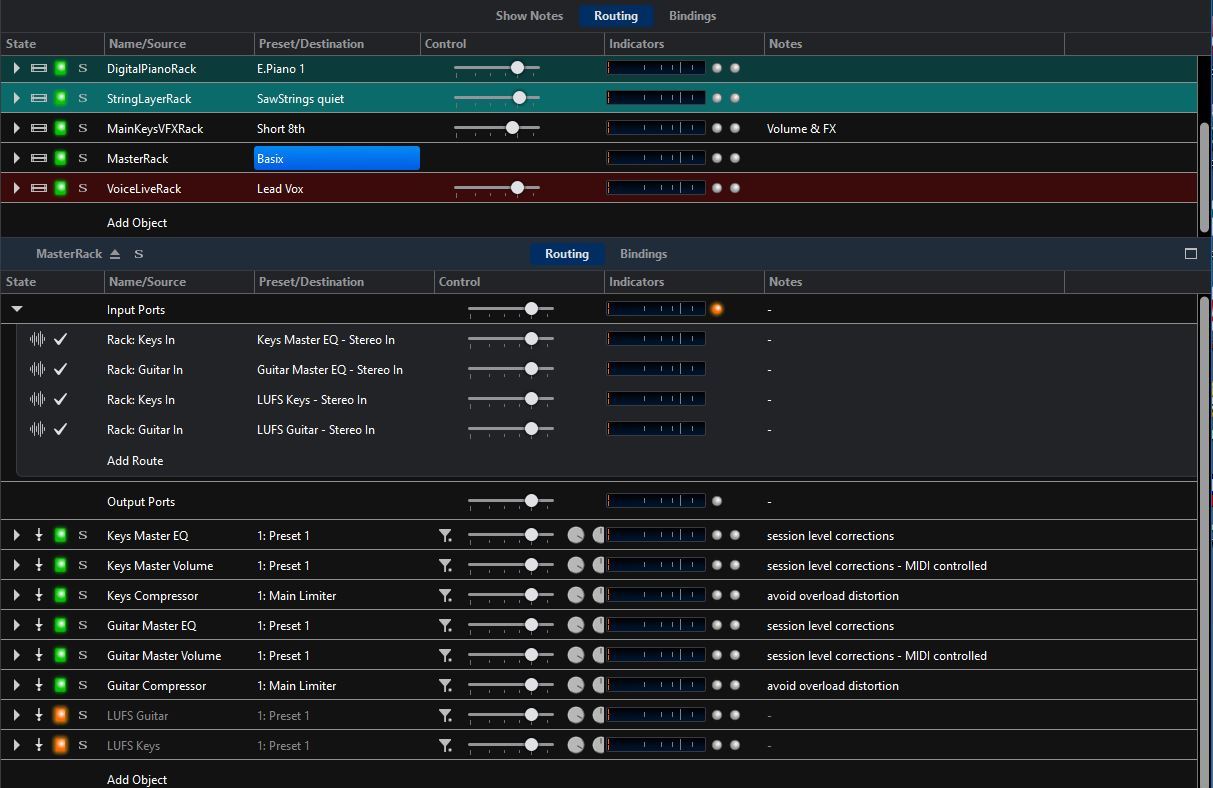
All my keyboard sounds are finally fed into the Keys Input of this Rack, all guitar sounds into the Guitar In. Each of these inputs is then processed by a master EQ, plus a master volume, and finally a limiter to avoid distortion.
Since this rack is pre-loaded in my setlists and set to ignore state changes from the song, its settings stay persistent across all songs, i.e. when I make an EQ setting in the Master Rack, it will stay in place across all songs. Same with any volume change I make here via a dedicated fader on my keyboard: when I lower the overall volume of my keyboards, because I believe they are too loud relative to my guitar sounds, this setting stays permanent for the whole gig (or until I push it back up later in the gig…)
Hope this is educational 
Cheers,
Torsten