Is there a way to quickly switch song states with touchscreen? Like setlist grid, but for states
Double tap the state. Or long press and select load.
1 Like
Thanks, but I know that. I’m looking for a big button whereI can tap touchscreen quickly in the middle of a song. Like setlist grid.
Have you tried the Ticker Bar? It should get you close to what you are looking for.
You’ll need the Performer version for it.
2 Likes
Thanks, Torsten. That helps, though the buttons are a bit small, it’s manageable. For the particlular song that needed fast state switching I ended up binding 3 buttons on my Roland foot controller. Sadly, the switching is not fast enough. Set list is pre loaded, no sample-based instruments. Fast enough for between songs, but not during a song. I ended up getting rid of states and using foot control to bind volume messages. To control 3 instruments in 3 song parts, this required 12 bindings.
1 Like
Hmm, not what I’d expect:
- three bindings - State-OnLoad → CC7 to plugin
- make binding “target” state dependent (tick State Behavior box for “Target”
- set cc7 value to intended value, update state and save
- repeat for all song parts
This way you can control plugin volume for three instruments with three bindings, even if your song has 24 parts 
2 Likes
Thanks, Torsten. You are always so helpful. Here is what I have. If theres a cleaner way, let me know.
3 instruments to control in this song. On load I send CC7 = 100 to instrument 1, cc7=0 to instrument 2 and cc7 = 0 to instrument 3. Pressing the footswitch for instrument 2, I send 0 to 1, 100 to 2, and 0 to 3. Footswitch for 3 - 0 to 1, 0 to 2, 100 to 3. Footswitch to get back to instrument 1 - 100 to 1, 0 to 2, 0 to 3. A few of these are maybe unnecessary, but make it foolproof.
Hey Ray,
first suggestion: in your use case, I wouldn’t use volume commands, but rather just change the target of the route from your MIDI controller to the VST. Using volume commands makes sense when using multiple instruments at the same time (layering) and you want to modify the mix between them per state. But in your case, it looks like you just want to play instrument 1 in state 1, instrument 2 in state 2, etc.
Using volume per state means that all three instruments play in all three states, but only one is heart - an inefficient use of CPU resources, IMHO.
Using a route with changed target makes things simpler and only actually plays ONE instrument per state:
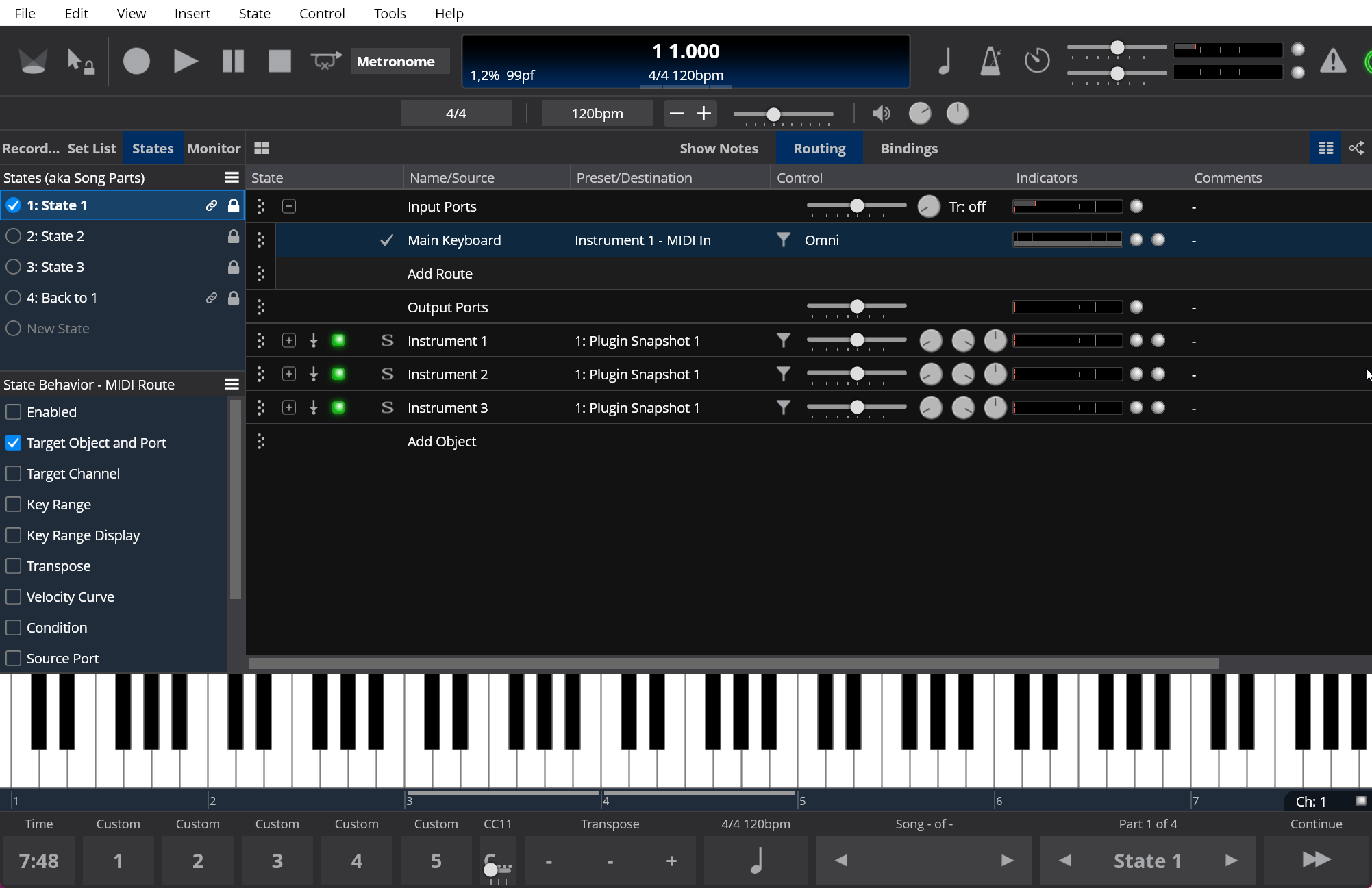
Using State Behavior = “Target Object and Port” means for every song state, the route from Main Keyboard gets sent to a different plugin; for State 2, this looks like this:
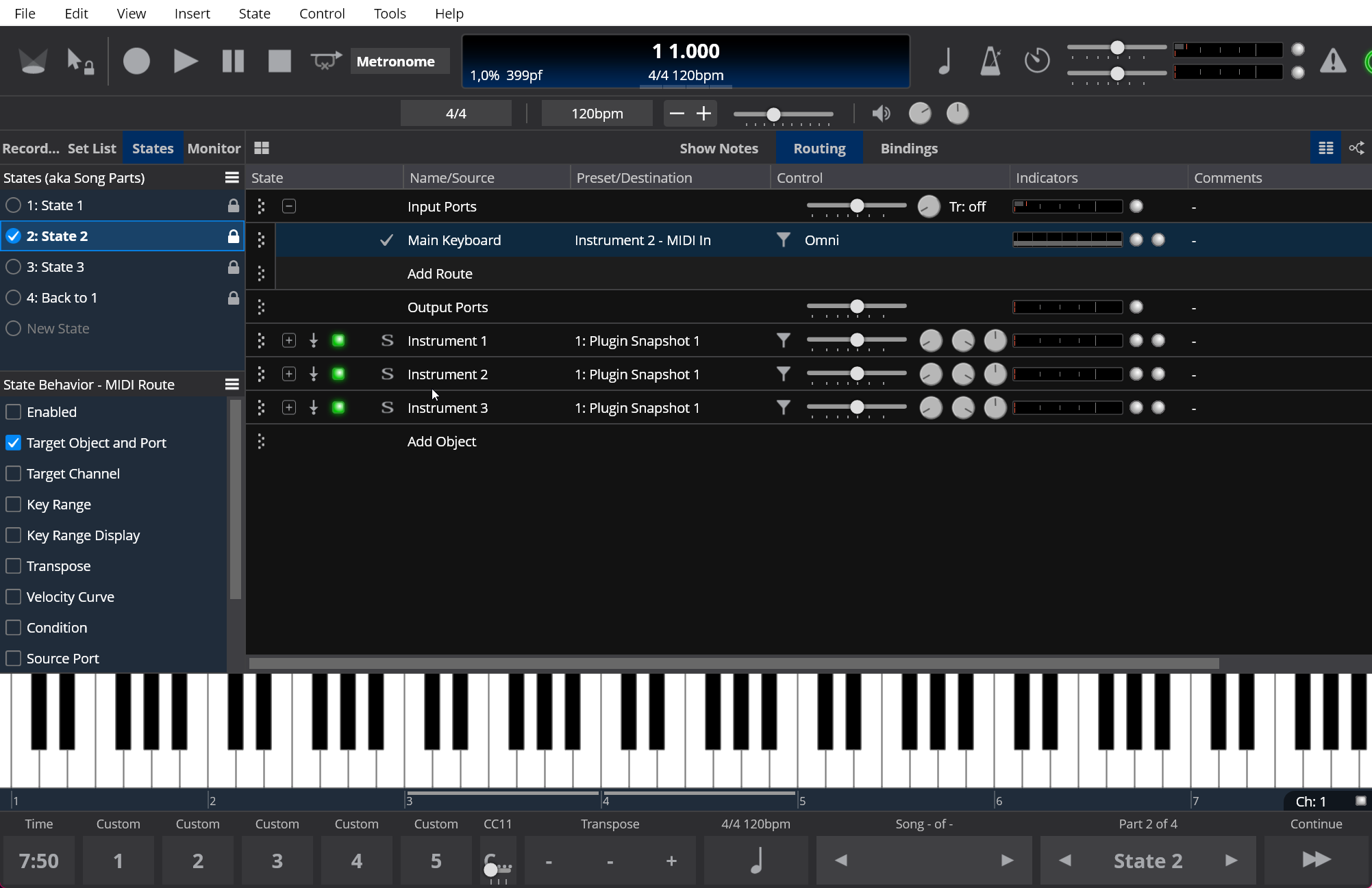
For good measure, I’ve also created a “linked state” (see first picture - the “chain” icon) - the 4th state contains the same settings as the 1st, so any change made to State 1 will also be in “Back to 1”.
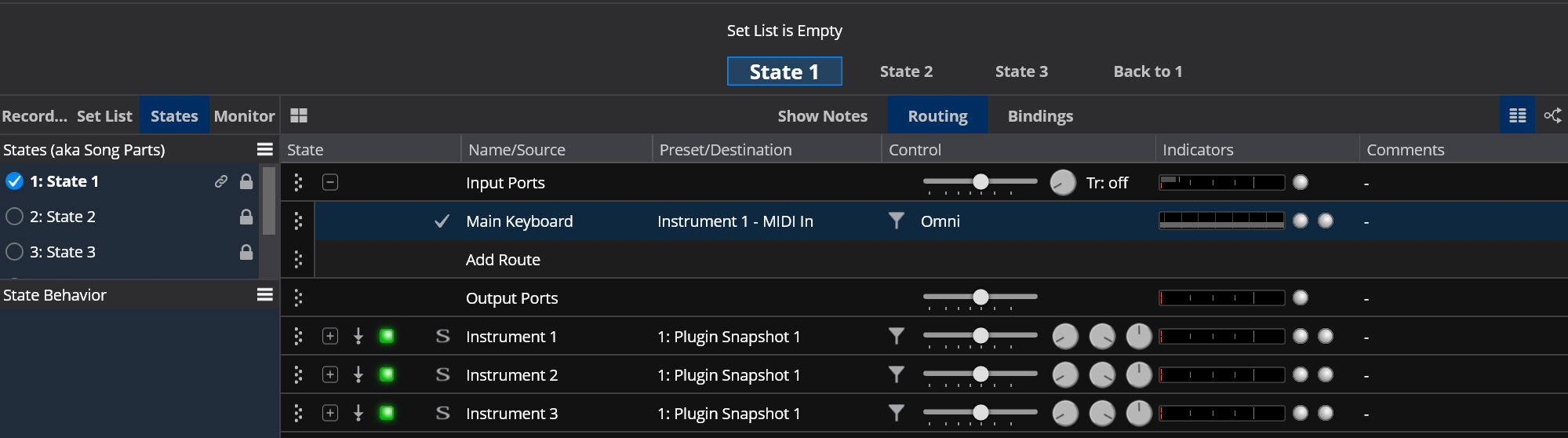
Simple as that - and switching should be super-fast - I use this mechanism all the time in my live set. So you should be able to use the ticker bar to switch between these states:
1 Like
Awesome! Thanks so much. I will try it later, but it looks like a winner. I didn’t think of just changing the routing. And I would never have come up with the chaining business on my own.
I knew I was wasting MIPS with my solution, but it’s only a problem of you run out 
Hi Torsten,
Hard to believe it’s taken me over a month to try this out. It works as advertised. Much simpler than my original attempt. And it has the benefit of not cutting off sustained notes and reverb tails. I was concerned that I would get stuck notes if I switched routing while holding a key down, but it works great. The held not remains on the previous sound while new notes are on the newly selected sound, Kudos to Brad on that!
However, the switching is a bit slower than with my original. I haven’t decided if I can live with that or not. Initially, I had the instrument GUIs popping up. In one case (SWAM flute) it was about 10 seconds to switch.
Also, two of the three instruments were transposed down an octave in my original. I haven’t discovered a way to control that on a state-by state basis. I may be able to do it at the plugin or rack level of the instruments but that seems awkward. Maybe by midi channels or more bindings. I played around with a Transpose filter but the enable state doesn’t seem to be saved per state.
Anyway… Thanks again for your suggestions
-ray