I just purchased RapidComposer 6.1.3 but its GUI won’t display in Cantabile 4 Performer, making it unusable. Symptoms:
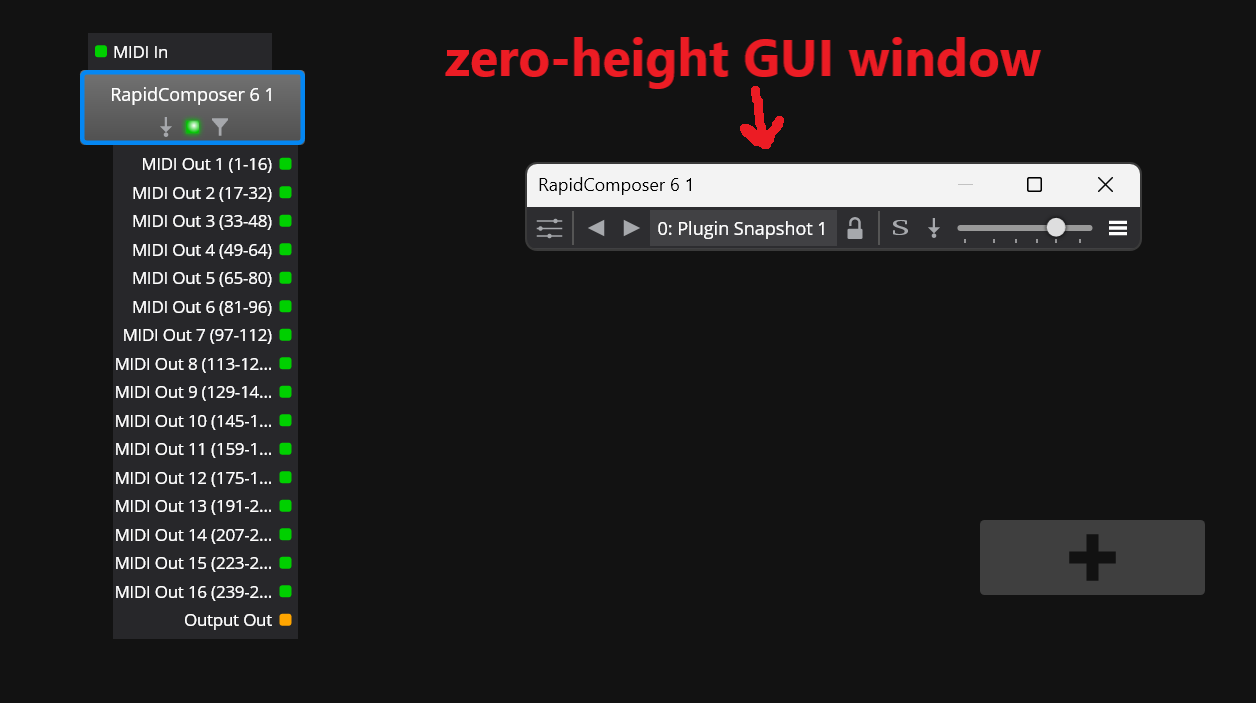
When Tools → Options → General → HiDPI is set to anything other than “Disabled”, double-clicking on the RapidComposer VST3 plugin within Cantabile doesn’t display RC’s GUI. It opens a zero-height window with Cantabile’s widgets at the top:
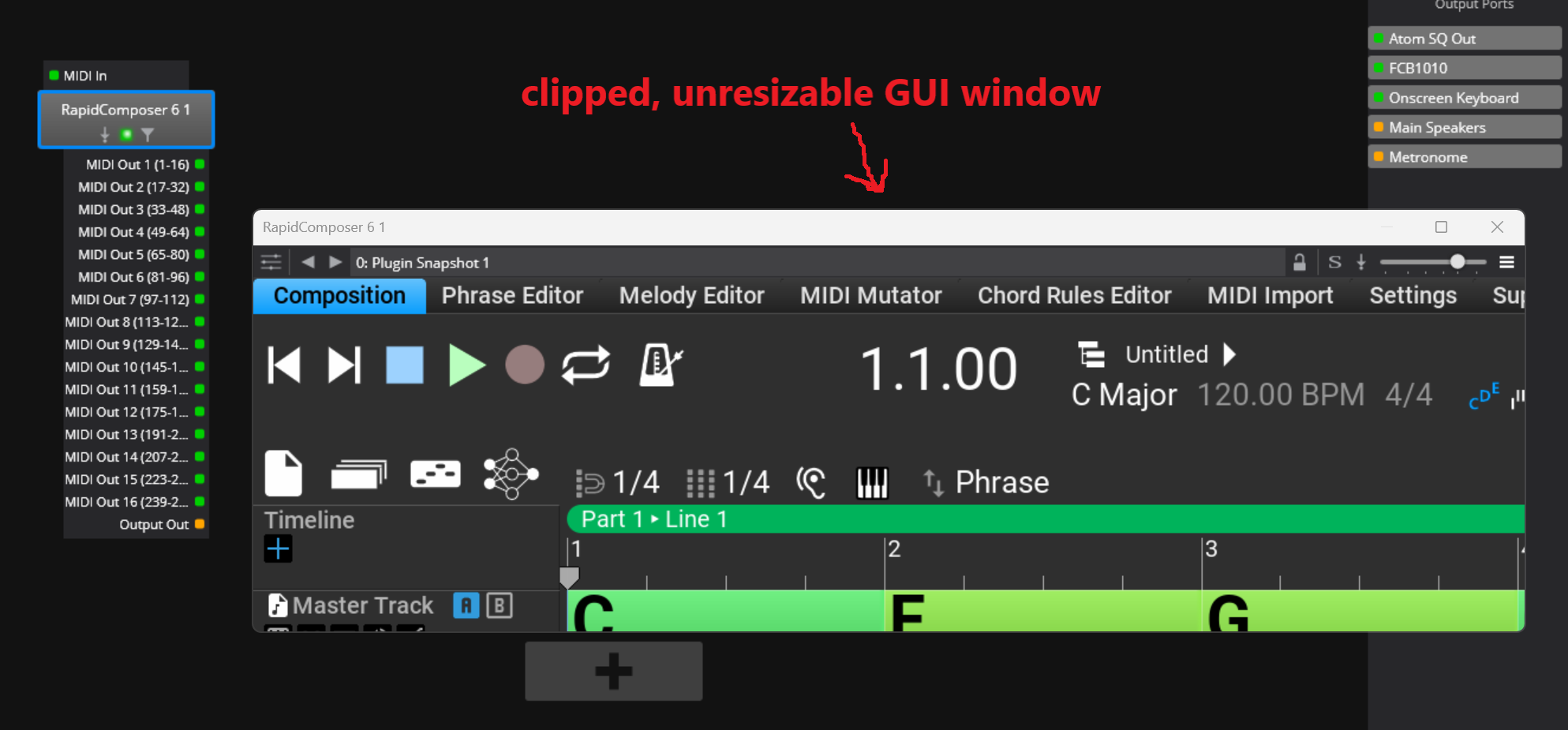
When Tools → Options → General → HiDPI is “Disabled”, double-clicking on the plugin displays RC’s GUI, but clipped to a window too small to see most of it. Attempting to resize the window clips it even smaller, and no further resize is possible:
Note for @Brad: This still seems to be broken in v4345. Seems like a bug in the way Cantabile communicates window resize events to plugins that support host-resizable plugin GUIs.
Test setup (recommended by plugin dev): In Cantabile: Hi-DPI set to “Enabled & Upscale Plugins”. In RapidComposer6: Settings → User Interface → Rendering → Windows UI scaling = Disabled.
Test: Load RC6 into Cantabile and open its GUI. Drag the RC6 window border to make it larger. Instead of getting larger, the window snaps to a smaller size that clips most of the content (makes the plugin mostly unusable in Cantabile).
Yes, I’m aware of this issue and RapidComposer’s developer (Attila Mezei) has been in contact with me. I said I would look into it, but I’ve been busy with other work atm and haven’t had a chance.
Basically I’m at the point of considering removing Cantabile’s support for up-scaling old plugins. It’s a constant pain to keep working and it complicates the plugin ui hosting code no end.
ie: I’m reluctant to patch it again, because it will almost certainly break some other plugin.
ie: It needs a simplification (removing upscaling) and a rework.
Maybe I should just bite the bullet and do that for this next major update - I need to go through a stabilization period with it anyway.
That said, Attila tells me the following configuration does work:
This bug isn’t related to up-scaling. Changing Cantabile’s Hi-DPI setting to “Enabled” (no up-scaling) makes no difference. There’s something wrong with the way Cantabile communicates host-initiated window-resize events to plugins.
Plugin-initiated resizes work properly. For example, if you very cautiously use only RC6’s internal widgets to adjust the window size, all is well. But if you ever touch the window border (causing Cantabile to send a resize event to the plugin), the plugin GUI becomes clipped to an impossibly small rectangle and there’s no way to recover because RC6’s resize widgets become inaccessible.
I’m guessing this Cantabile bug has gone unnoticed because not too many plugins create host-resizable GUI windows. If so, the bug probably impacts all plugins that expect the host to initiate GUI-resize events.
I wasn’t suggesting the upscaling was the cause of this issue, just that because there’s so much messy code for it around hosting plugin GUIs touching anything there is risky, because it’s fragile.
As soon as I get a chance, I’ll try ripping all the upscaling code out and see where it stands - at the very least it should be simpler to debug.
I was hoping that isolating the flaw to host-initiated resize events would afford a more surgical fix, since my perception is that Cantabile otherwise handles plugin rendering quite well. Or at least I haven’t heard any other complaints beyond this narrow issue.
I started looking into this on Friday - the plugin is doing some unexpected stuff and not following the VST resize protocol correctly. I’ve reported it to them and while there might be issues on Cantabile’s side too I’m blocked on it until I hear back from them.
I’m happy to report this issue is now solved. After feedback from Brad (thanks, Brad!) Attila diagnosed and fixed the RapidComposer bug that was causing the resize problem. I confirmed that the fix works in the current RC beta, and Attila says it will be in the next RC stable release (v6.1.4).