Hi,
I found what appears to be a High-DPI related issue when using a specific VST3 plugin with Cantabile.
Environment
- Cantabile: (please insert your version)
- Windows 11
- Display resolution: 3840 × 2160
- Windows display scaling: 150%
- Plugin: Ensoniq SD-1 VST3
https://github.com/sojusrecords/Ensoniq-SD-1-VST
Steps to reproduce
- Start Cantabile.
- The UI is displayed normally.
- Open the SD-1 plugin editor.
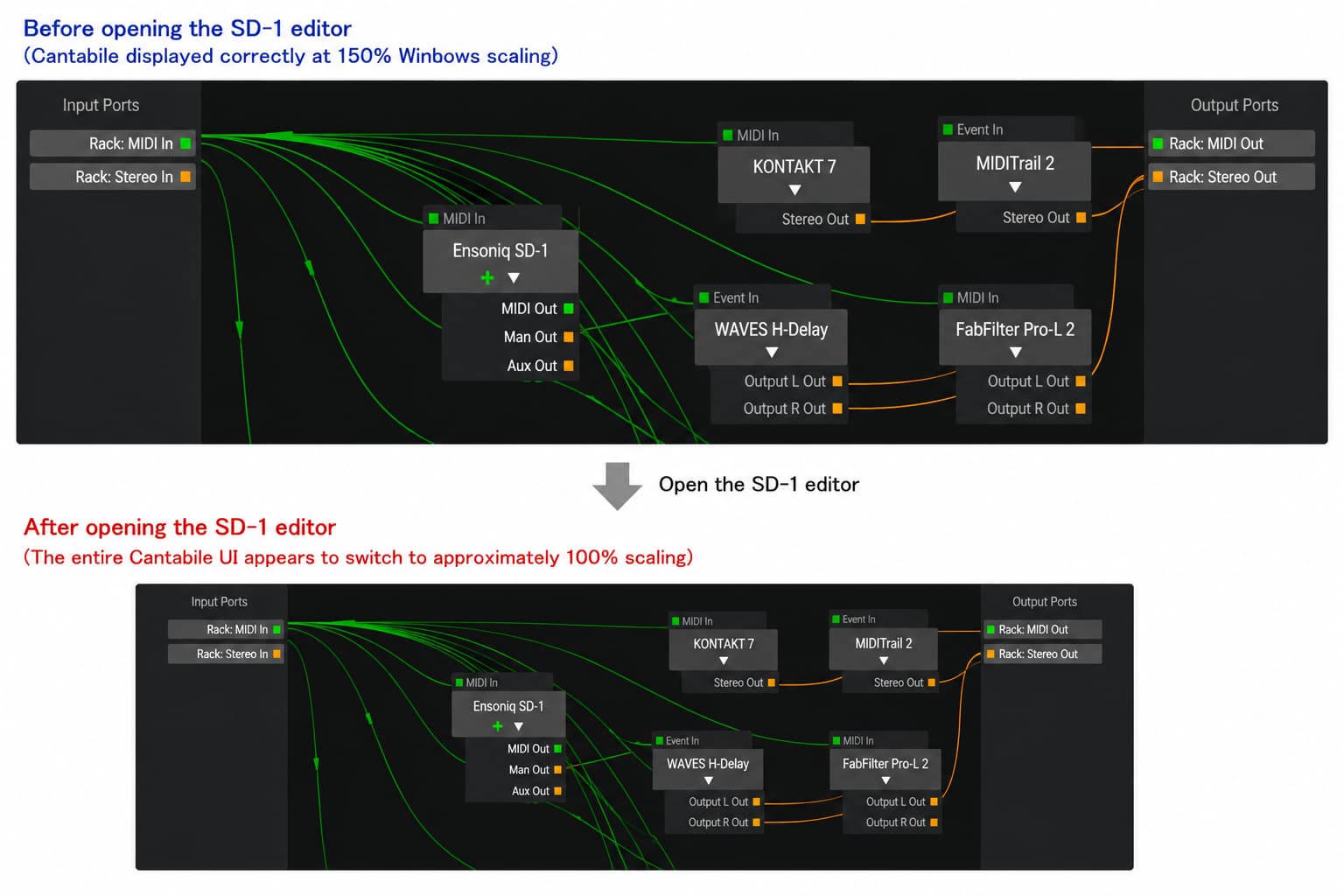
- Immediately after opening the editor, the entire Cantabile UI appears much smaller, as if Windows scaling had changed from 150% to approximately 100%.
Expected behavior
Only the plugin editor should open.
Cantabile’s main window should remain unchanged.
Actual behavior
The scaling of the entire Cantabile interface changes.
Closing the plugin editor does not restore the original scaling.
The only way to recover is to restart Cantabile.
Additional information
- The same plugin works correctly in Cubase Pro 15 on the same PC.
- This only seems to occur in Cantabile.
- I have attached before/after screenshots.
Is this a known High-DPI compatibility issue?
If necessary, I’d be happy to perform additional tests.
I noticed this behavior with one VST3 plugin and wasn’t sure whether it was caused by the plugin or by an interaction with Cantabile, so I thought I’d ask here first before contacting the plugin developer.