Thanks, Brad. I will start over with github and see if I can figure it out.
Hi Brad,
I have made a few baby steps. I think that looking at the Stream Deck SDK was probably a mistake. It’s a completely different toolkit from what you are using. The SDK is all about old-school command line stuff. Not a fan.
I have forked your github repo and cloned it. I have made a trivial change, rebuilt it with pack.bat and saw the results on Stream Deck. FYI, with the latest version of SD you don’t need to manually delete from %APPDATA%. In fact, that does NOT work unless you go into task manager and kill some sort of SD background task first. Uninstall from the SD app, click on the new build to reinstall. But it is not smart enough to reinstall an existing plugin, though.
I suppose I could just start hacking away, build, and see what happens. But that will get pretty tedious with no debug capability.
I get the impression that you use VS Code for development. I installed that and I think I have the project loaded. But I don’t really know how to get started. “Run” wants me to make a selection.
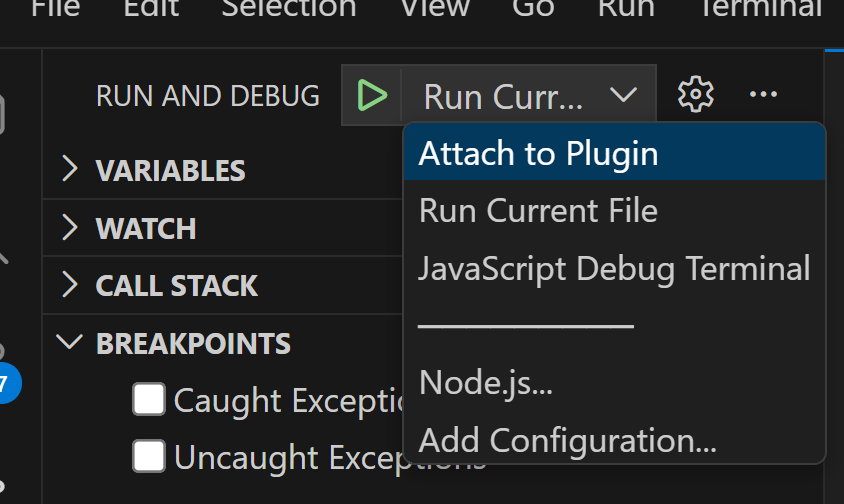
“Attach to Plugin” intuitively makes sense, but the only choice is the “hello-world” plugin I made with the Stream Deck SDK tutorial.
Run Current File exits with the following messages
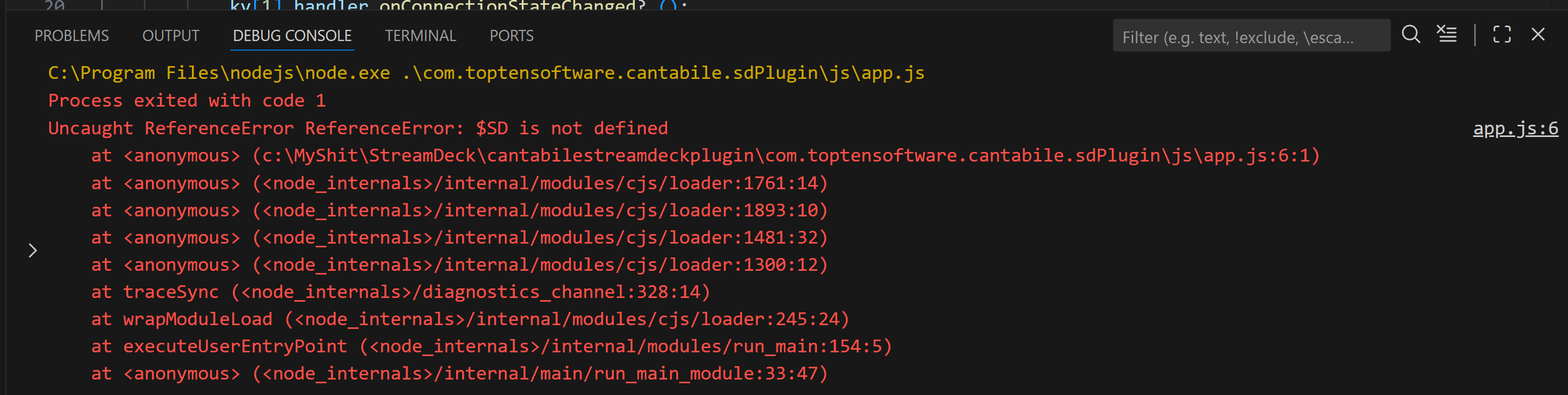
I have confidence that I have the project loaded. If I introduce an intentional error, I get the expected error messages.
Let me give you a little of my background as it may inform you as to how you might be able to guide me. I am a primarily a hardware engineer, but I have done a lot of code development over the years. All for embedded microcontrollers. Most recently it has been C++ in Visual Studio for Raspberry Pi. The visual studio environment was set up by someone else. I have no experience starting from scratch with that. I have no experience with Java or HTML, but I don’t think that will be a major issue.
If you can give me a little guidance on how to get “Run and Debug” going, it would be greatly appreciated.
It’s been a while since I last worked on this so my memory is probably a bit vague and as mentioned it sounds like things with the SDK may have changed.
Here’s what I remember:
- I “installed” the plugin by creating a symlink from the Stream Deck plugin folder to my development project folder.
- After making changes I think I had to exit and restart Stream Deck app (sounds like you’re saying that’s no longer enough, not sure)
- I did use VS code for editing, but not for debugging…
- For debugging I used Chrome/Edge debugger… as described here.
I’m pretty sure VS code can now debug using the chromium debug api, but I don’t know if it works with Stream Deck plugins and I never got around to trying.
Brad
Thanks Brad. I have a little research to do.
No idea what a symlink is.
Not sure about starting and stopping with your method. I was talking about a full rebuild with your pack.bat file.
VSCode allegedly has some debug capability, but not as much as full VS. For sure I can build from there as I intentionall created an error and it told me about it.
I’ll look at that debugger if I get nowhere with BS Code.
I have done primitive debugging for years using printf and teraterm. Not a fan compared to VS. But if that’s what it takes… Not sure how to connect a serail port, though.
I’ll keep you posted.
It’s just a link from one directory to another. See Windows mklink command.
The pack command is only for distribution - it basically zips up the source folder with some additional meta data that Stream Deck uses to “install” the plugin. You don’t need to use this during development.
VSCode has better debugging of JavaScript code that full VS.
The Chromium debugger is definitely the easiest way to debug.
You don’t need to go down that route. The chromium debugger supports full set of debug commands, including debugger console logging if you need it.

Thanks again Brad. Please excuse my stupidity here.
I understand about symlink now. Pretty simple. So when Stream Deck looks in Blah\Blah\Balh\AppData\Local\Elgato\StreamDeck\com.toptensoftware.cantabile it is really looking into the development folder.
But it seems like it would still be looking for the same stuff:
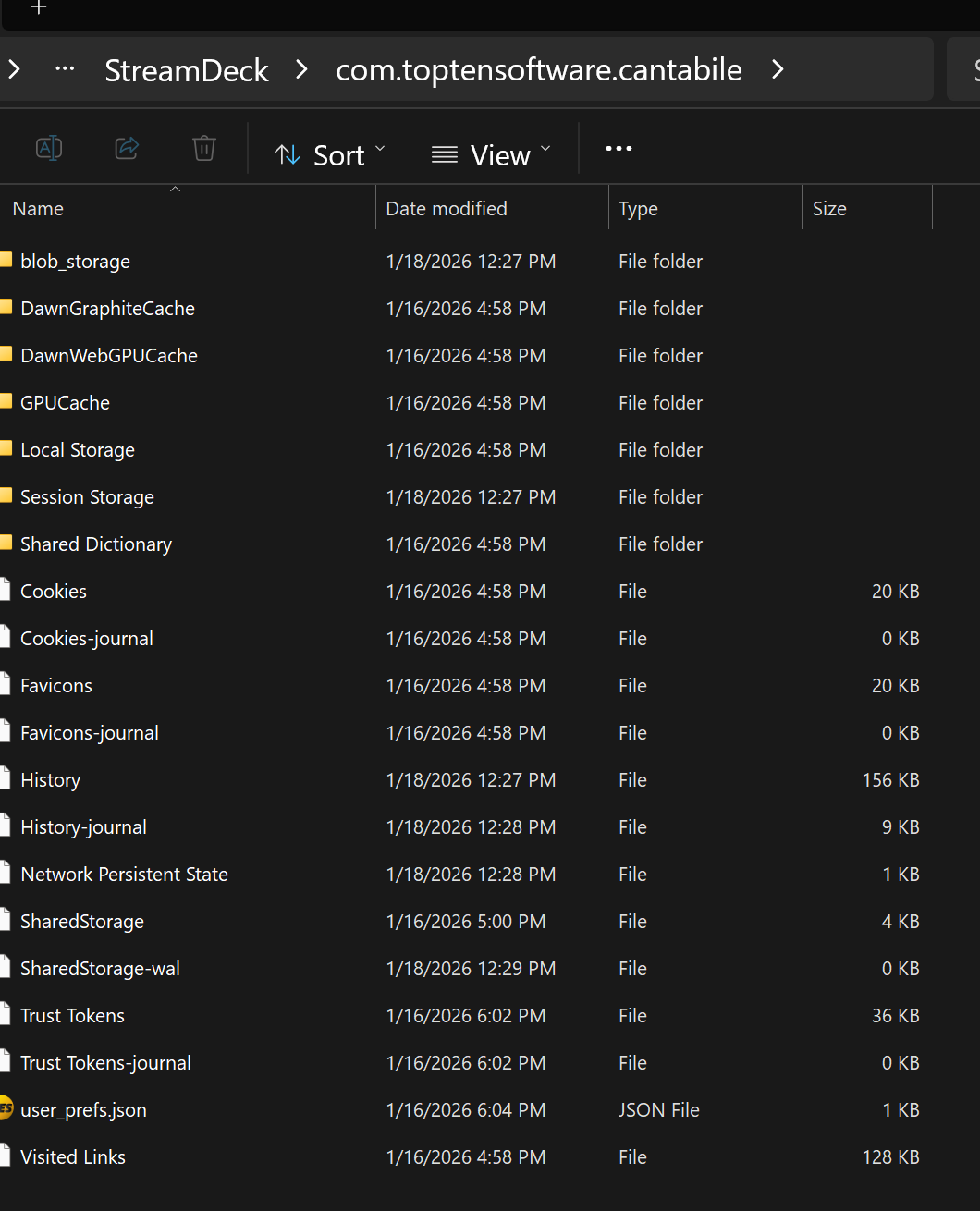
But there is nothing resembling that in the development folder. What am I missing?
This is the directory you should symlink to the com.toptensoftware.cantabile.sdPlugin directory in the github repo:
C:\Users\brad\AppData\Roaming\Elgato\StreamDeck\Plugins\com.toptensoftware.cantabile.sdPlugin
Looks like you’re looking at this directory:
C:\Users\brad\AppData\Roaming\Elgato\StreamDeck\QtWebEngine\com.toptensoftware.cantabile
Thanks, Brad. I will double check it soon. I
think I was in appdata/local…
I’m currently in Ethernet hell. My music laptop and wife’s phone would connect to WiFi, but not my phone. I tried a few router, phone, modem reboots and eventully lost everything including wired to my AV rack and work PC. Wife is not happy with no TV. Factory reset of router restored wired, but nothing will connect to WiFi. Tomorrow’s another day. Sigh…
I feel the pain. Just switched to FTTP here and rejiggering everything was fun (not).
I have made another baby step or two. I am now running your stream deck plugin via the symlink.
Specifically:
Installed the released plug in
Verified it worked in stream deck
Closed stream deck
deleted C:\Users\raydy\AppData\Roaming\Elgato\StreamDeck\Plugins\com.toptensoftware.cantabile.sdPlugin
mklink /D “C:\Users\raydy\AppData\Roaming\Elgato\StreamDeck\Plugins\com.toptensoftware.cantabile.sdPlugin” ?C:\MyShit\StreamDeck\cantabilestreamdeckplugin\com.toptensoftware.cantabile.sdPlugin"
Fired up stream deck - still works!
Fresh setlist, simple simple song with just a piano VSTi connected to the onscreen keyboard. I added one button to stream deck - your default midi button - ch1 cc 64 to onscreen keyboard. Named it “damper”. It works.
I changed the button to a toggle and it acts weird, I reported this when I initially installed the released Cantabile plugin, but it went away. It’s back. Starting from black button and damper pedal up. Pressing stream deck button.
1st press - sends CC64=127. Button remains black.
2nd press - sends CC64=127 again. Button changes to blue.
3rd press - sends CC64=0. Button remains blue.
4th press - sends CC64=0 again. Button changes to black.
I looked at this as an opportunity to attempt some debugging. I attempted to add a breakpoint in VSCode but was unsuccessful. I was successful firing up Chrome/Edge debugger per your instructions.
Initial results. I set breakpoints at both “sendMidi” instructions below. Much to my surprise it never breaks on button press. Only on release.
// Send MIDI event with specified pressed state
function sendPressedState(pressed)
{
    if (pressed)
        sendMidi(makePayload(settings.pressedValue == "" ? maxControllerValue() : parseInt(settings.pressedValue)));
    else
    {
        // Only send the off value when there is an actual controller value
        if (maxControllerValue() != 0)
           sendMidi(makePayload(settings.releasedValue == "" ? 0 : parseInt(settings.releasedValue)));
    }
}
switching back to momentary button, it breaks on press and release as expected. Maybe you intentionally use only release on toggle actions? I’ll need to look closer…
Doing everything in VSCode seems attractive, but I don’t want to spend any more time on it. I will go back the editor I’ve been using for 28 years (ultraedit) and use Chrome/Edge debugger from here on out. It also seems to work in my go to browser (Duck Duck Go).
I’m fairly pleased with my progress today. Thanks for the help. Break time!
I didn’t switch much of anything. I installed some WiFi lighting on Saturday which required forcing WiFi to 2.4GHz. But everything was fine when I went back to normal. Sunday, I noticed my phone was not connected to WiFi (Wife’s phone and music laptop both fine). Happens all the time. Reboot router and carry on. Not this time. After a few reboots I lost everything - WiFi and wired. I ended up factory resetting the router. Requires a wired connection to set it back up. No problem - my work laptop is wired via a USB dock. But it’s not connecting, big monitor is flashing on and off every few seconds and BT keyboard is blasting out a character as through a button is held down. I had to pull out the dock from behind my heavy-ass desk, and find enough loose cables to hook up my music laptop on the floor near the main Ethernet spigot. Much cursing was involved. Dog went to hide in the bathroom. I got wired back on the air pretty quickly but WiFi would not connect anywhere. I decided to punt now that we could at least watch some TV and chill. Checking my phone an hour or so later, it was now on WiFi. as was wife’s phone and music laptop. This morning I put everything back together behind my desk and work computer was also fine. WTF?
Sorry, Had to rant…
Rant received 
I took a look at this. Doesn’t seem to happen when you first add the button, but does if you close and restart StreamDeck.
Anyway, I’ve made a fix… see here.
You should be able to pull these changes from my repo to your fork as described here.
Hey Brad,
Thanks for that. I’ve had to set this aside temporarily as my half-time semi-retirement has been full-time lately. And I need to learn 4 new tunes this week.
I was planning to try to find that bug, but you beat me to it.
My next step will be to attempt to get the plugin to a point where stream deck recognizes that the plugin supports knobs. It looks like a fair amount of work is involved in js and html. Or it might just be my ignorance. I haven’t quite wrapped my head around “Property Inspectors” Once that basic functionality is present, I think things will get easier.
No problem. Yes the sdk takes a bit to understand.
Also, to throw a complete curve ball… I’ve notice there’s now this library:
Someone reverse engineered the usb protocol and it lets you talk directly to the stream deck device instead of through their desktop software. Different use case and it wouldn’t work at the same time as the desktop software but for focused integrations would be pretty slick.
Do you use the streamdeck just for Cantabile or for other apps too?
1 Like
Just for Cantabile. Actually don’t use it at all yet. I mainly wanted for knobs that don’t jump when I’m banging on the keyboard. I will take a look at this new thing as soon as I get a chance. Thanks!
Hi @raydyo,
fyi, I’ve been playing with the julusian stream deck library… it’s excellent. So much easier than than dealing with the streamdeck desktop app plugin framework - the only catch is they coexist. You need to either run your app using the library, or the desktop app, not both at the same time.
But… you can make it do pretty much anything you like because NodeJS can do pretty much anything - talk to Cantabile, launch apps, make web requests, send keys, etc…
The main difference is you write code instead of drag/drop.
If you only want to use your StreamDeck+ for Cantabile I recommended trying this approach. You can use the cantabilestreamdeckplugin code base as a reference for how to talk to Cantabile and just up the buttons you want.
Or, if you can wait, I’m playing around with a little library to make setting up these mappings in code even easier. No time frame though because it’s currently just a weekend project and I don’t have the Plus (yet).
Brad
Hi Brad. I’m having a little trouble getting started withJulusian. Can you send me an example of something you had working? Just a simple button getting through to Cantabile and feeding back to Stream Deck display would probably be enough to get me going.
Here you go:
1 Like
Thanks Brad,
I took a few baby steps. For something simple, I changed your play pause buttons to a play/pause toggle with image and color changes. All good both directions. Then I added volume up/down buttons and was able to send master level to Cantabile. Not in dB, but I think I see where I can pull in stuff from your gainControls.js. Not yet sure how to get the value from Cantabile, so I just started from 0. No idea how to put a value in the image. Once I have master level working on buttons, then I will try to figure out how to move it to a knob.
I cloned your repository. I suppose I should have forked it.
All gain levels in the JS API are scalar values - not dB. There should be functions in the original stream deck plugin codebase somewhere for converting between the two.
I think the easiest (perhaps only) way will be via binding points. Again, check the stream deck plugin code base - it should be pretty easy to track down.
There’s two ways to display text on a button - take a look at the button image properties here.
- Use the
textproperty along withtextColor,textAlign,textVAlign,fontetc… That lets you display text that will be drawn in front of the svg. - Place a text element in your svg file and set the text to
$(x)and use the button image’ssvgTextwhich will replace all instances of$(x)before rendering.
Let me know if you need help with anything else.