Heads-up: the new services are already being rolled out via Windows update - and they have some breaking bugs: amongst others, all my virtual MIDI ports (loopMIDI, loopBE, …) have suddenly stopped working - they’re just not seen anymore by the Windows system…
This seems to be due to an issue with the new MIDI stack.
If this affects you, there is a quick and dirty hack - should work as long as you have less than 16 virtual MIDI ports. You simply stop and re-start the Windows MIDI Service, either using the Windows Services Dialog (Win-R → services.msc) or using an admin-level commandline:
net stop midisrv

net start midisrv
Or you can use my script  , which does the same, automatically enabling admin level…
Restart MIDI.zip (583 Bytes)
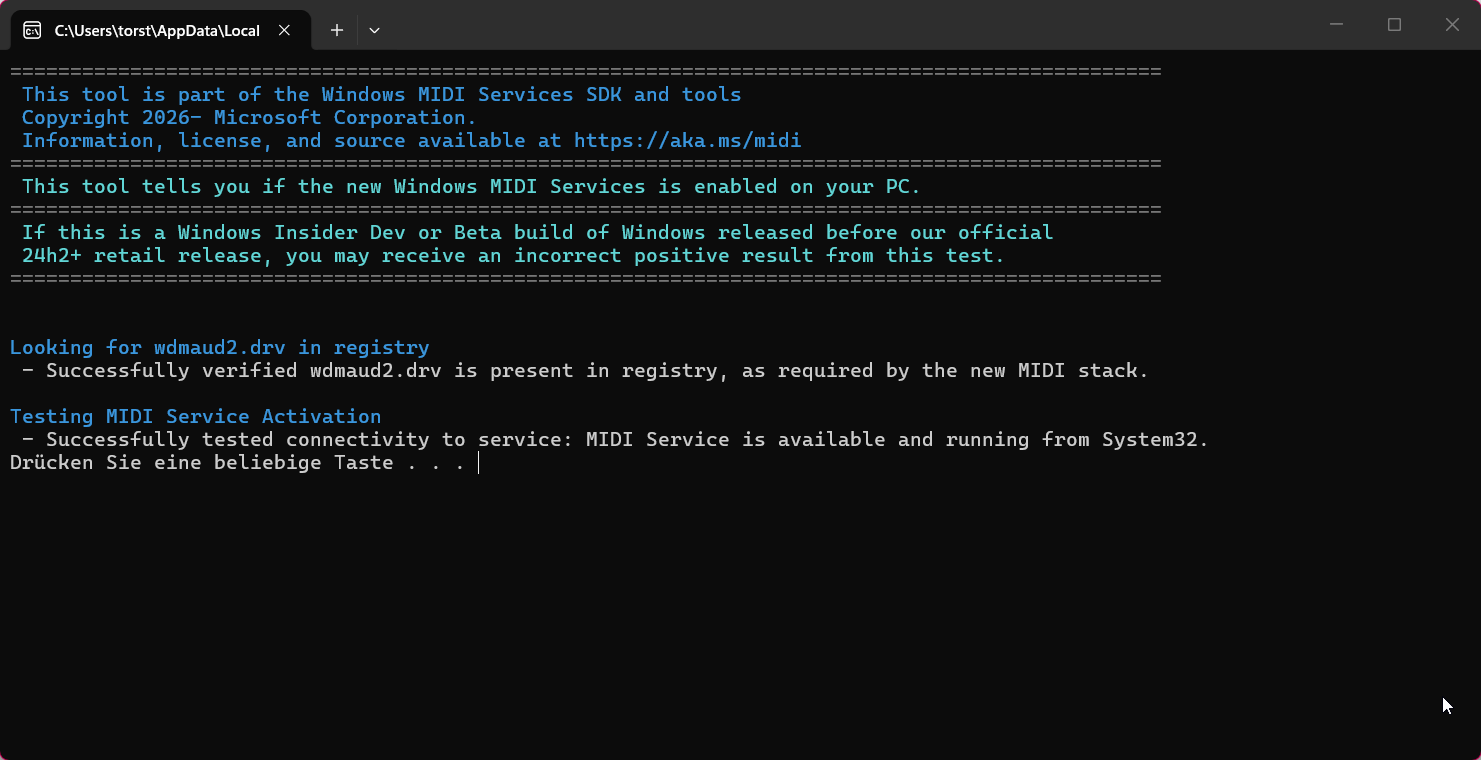
To be sure: this applies only if you already have the new MIDI stack - you can find out by downloading the checker tool here:
Looks like this when the new service is installed:
Find out more here:
The positive: the new Windows MIDI services bring their own loopback mechanism, so tools like loopMIDI aren’t really needed anymore. Just a bit of migration work will be required…