Hey Guys,
Cantabile was running out of available hotkeys, so I’ve added support for multi-key hotkeys.
What’s a multi-key hotkey? Well…
Previously when setting up keys in Tools → Hot Keys you could bind a single keystroke with optional modifiers (Ctrl, Shift, Alt) to a command like so:
eg: “Ctrl+B” => View | Bindings
Now, you can bind a sequence of up to three keys (still with modifiers if you like)
eg: “V, B” => View | Bindings
In this example, pressing V followed by B would show the bindings tab.
To go along with this, I’ve designed a new set default key bindings:
-
If you’ve run a previous build of Cantabile before, the old classic set will be used.
-
For new installations the new “modern” set will be used.
-
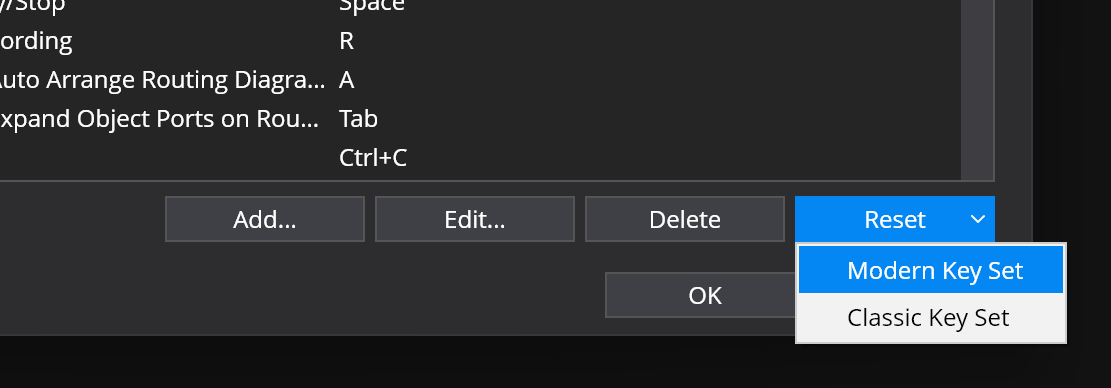
To switch go to Tools → Options → Hot Keys → Reset → choose “Classic” or “Modern”:
The new modern set:
- Uses standard keys for standard things (copy, paste etc…)
- Doesn’t use modifiers for things you typically use during performance.
- Normalizes keys to make them easier to remember.
Other notes:
-
This only works in Tools → Options → Hot Keys. It does not work for PC Keyboard song/rack bindings.
-
When a key press partially matches a multi-key sequence the status panel will display the key name + “waiting…” to indicate a partial sequence has been entered:
-
The modifiers for each key in the sequence need to match to trigger it.
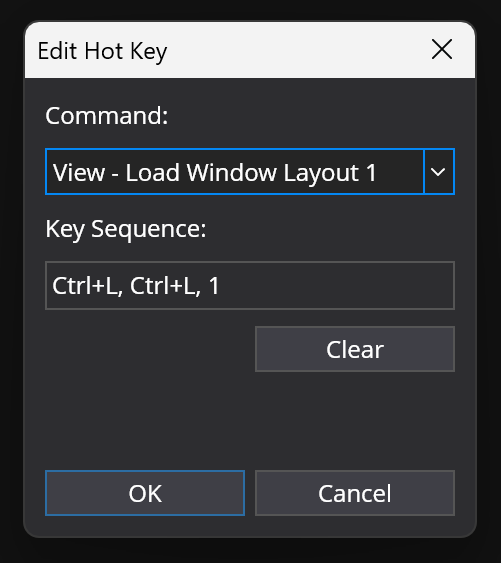
eg: “Ctrl+L, Ctrl+L, 1” means either:
- press and hold Ctrl, press L twice, release Ctrl, press 1 or…
- press and hold Ctrl, press L, release Ctrl, press and hold Ctrl, press L, release Ctrl, press 1
eg: “Ctrl+L, L, 1” means:
- press and hold Ctrl, press L, release Ctrl, press L, press 1.
-
When entering hot keys, you can type up to three keys. If you make a mistake there’s a new “Clear” button to start again, or just type a few dummy characters to make up the three and then it’ll clear when you type the next:

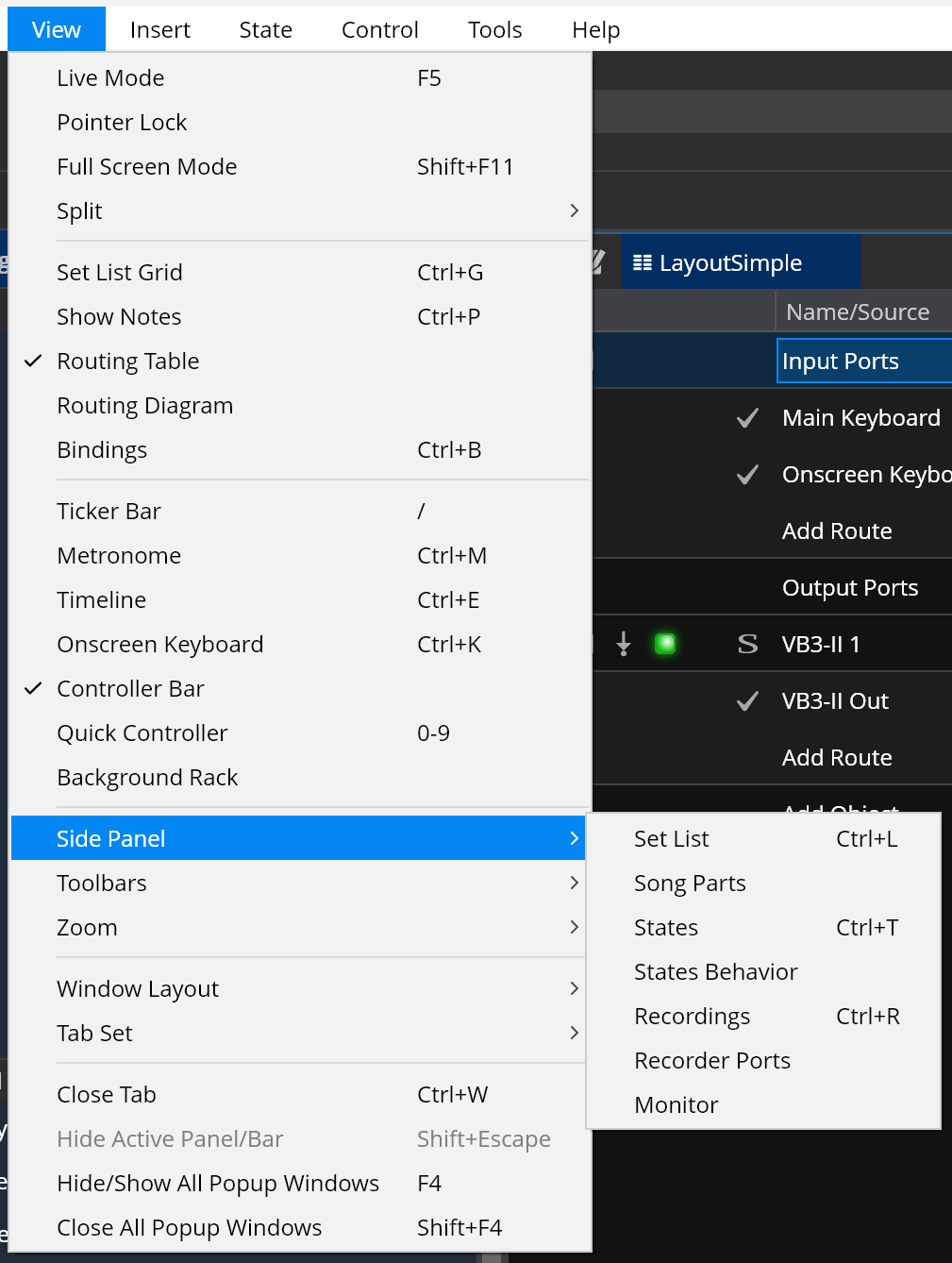
Examples of differences between Classic and Modern:
Classic:
Modern:
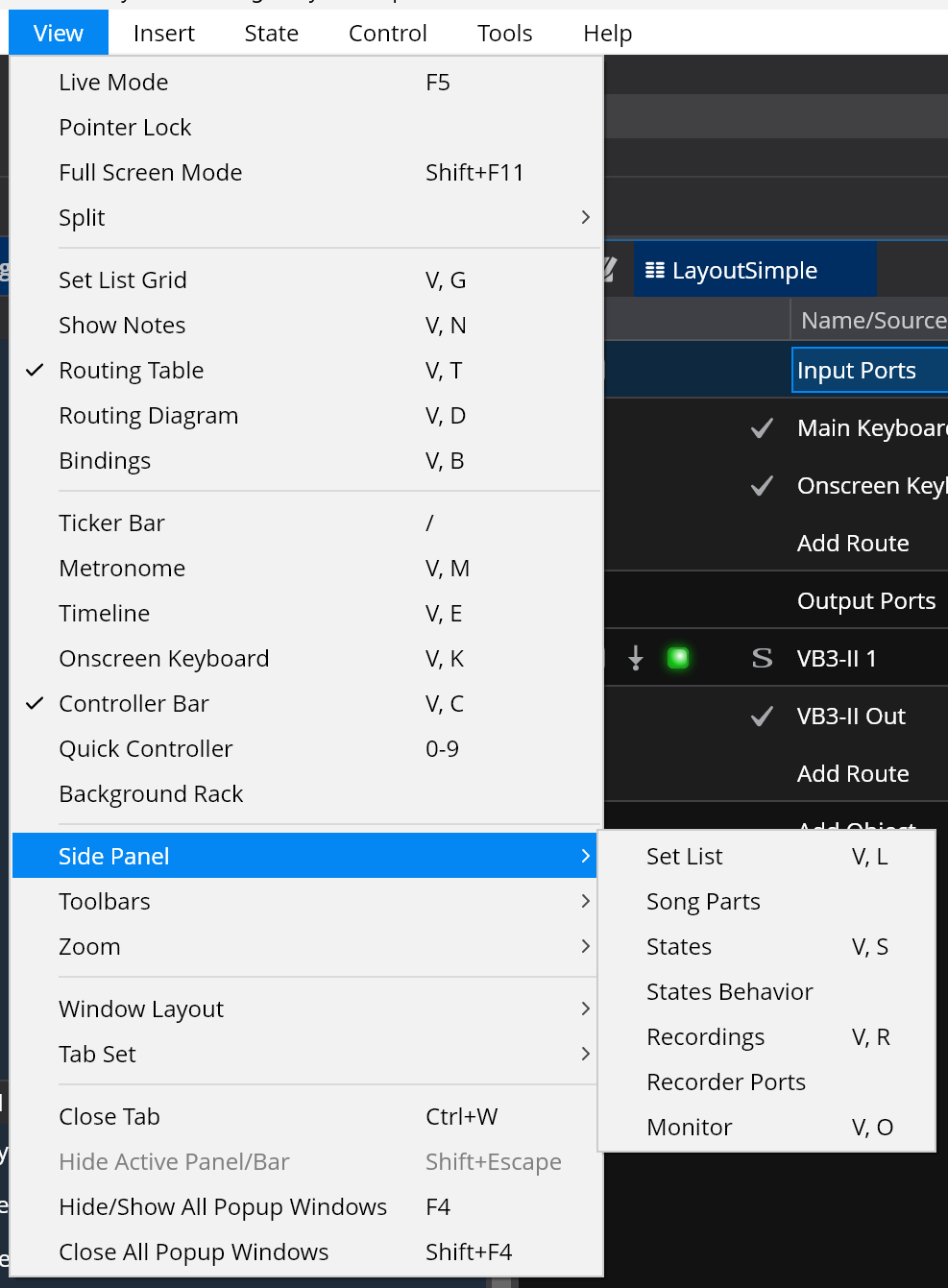
Classic:
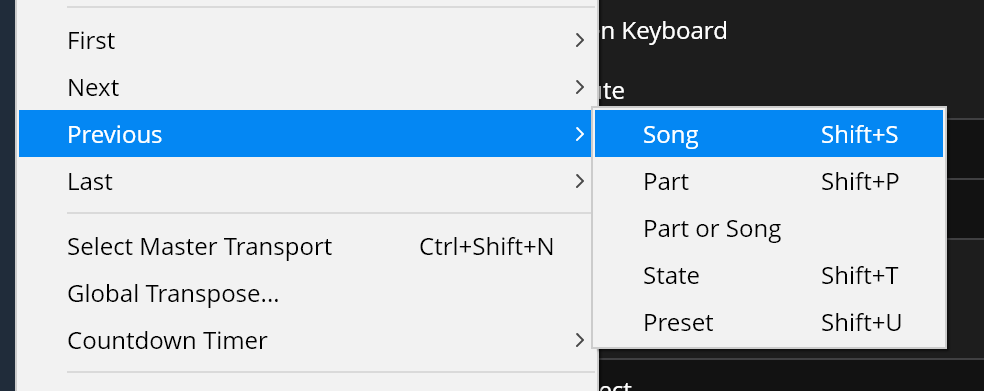
Modern:
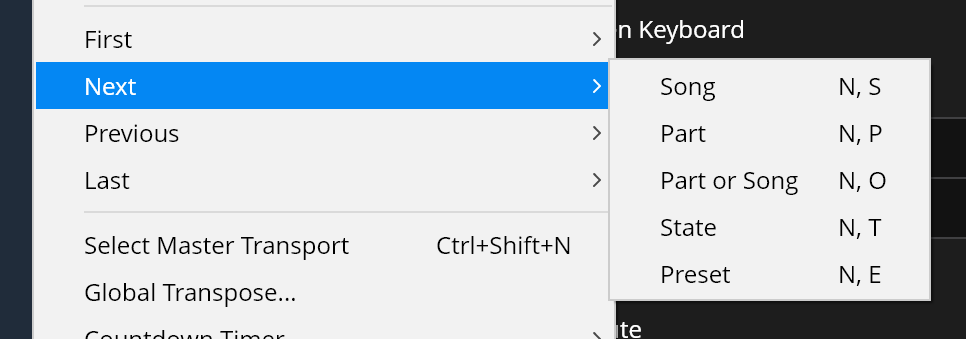
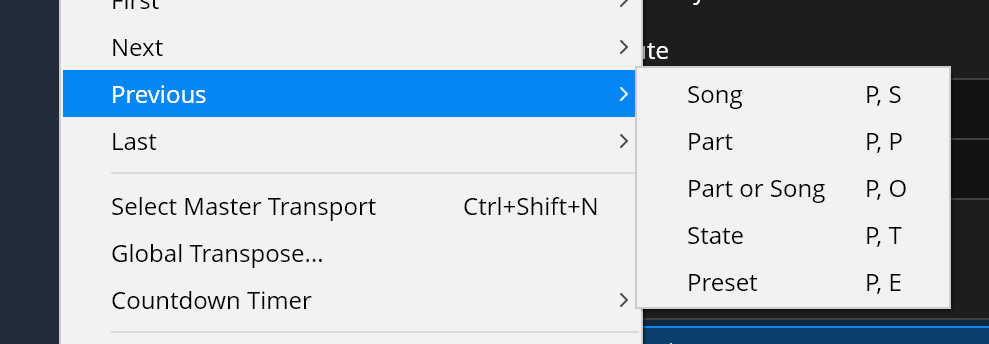
Available now in build 4335, feedback welcome including suggestions for improvements to the default key mappings.
 .
.