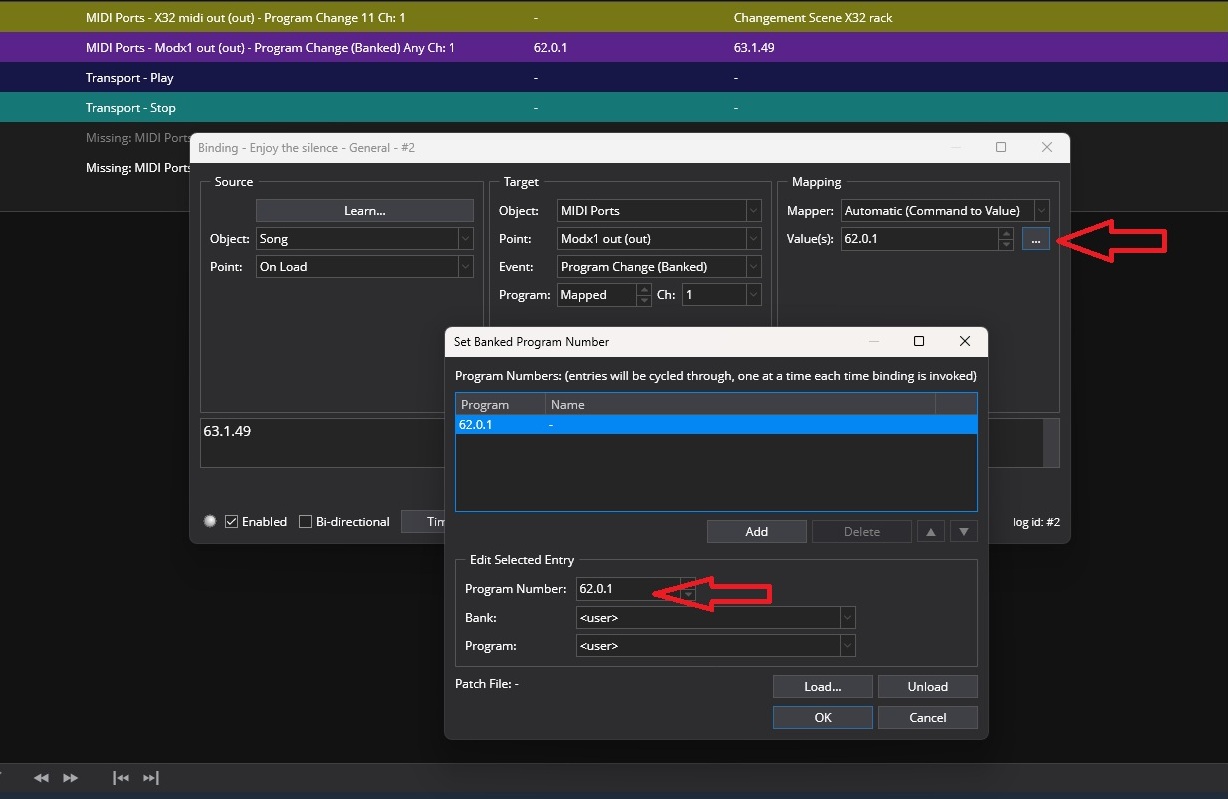
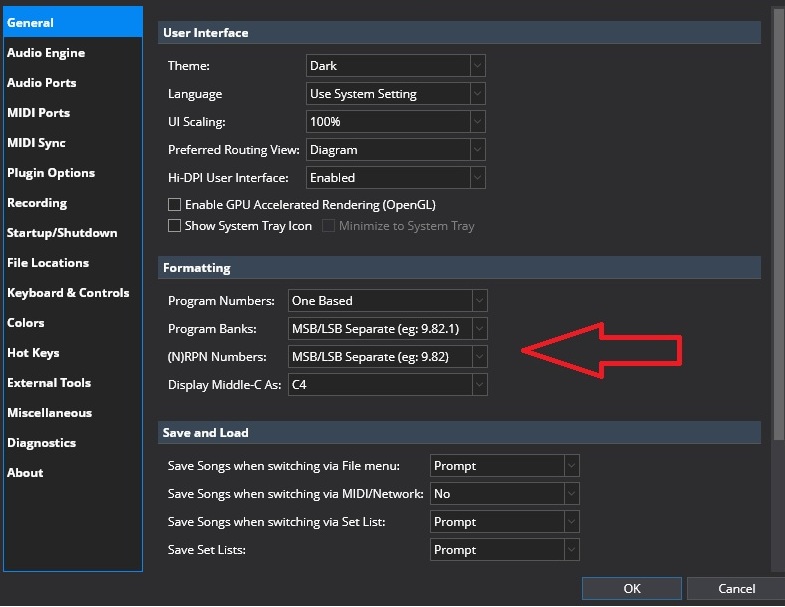
Hello, I’ve been searching for hours for how to enter the MSB/LSB in Cantabile in my current version. Everything has changed, and my programs are no longer up to date. Before, I would enter something like 063.1.10, for example, but I don’t know where to put it now. Can you help me? Thank you. I’m using a MODX8.
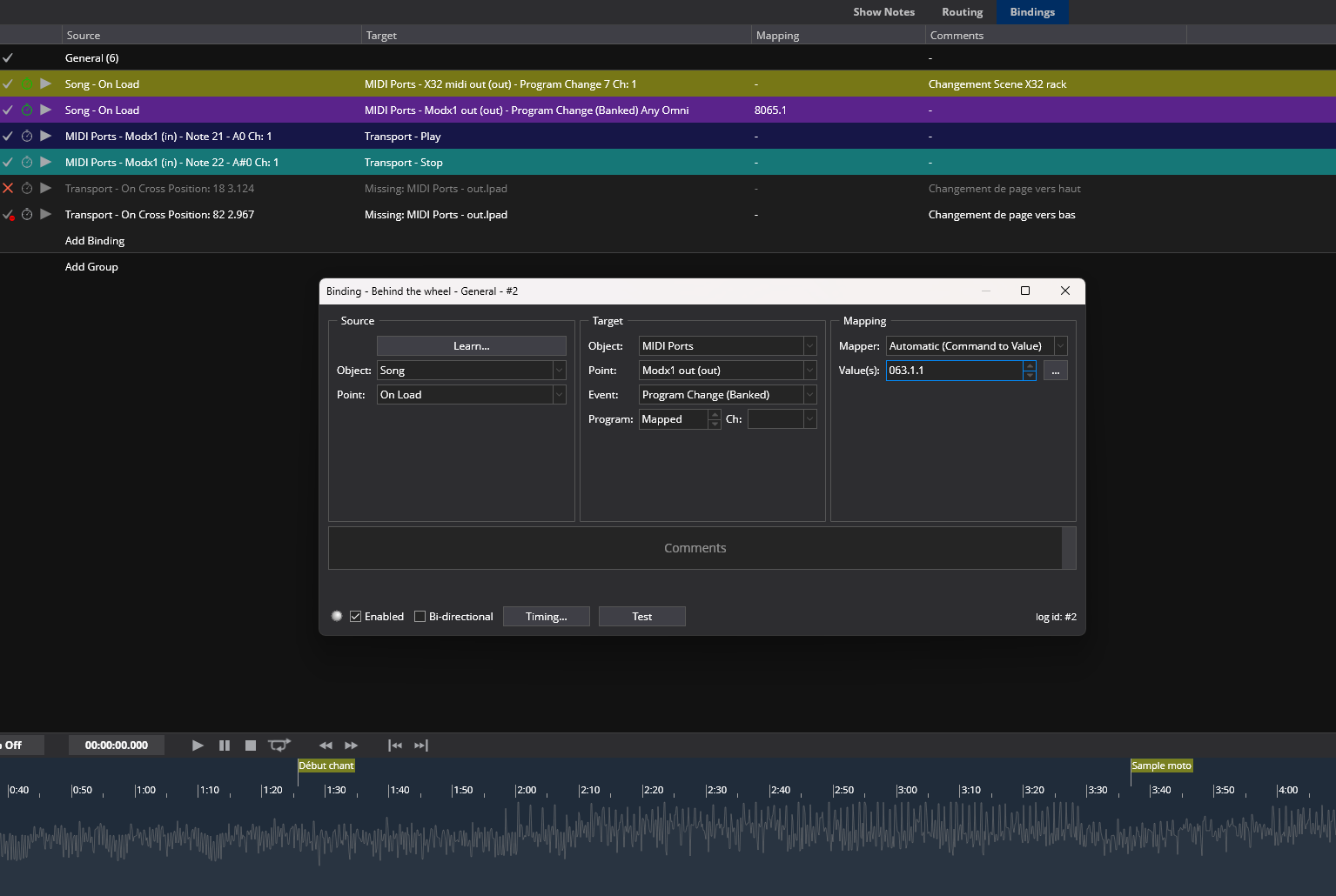
Enter those numbers in the “Value” window in the third pane. It will change to a 5 place - decimal - 2 or 3 place number, but it will work.
I used to have an S-80, once l had the numbers, it worked great, are you getting the numbers from a manual? That was the piece l was missing, since l got my S-80 ussd.
Hello, I understand the idea, I did enter the number in “value”, and it changed, but I still can’t access the “Liveset”, “page 1”, or “sound 3” sounds, for example. I checked the connection in “MIDI Monitor”, but when I change the program settings for “Liveset”, I can’t access it from Cantabile. Thank you.