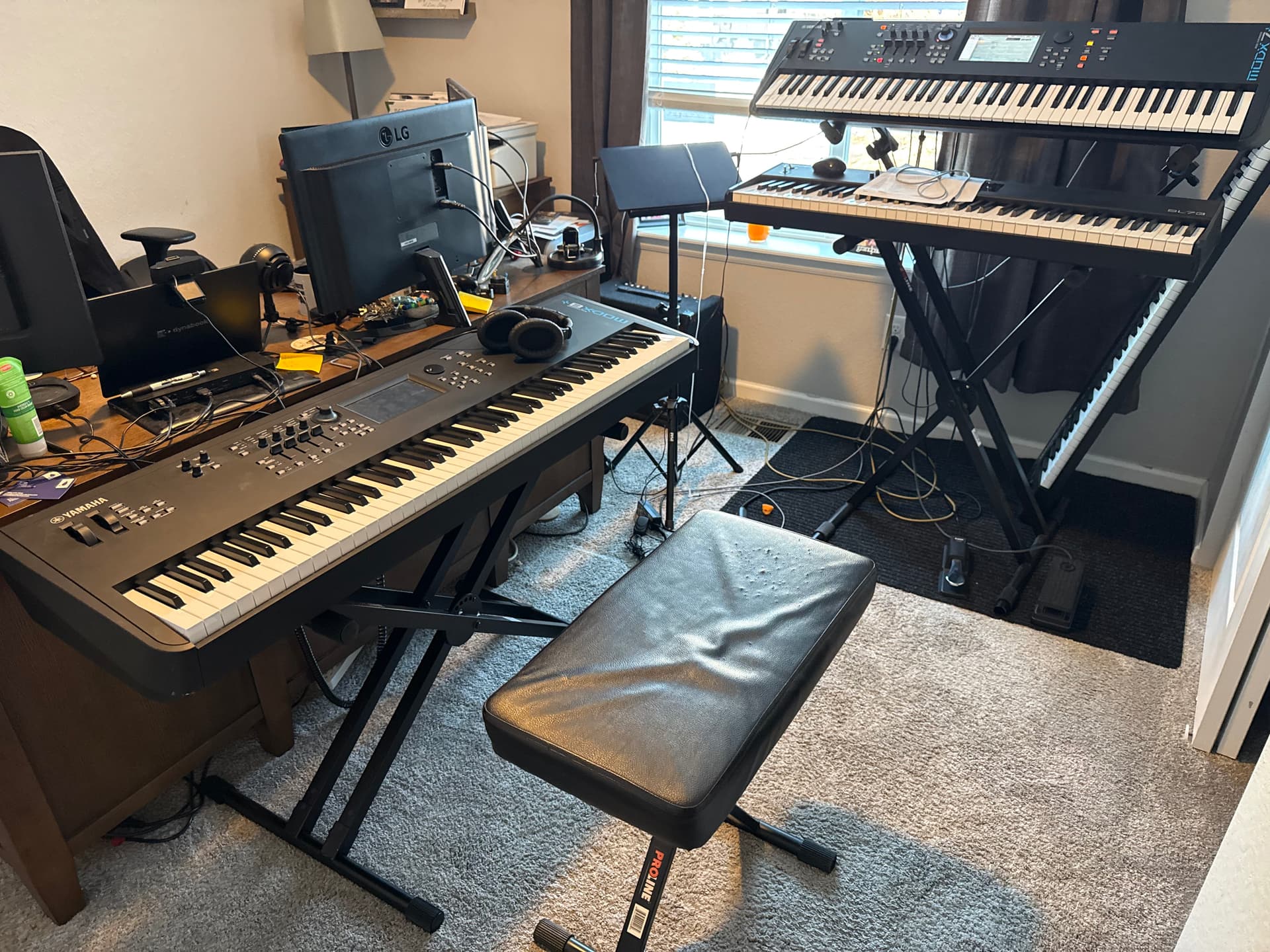
I bought a MODX M8 (to replace my MOXF 8) in December, primarily for live gigging and to use in conjunction with my Cantabile rig. Previously I was using VST’s for everything (the MOXF 8 was just a controller), but as things became more complicated the laptop would bog down, AND I decided to move toward a hybrid setup.
I’ve tried youtube, chatgpt, and some other sites with no answers that worked. I can’t believe that no one needs what I’m trying to do, but am having issues finding that expertise.
Where I’m having trouble and need help (and I’m willing to pay for some assistance):
Since I want to use a combination of internal and external sounds, I cant’ turn Local Control off for the MODX M. Supposedly you can do this per part, but then it appears that I can’t actually get sounds for those parts out on the keyboard.
I can’t figure out how to get the MODX to send MIDI output to Cantabile AND receive MIDI to play the internal sounds. I can get some of it to work, but the routing is baffling me pretty badly.
While MODX Scenes seem like a good idea, I haven’t been able to get them figured out well enough to make them work (the changes I make are forgotten even after I believe I’ve stored them).
For 1 & 2, I’m hoping someone has already gone through this process and can help me get things moving in the right direction.
For 3, it’s not a Cantabile issue, but I haven’t found anything online that will help me make things right here either, so maybe I can leverage the brain trust here to help.
Here’s what I want to do:
Put together performances in the MODX M (I’m saying M specifically because there are some architectural differences between the MODX, MODX + and MODX M). Those will have the primary sounds and will suffice for about 75% of what I’m doing.
I’ll use scenes in the MODX M when I need to, but will try to avoid it.
In some cases I have VERY complicated routing in Cantabile that I’ll continue leverage (e.g., sample heavy songs like Groove is in the Heart).
In a SMALL set of cases, I have complicated changes that are triggered by specific key presses. An example of this is Gloria (Laura Brannigan - which I think Ive mentioned before on this forum) that has sections where the key ranges change based on key presses, and then back again. Of all the things I’ve done in Cantabile, this is the one that I’ve found no hardware solution for… even if I had a huge budget (and roadies to carry things around).
Of course, gigging season is starting and I’m trying to get this done quickly. Happy to share what I have as well.
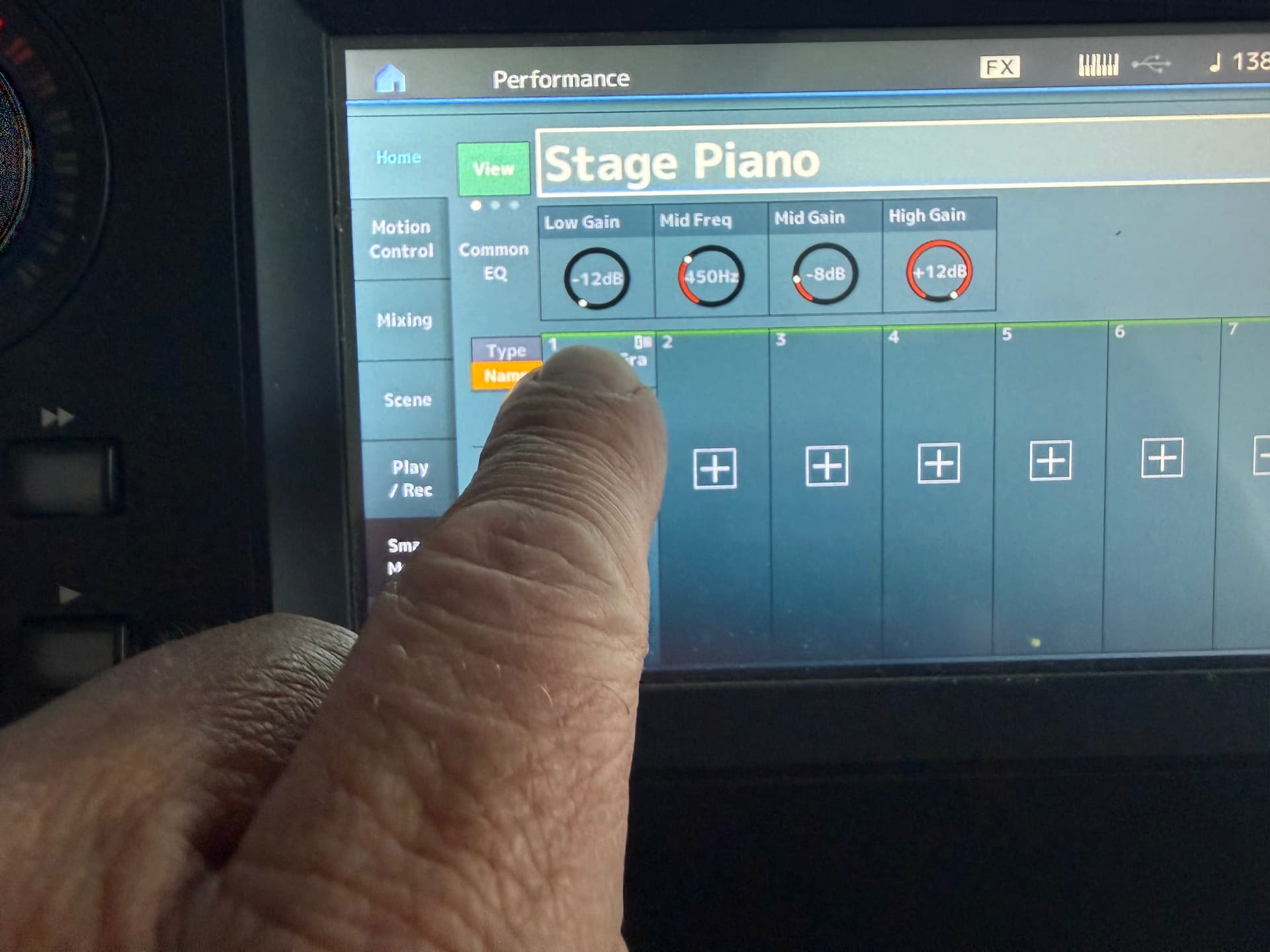
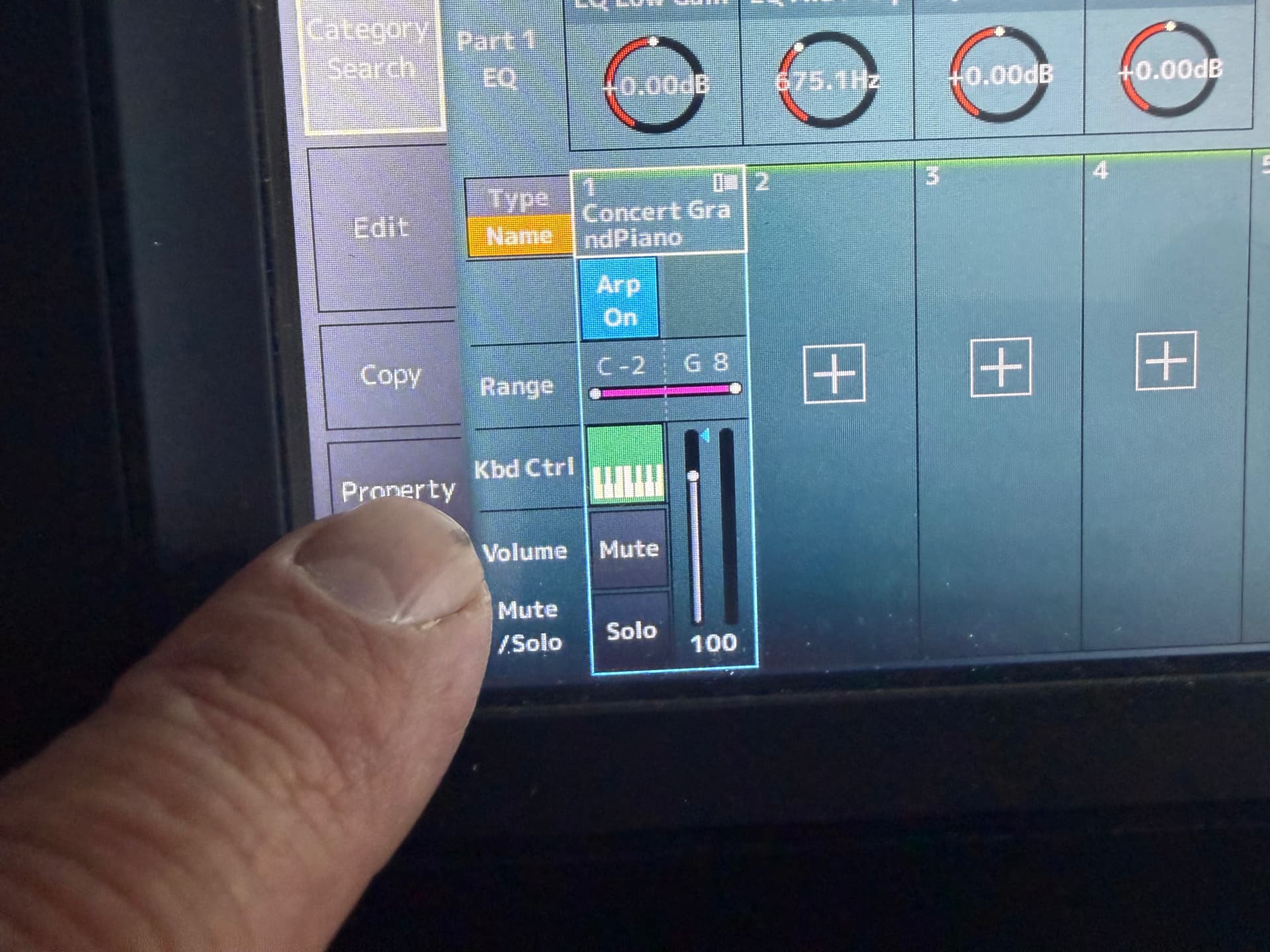
1 - Disabling local control disables everything. You need to go into Performance and delete the unnecessary parts, then save the sound by pressing SAVE, or all your work will be lost.
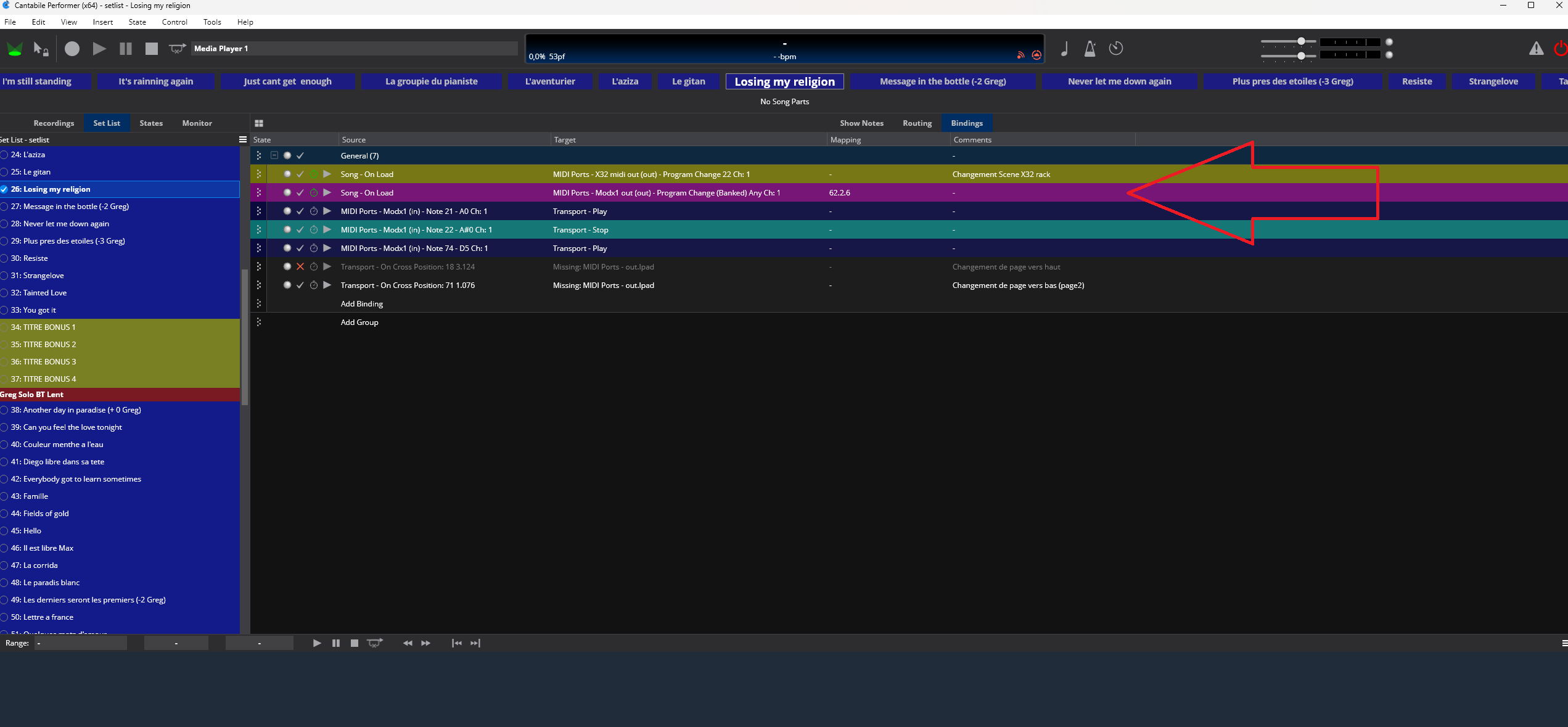
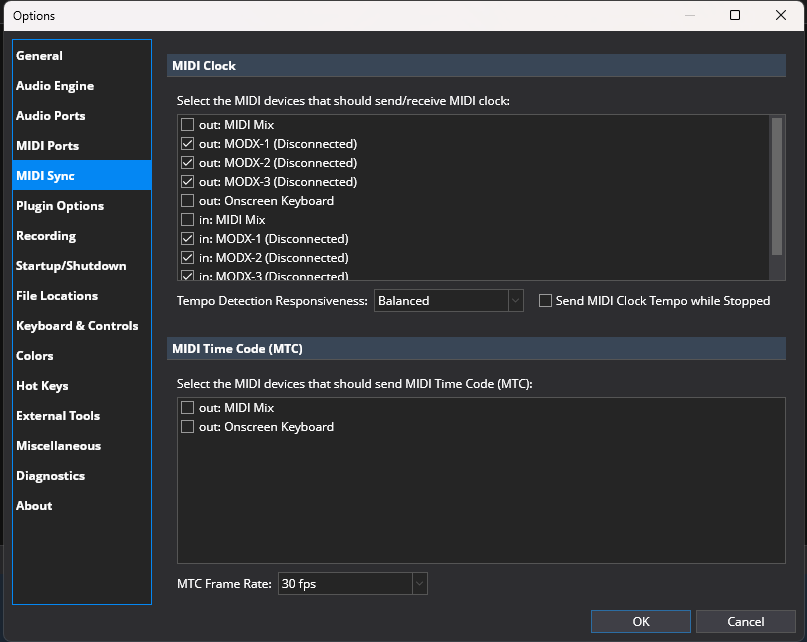
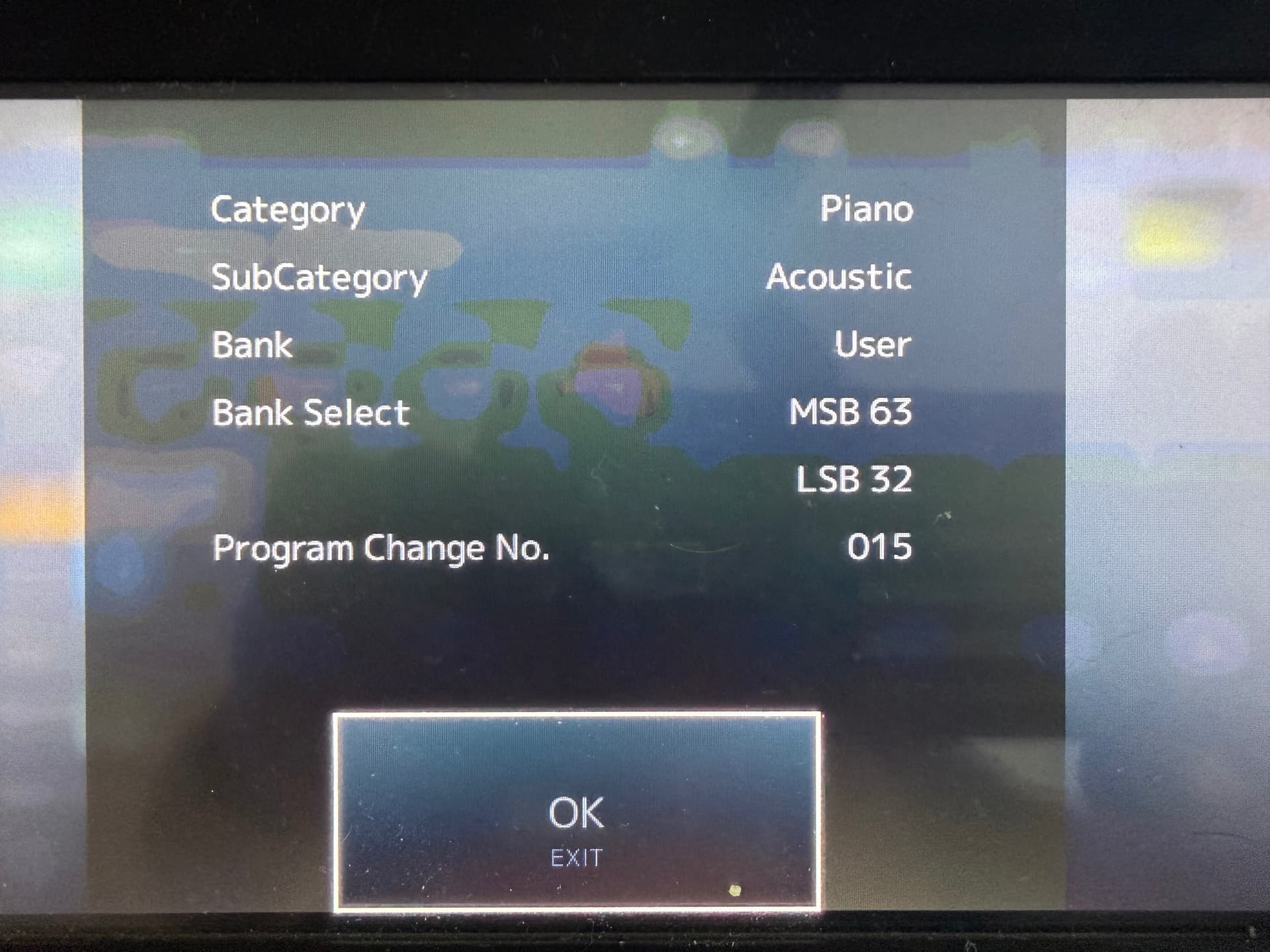
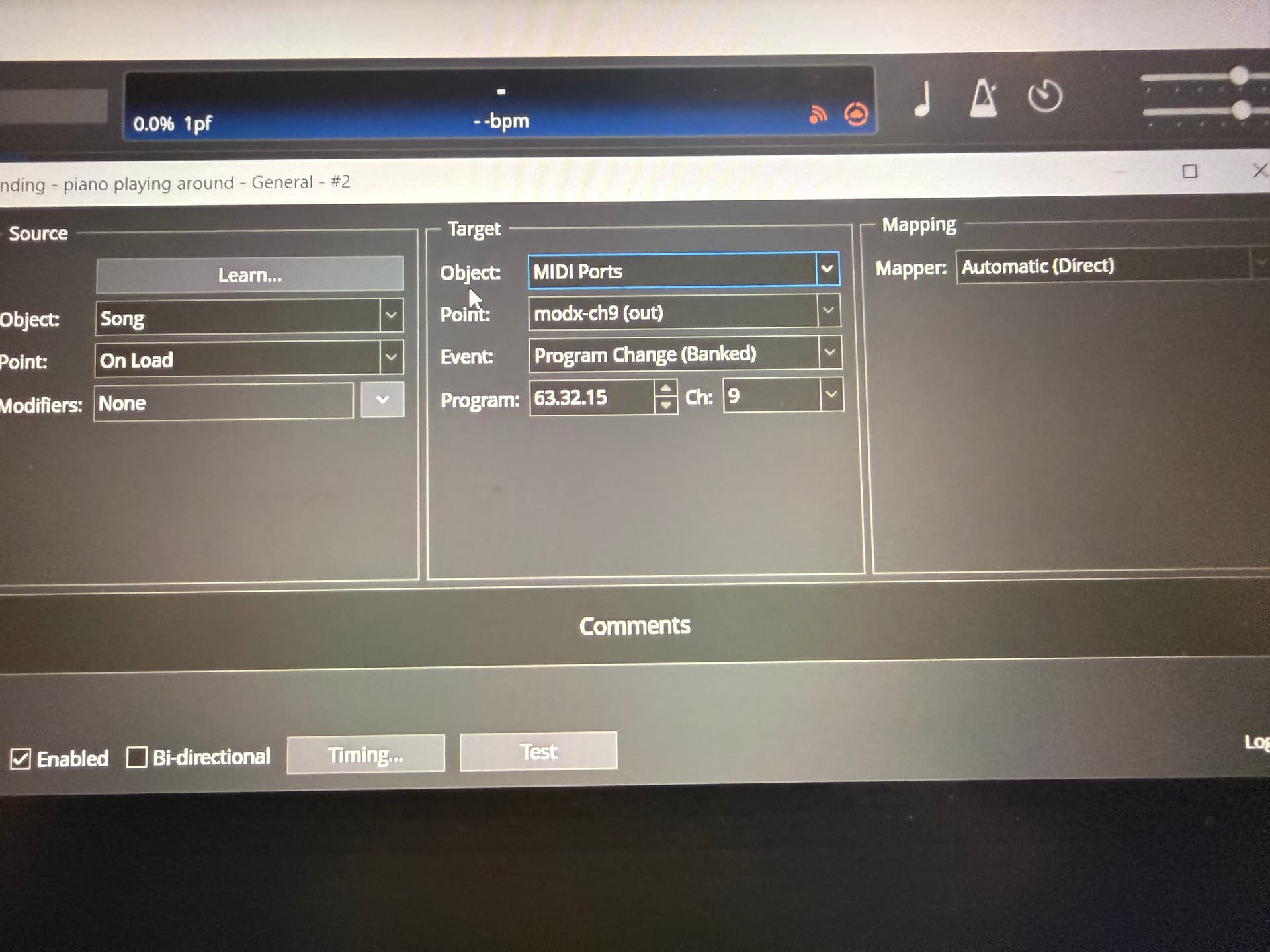
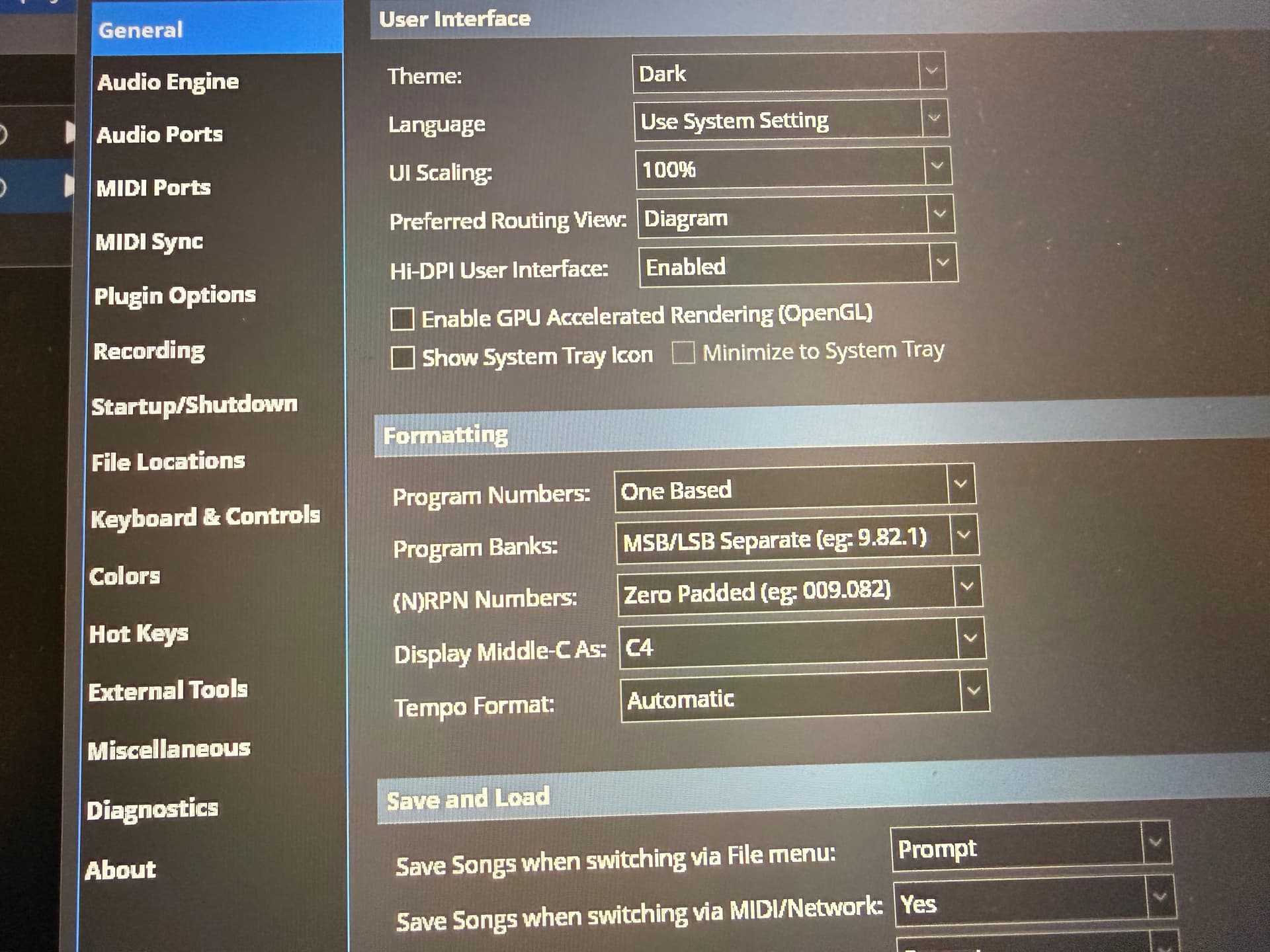
2 - Go to MIDI SYNC and check the MODX inputs 1, 2, and 3, both In and Out. Then go to the “Blinding” tab and, using the command line I use as a guide, the one in the image will retrieve the sound from the “LIVE SET” section, “PAGE 2,” “SOUNDS 6.”
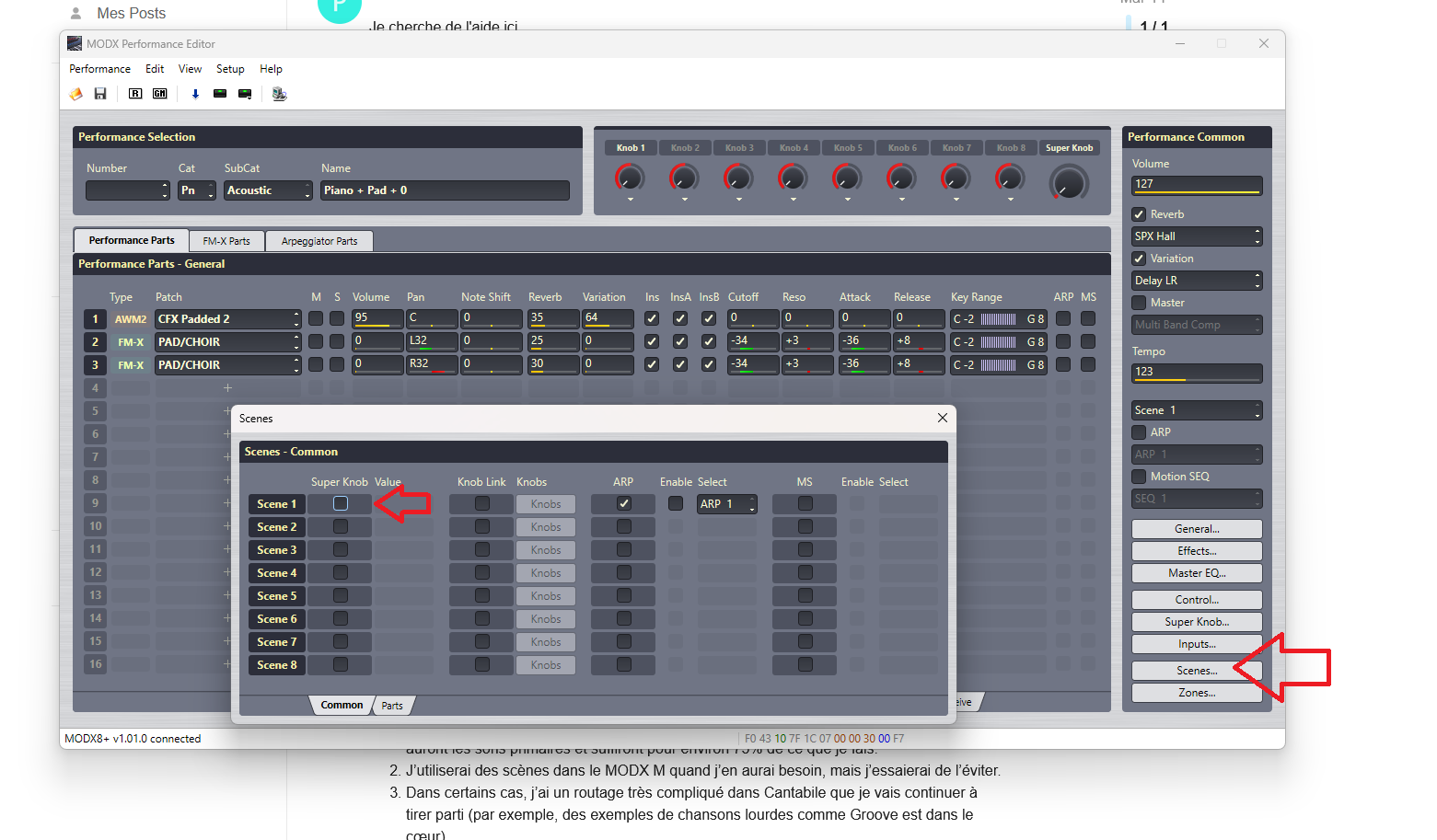
3 - To save a scene on the MODX, you must press the “SHIFT” button, then the scene number. But personally, I use John Melas’s “Performance Editor” software, as shown in the image, to manage scenes and MODX sounds.
To clarify:
Are you using the MODX , MODX + or MODX M?
As I understand it they changed the way the M responds to external MIDI a bit, but I’m not totally sure of the differences and whether they’re at fault here as well.
FYI - I like John’s editors as well, but I don’t think he’s gotten the Performance Editors updated yet (the Live Set Editor is available though).
Hello, I use the MODX8+, and it’s possible that it has improved MIDI. I had problems with the MODX, for example, with the “Quick Setup” controls changing without any intervention on my part. With the MODX+, I haven’t had any of these issues. So, I can only advise you to contact someone who knows it perfectly, “moessieur.” You can find videos of him, and he’s easy to contact on Facebook. He’s very kind. If you’re clear in your request, I’ll follow up on it and help you if I can. Sincerely,
Thank you. I think it’s great that the MODX M is so close to the Montage M architecture-wise, but I also understand that to make that happen they have some things that are different.
I have reached out to Joel (moessieur) and we’re trying to get some time to Zoom/talk later this week.
I do not have much time to respond tonight, but thought I would say I am a hybrid user because I love layering and complexity, so am often using layered sounds with my Montage M7 (and others) and VSTs. It’s all possible. If you remain stuck, I should be able to chip in when I have more time.
Hey Pat,
So I do the same think with a MODX7+ (lighter weight but works exactly the same as the modx8+ and is half the weight) and a Studio Logic Sl73 (piano feel). for each song you setup you can setup bindings to set the sounds you want from the modx.
For example:
Turn off Local control
pick a piano sound that you want
push the Performance Home button
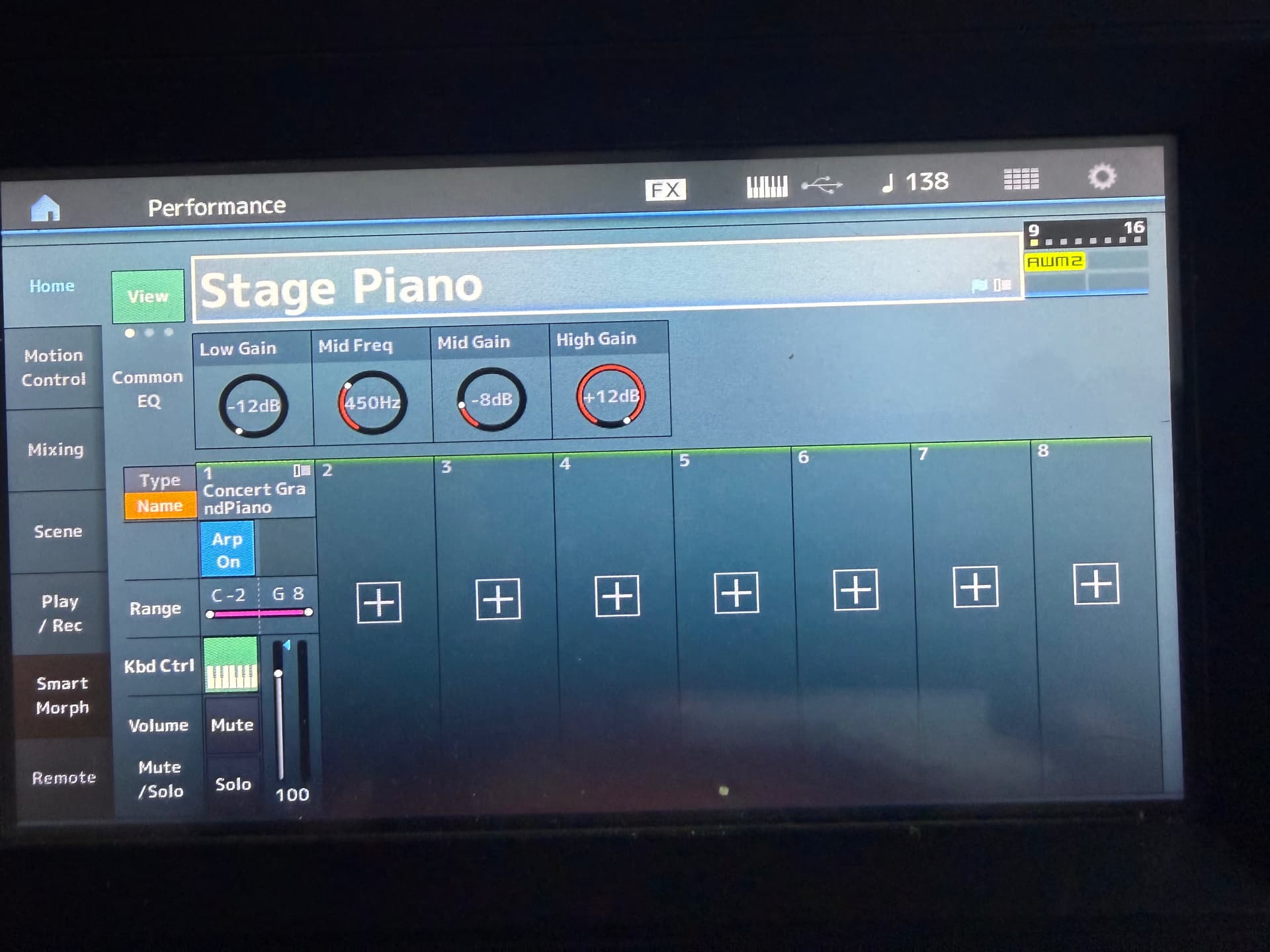
For me, using that method for a variety of MODX sounds as well as a number of VSTs works well on a consumer grade Lenovo touchpad laptop. click the next song, everything changes to what I want, no waiting, just goodness…(in the pic I use the MODX 8 for practice and experimentation)
This is pretty much what I do, but I have the Montage in Live Set Mode, as I think it is a better mode/view for live use and for quickly organising what you wish to play live for different projects. So I send live set bank and program changes to the Montage from Cantabile.
There is of course nothing wrong of course working directly in performance mode as @mhsmith451 is. It’s just a matter of preference, and which one suits you the best.
My only frustration with the Montage in Live Set mode is the “stupid quirk” that you cannot select the Live set via MIDI. You must do that manually. But I have the one I use the most set-up as the default live set, and it is a quick action to set the right one for your gig. I just wish I could do it via MIDI like I can on my 2014 Kronos, as it’s one less thing to forget!
Once manually selected, the MIDI banked program change will select live set banks/slots.
I’m pretty sure the modx has the same quirk. I also have mine start in Live mode, on the piano I use most. All the changes come from the laptop but the Live display does not change. Can be a little disconcerting at first but it does work. There’s one live mode setting that I have to manually select from the modx when the song comes up. Then for the next song Cantabile makes the change and it changes…all good. But yeah, no display change. And the other oddity in this realm of thought? If I have found that if I’m working from one of my song setups, say piano on bottom SL73, and maybe a couple modx sounds on the modx on top. And say I want to modify a modx sound so I go to perf home and into edit. Edit what I want, store. From that point, no matter what I change in Cantabile, my bottom is quiet. So I turn off the midi sound from cantabile, reset the modx, and turn sound back on In Cantabile and it works again, just a minor oddity that you may also have noticed….
With my setup, as I mentioned I thing, I do play with local control off. I can setup external and internal sounds using what I illustrated above, across both boards. But…I have the SL73 outputs set to channels 9-12 as the modx puts out on 1-8. Then I will put a modx part on a channel depending on that board I need it on. For example, one song setup uses a external vst organ on the modx on the left hand - 2 octaves, and a tenor sax internal on the right, again, 2 octaves, and a stage piano internal on the SL73, full board. Modx board using channel 1 in and out. The piano has a copy of itself on channel 9 for the SL to play through…that was how I found to make it work and by using keyboard splits per sound and per board in Cantabile and using the hybrid setup. And yeah, I tested it today, whether in live mode like I usually am or performance mode, there’s no difference. Send midi changes and visually the keyboards display doesn’t change…I only use the perf mode for sound modification and finding the msb/lsb….
Thanks for all this info!!! As a guitarist who owns a MODX6+, I may be changing things up a bit.
Very much appreciated and interested in a live gig mode!
So… I’m able to send midi notes to a plugin from the MODX+, but the Modx Connect plugin has no MIDI in ports??? I have MODX 1,2,3 assigned in the MIDI ports passing thru OnScreen keyboard, but no green MIDI ports on Modx Connect.
So…my personal experience is that MODX connect is that it’s special at best. If it accomplished what one would expect, using the modx as a vst host/library, sort of, it could be great. But it is, at least in part why I discovered the msb/lsb/pc. However, using the modx connect should work no different than using any other vst plugin in Cantabile. Pick modx connect as a plugin, route your in:modx to the midi in of the plugin then route the output of the plugin to the Main Speakers. You’ll need to open the plugin to pick the sound from the modx , but should work….
I’m using the MODX M8, and I’m having similar issues - The synth doesn’t show up in the list of options to connect. It may have been relegated as the MODX ESP is available and Yamaha seems to be putting their utility efforts into that (even though it’s not really an editor).
I did read the other posts but can’t claim to have fully grasped them all since I don’t have a MODX, or one of the more elaborate Cantabile llicenses. What occurs to me is that you could try routing audio from the MODX through Cantabile too, instead of just MIDI.
You’d need an audio interface with at least one free audio in, to connect the MODX to, then in each song, either route that to audio out, or to a mixer plugin, to combine it with other sounds. You might also want to do something with bindings to allow you to switch the behaviour mid song.
I won’t attempt to give a detailed breakdown of how, because all I use Bindings for is to assign physical controls from a MIDI interface to work controls in VSTi plugins, but the basic idea seems workable.
So, leave the MODX local control on, take MIDI from the MODX as a controller for plugins and let it play its own internal sounds at the same time, but route its audio output through Cantabile via an audio interface and choose whether or not that gets through to the output, either on its own or mixed with the sound from plugins / VSTis.