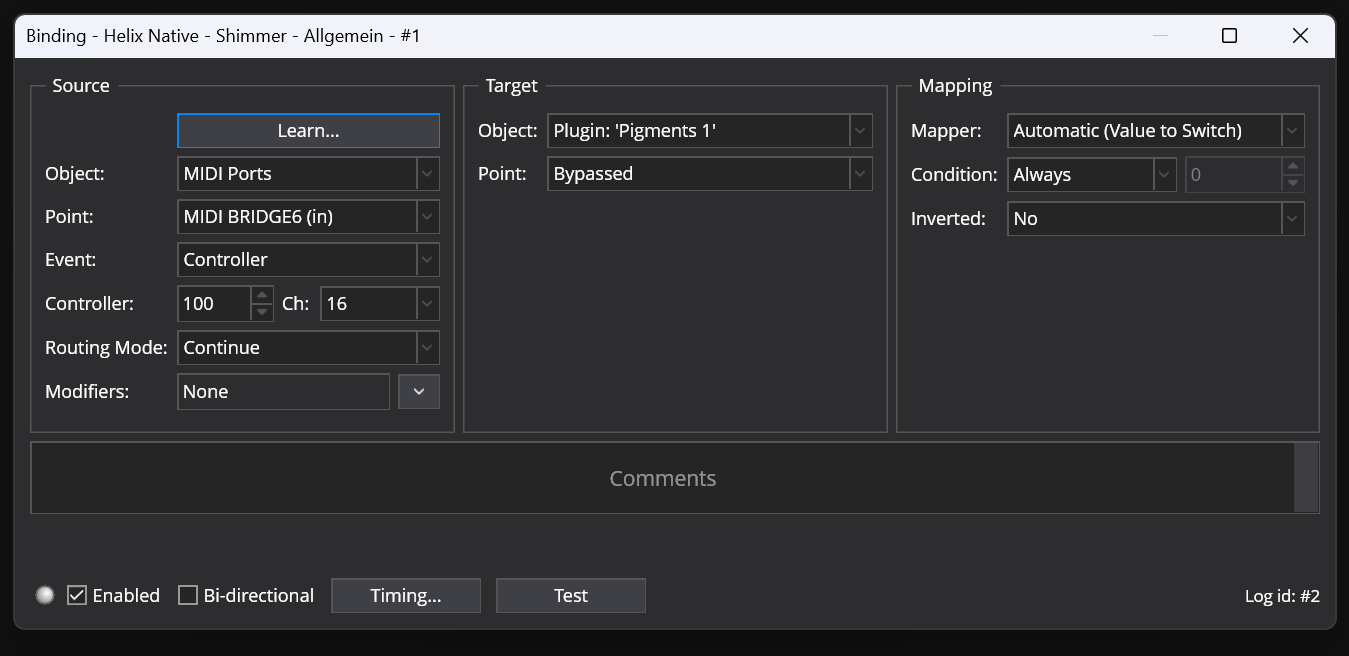
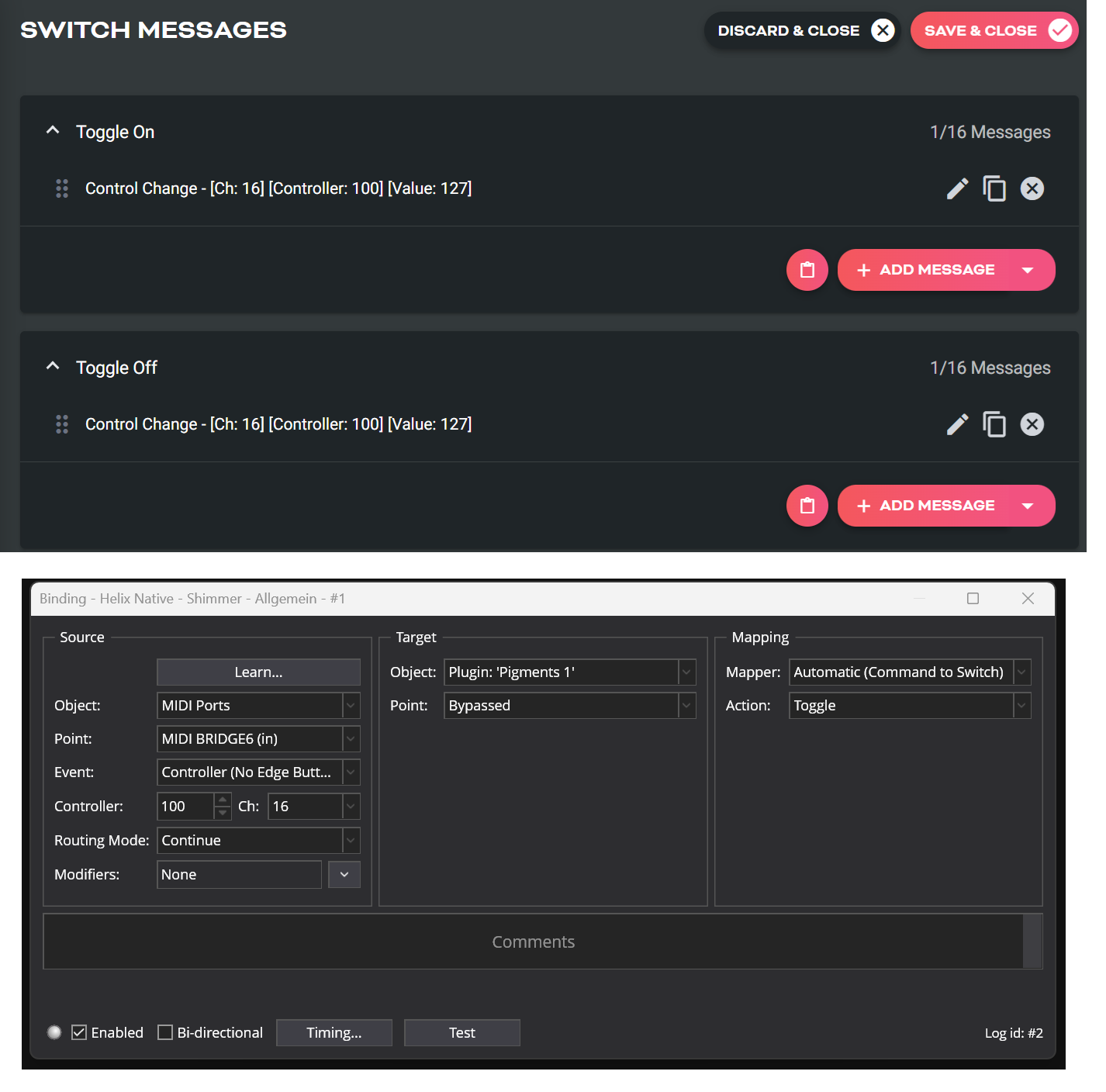
I’m trying to use my external MIDI-Controller (Pirate MIDI) to activate / deactivate one of my plugins (bypass the plugin).
The problem is that if I create a new binding, the bypass is working only ONE SINGLE TIME. After that, it seems that the new binding is broken. It doesn’t work the second time. I can recreate this problem again and again if I create a new binding.
You want a toggle. I’m away from my PC but IIRC under Event try “Controller no Edge” and under mapping you should get options for On, Off, and Toggle.
If that doesn’t work try some of the other Controller variations under Event.
The other thing I’ve noticed is that sometimes it seems that using a Rack as the object gives you the toggle option as a default, so to speak. For example, like many here I created a Midi Rack (linked) I use to take all my incoming midi and then route, filter, and process in various ways (biggest advantage is creating several Rack States so you don’t have to recreate it on each song). Anyway, if I want to toggle a route or plugin from that I just learn it from a midi button, and it automatically comes up with the toggle option. Input and other Midi Port routes, it doesn’t and I have to change the Event controller type.
Tom
It is really important to understand the various controller modes in Cantabile. Controller (Button) expects a controller to first send a “press” value (anything above 64) and then a “release” value (below 64). If there is no “release” value incoming, Cantabile assumes that the button is still pressed and will ignore subsequent values above 64.
This can actually be pretty useful when you want to use a true continuous Controller (e. g. an expression pedal) to trigger something. You press it down, and you get a continuous stream of values. Cantabile will wait until the values cross 64, then trigger ONCE until the values go below 64 again. You won’t want multiple triggers from all the dozens of CC values above 64 coming in when you are depressing the pedal.
With typical buttons on a controller keyboard, this can also work nicely when they send an “on” value of e.g. 127 when pressed and 0 when released.
But when such buttons only send a value when pressed and NOTHING when released (like my controller keyboard), this binding source will only work once - it never receives a “release” value to get it ready to trigger again.
That’s where the “No Edge Button” source comes in - that one will trigger on every value >0 it receives; it doesn’t require an "edge transition " (a transition from <64 to >64).
TL;DR: if your buttons don’t send an “off” value, use “No Edge Button”.