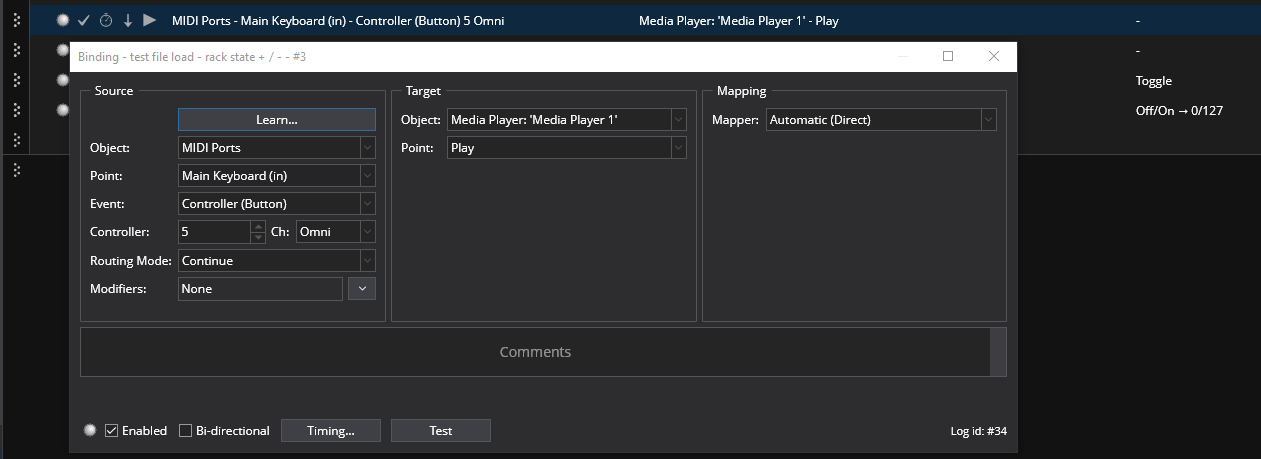
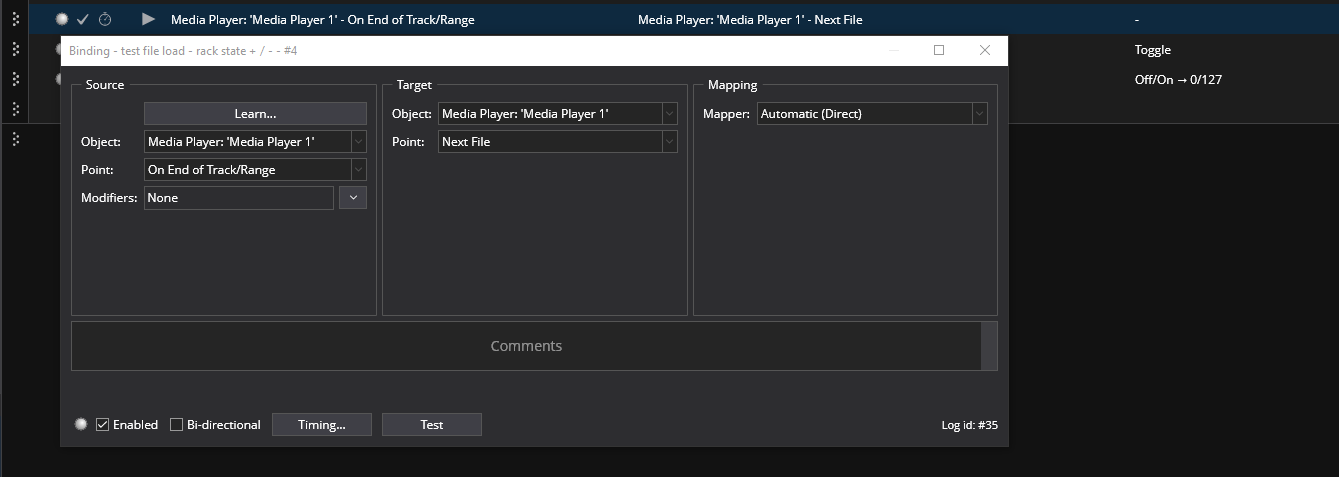
controller message: start file #1 of the target media player
controller message (the same!): start file #2 of the target media player
Any ideas? i have tried with the “Play” binding point plays the current file, the “Next” one (it does nothing unless I am doing something wrong) and also end/next etc with no luck…
Playing the first file only with the controller works fine
When l do this, and it’s a playback element, l use a key on my upper (secondary) controller, usually the lowest C# key. If l want to trigger another, l choose the next black key, so D#. I play keys, so l use keys.
I’m not sure if this is the same thing you’re looking for but this is what I do:
Assign the first file to the Media Player.
Add Object; Media Player. This creates “Media Player 2”. (And renames the original Media Player to media player 1)
Assign second file to Media Player 2.
A. Assign this Media Player 2 to Output Port - Media Player 2
B. In Tools/Audio Ports, set the output of Media Player 2 (probably the same as Media Player)
Next back in the Output section; right click on Media Player 1, Sync Mode, choose Master.
Next right click on Media Player 2, Sync Mode, choose Slave.
Now whatever Controller Message you use to trigger the “Play” for Media Player 1, the Media Player 2 will simultaneously “Play” the second file.
Sorry you’re having such trouble with this but it is supported, and works fine every time. Dave’s suggestion works, I do it.
More complex, in one band I’m in that uses backing tracks, I have 100+ songs, each with multiple tracks (4-7 tracks) that all play in sync. One button toggles Play/Stop for everything. I even have it set in Cantabile to require a double tap to play, to avoid inadvertent commands.
There must be something you’re missing, both of the methods shown here work.
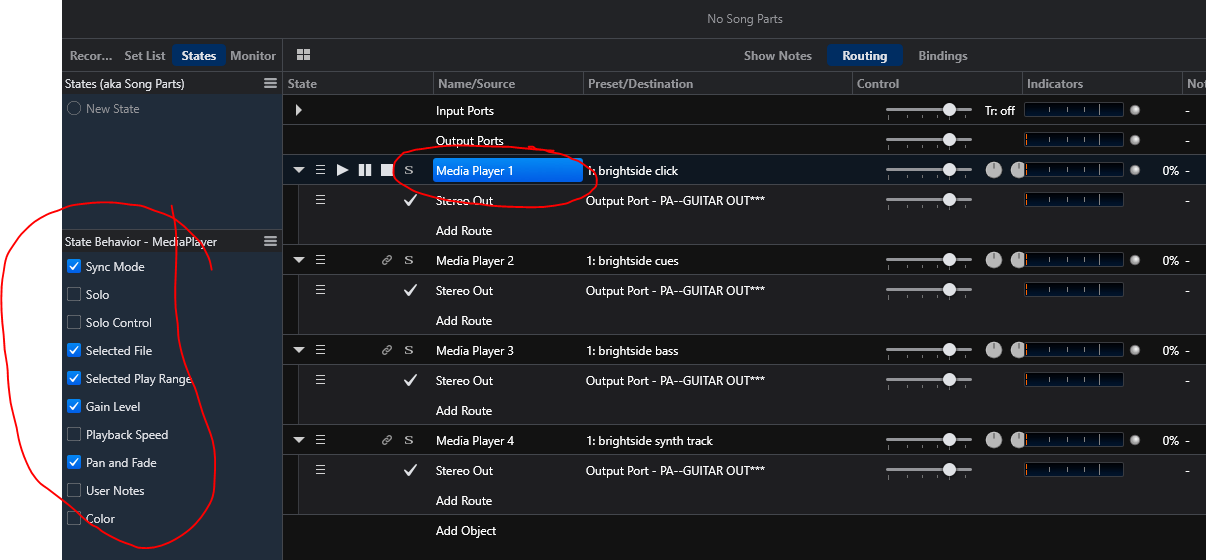
Have you right clicked on the Media Player to Set just 1 track as Master, and the others as slaves (Real Time)? Also check your State Behavior while each Media Player is selected and highlit. For your use Selected File must be checked. (note this is an older Cantabile version so it might look a little different).
Another way to do it is to use 2 different states, 2 media players, and 2 bindings using the same controller as the source. In State 1 the first binding is enabled to Play MP1, the other binding disabled. Then State 2 jsut Swap the disabling.
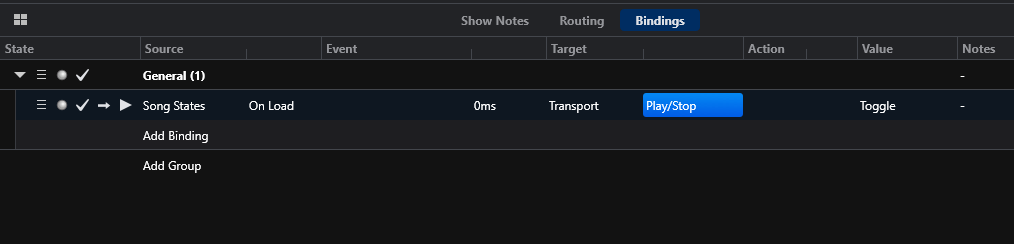
If you’re still having trouble I suggest you start a new song that’s blank and just build and test this part until it’s working. There must be a conflicting binding or something isn’t set right. If still no luck take detailed screenshots of your bindings, state behaviors, media player, etc and post.
Tom
 it seems that this scenario is not supported by Cantabile