When I play a commercial audio via the mediaplayer I have to reduce its output gain with 3db to prevent clipping…
In WIndows there’s a volume mixer, which I assume only affects the total output, e.g. to a sound card directly from an app/program, though I’m not sure. In Windows 7 you can get to it by right clicking the speaker icon on the task bar then choosing Open Volume Mixer. It’s probably similar in 10 and 11. I often forget that’s there and the setting persists, at least until a reboot. If the media player level’s not on full, the direct output may be lower than the input that’s fed to Cantabile, or maybe it affects both. You could experiment with that to see if you can get a better match.
MP3 recordings often seem to be compressed in dynamic range and probably gain normalised to use as much of the top of the range as possible, so I expect they’re close to clipping already and it doesn’t take much to make them clip.
i am not talking about mp3. or how to solve the issue.
it’s about about uncompressed CD captures which leaves the media player a bit to hot. They all have a True Peak just above 0dB. I can reduce the gain but having the players gain at 0dB by default there is almost always some clipping happening.. I think the gain of the media player might need some recalibrating.
Out of curiosity do you get the same result in other DAWs under the same conditions? I suspect some CDs were mastered with dBFS to measure peaks (a legacy of the “loudness wars” perhaps?), so when you rip a CD you will see 0 dBFS as the peak but still see TP at over 0. So possibly an issue with the source rather than the playback system. If you are “hearing” the clipping this may be another issue in the chain. The reason I suggest this is I only use my own stems in Cantabile Media Player and while I never get close to 0db TP or dBFS in these stems, the output levels monitored in Cantabile are as I mastered them in the first place (I haven’t tested with ripped CD audio).
1 Like
A 44.1kHz 16-bit wave file of 100 kHz sine wave stepping from -12dBFS PEAK for 5 seconds to -4 dBFS the to 0 dBFS has those same output levels on both FreeG and Cantabile meters.
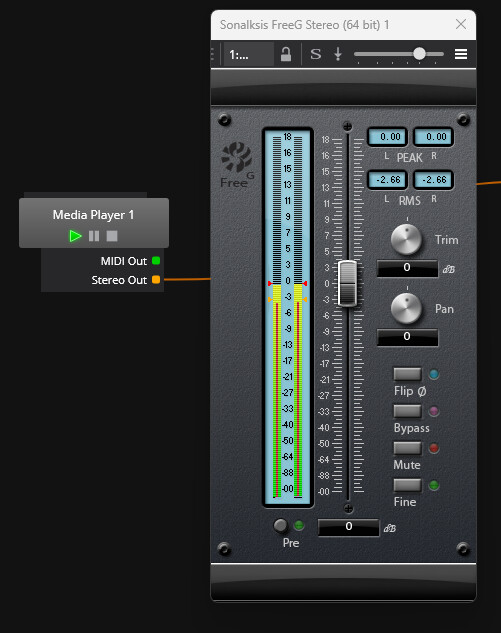
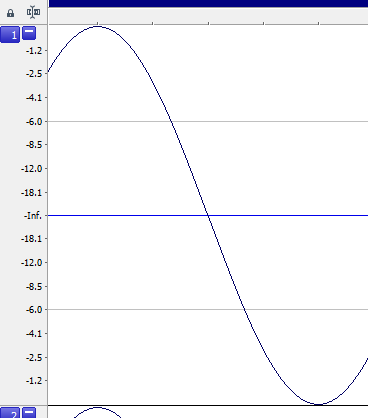
Below is the file played by the Media Player at the 0 dBFS point.
At -12 dBFS, the Cantabile bar is gray (good)

At -4 dBFS, the Cantabile output bar turns a dull red (close to danger)
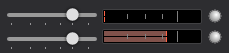
At 0 dBFS, the output bar is bright red, but it’s not clipping (danger). The bar is at the thicker x-axis tick with I believe would be 0 dBFS.

Typically, I too turn the Media Player down the same (-3dB at least) to match the other VST outputs within Cantabile, but I’ve always thought it was because the media, not the Media Player, was louder AND I try to keep the VST outputs within Cantabile with more headroom and get the gain at the board.
For kicks, the output from Cantabile was recorded digitally (no analog loop) to see what the output really looks like.
Below is the first capture which peaked at -0.5dBFS and appears a little compressed at the top.
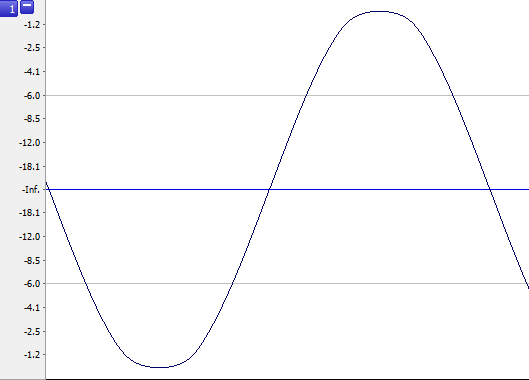
I then remembered the internal output limiter within the Audio Engine of which I’ve always just left on.
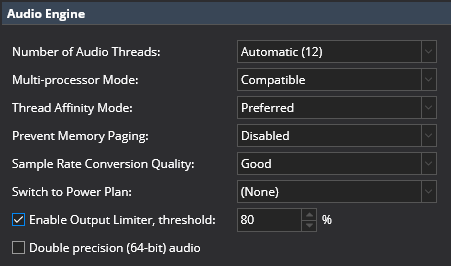
When this limiter was turned off, the captured peaks increased to -0.1 dBFS but the visual appearance of compression is gone. I would have thought the peak would remain 0 dBFS, but it’s not. All the internal Windows Mixers are full, too.
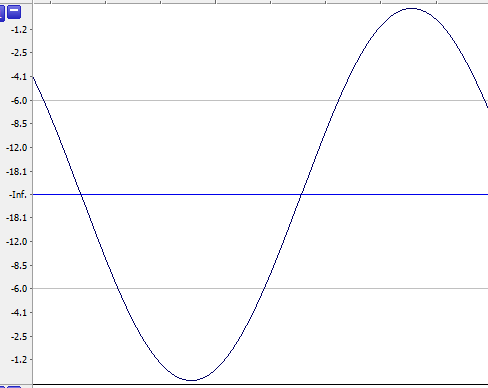
I would assume that the Cantabile internal limiter is right before the final program output and is not registered on the Cantabile Output Meters, but I could be wrong…
Anyhow, I cannot find evidence of the Cantabile Media Player output clipping. The output bar shows red, but it’s not clipping.
3 Likes
Everything @easteelreath described sounds correct.
Correct - and it’s a simple soft saturation tanh filter - so the flattening at the peaks is expected.
The color is controlled by a linear interpolation of the hotStart and hotEnd settings of the selected control curve. For the default curve it starts at grey at -6db and ramps to full orage and 0db.
"levelMeter":
{
  "ticks": [
    // These get displayed on the level meter as ticks
    {
      "scalar": "fromDb(-30)",
      "kind": "minor"
    },
    {
      "scalar": "fromDb(-15)",
      "kind": "minor"
    },
    {
      "scalar": "fromDb(-6)",
      "kind": "minor"
    },
    {
      "scalar": 1,
      "kind": "major"
    },
    // These describe how the transition to hot orange works
    {
      "scalar": "fromDb(-6)",
      "kind": "hotStart"
    },
    {
      "scalar": "1",
      "kind": "hotEnd"
    },
    // Hitting this point turns on the border clip indicator
    {
      "scalar": "1",
      "kind": "clipIndicator"
    },
  ]
}```