Hello everyone,
I’m facing a workflow issue. Maybe you’ve already dealt with this?
I use different VSTs in “Songs.” These “Songs” are then included in a Setlist.
When I rehearse at home, I use headphones and practice alone, so I make settings specific to that listening environment and to the backing track (often the original song or sometimes using the Moises app). Then, when I rehearse with the band, we use speakers, and of course my mix changes because I’m playing according to the arrangements with the other musicians, which makes me adjust everything again. Three days later, I’m performing live, and once again everything changes. Then I go back to rehearsal, and the whole cycle repeats.
Do you have any tips for switching from one setlist to another while keeping the same “Songs,” but having the settings be independent for each setlist rather than tied to the “Song” itself? Right now, if I change something in the Song “U2 – Every Breaking Wave” and save it, the modification appears in all playlists.
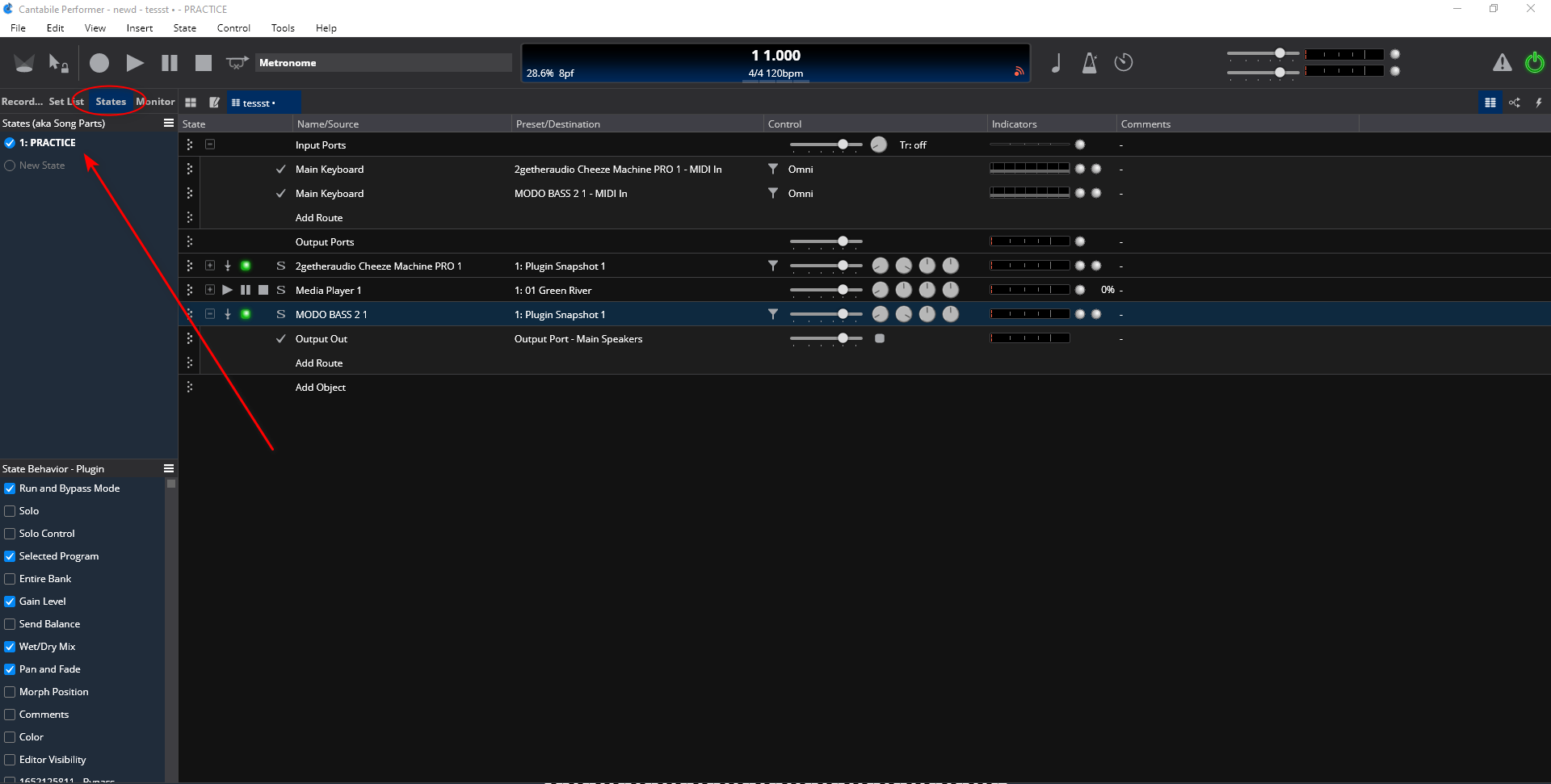
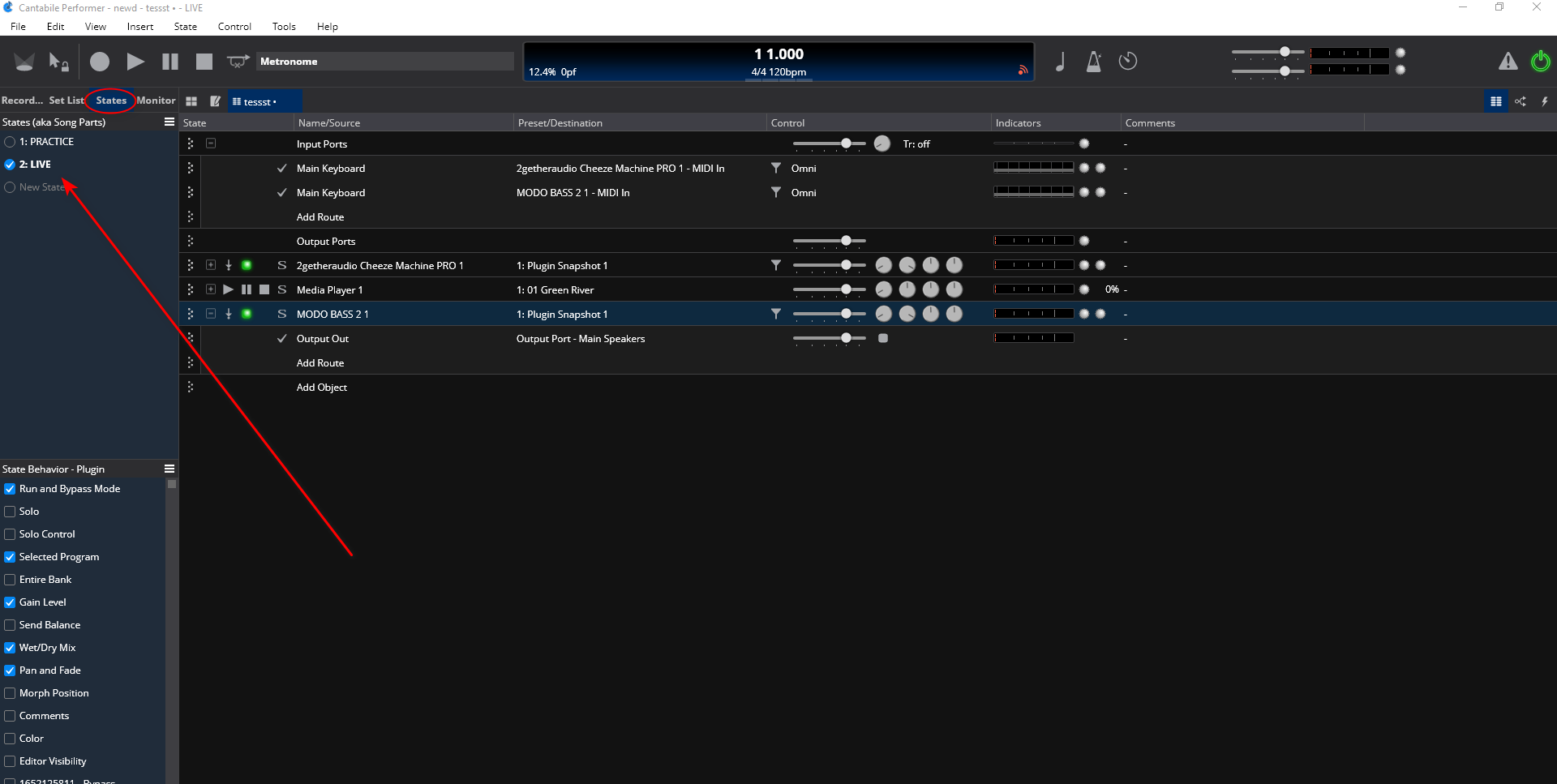
What version of Cantabile do you use? I ask because you didn’t mention song states in your post and that would be one way to solve your issue, have a state for home practice and a state for band mix in each song in your set list.
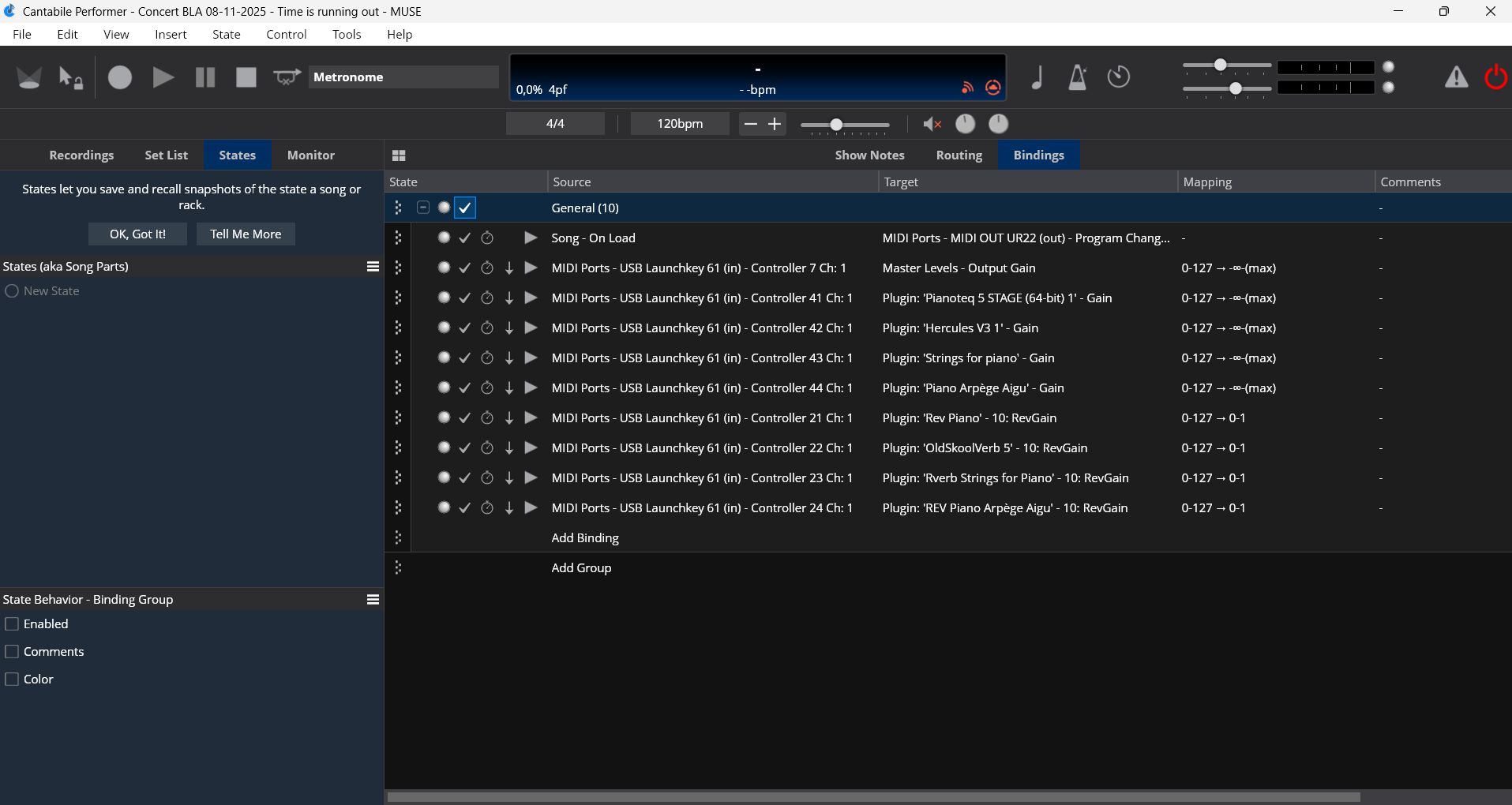
Sorry Dave, I’m not sure to understand your question. I have actuallay several songs in several lists. Usually the same songs and actually I have a launckey61 and manage the different audio level in each song (binding) depending of the context (rehearsal with my music band, or solo at home, or in Live). (Sorry for my english). Does it answer to your question ?
Thank you, Dave! That’s great. I’ve just tried it and I understand the concept (this program is really amazing). I was wondering if there was a way to link this state when then loading a setlist named “Live” or “Practice” or “Home,” so that I don’t have to go and check each state of every song in the setlist every time. Do you have any idea?
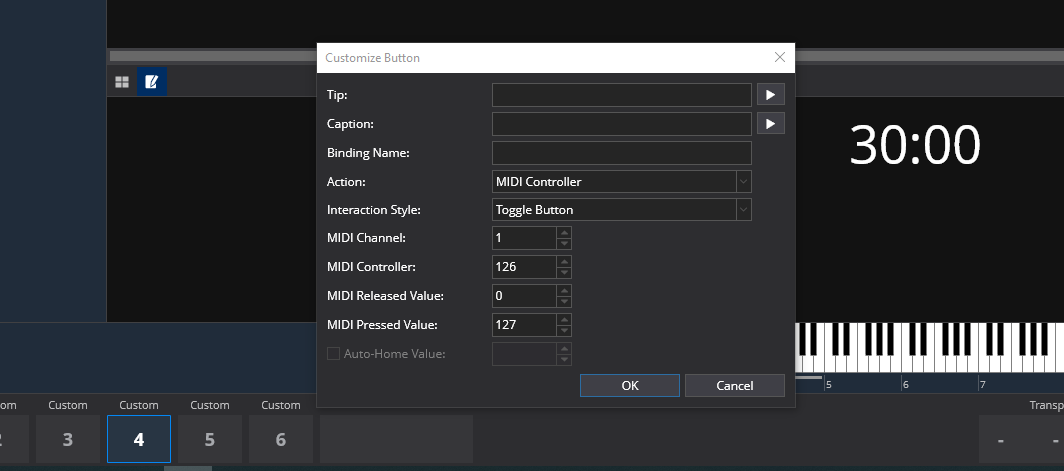
my example use cc126 to hold the value to decide which state you want to load for each song as you go through the set list.
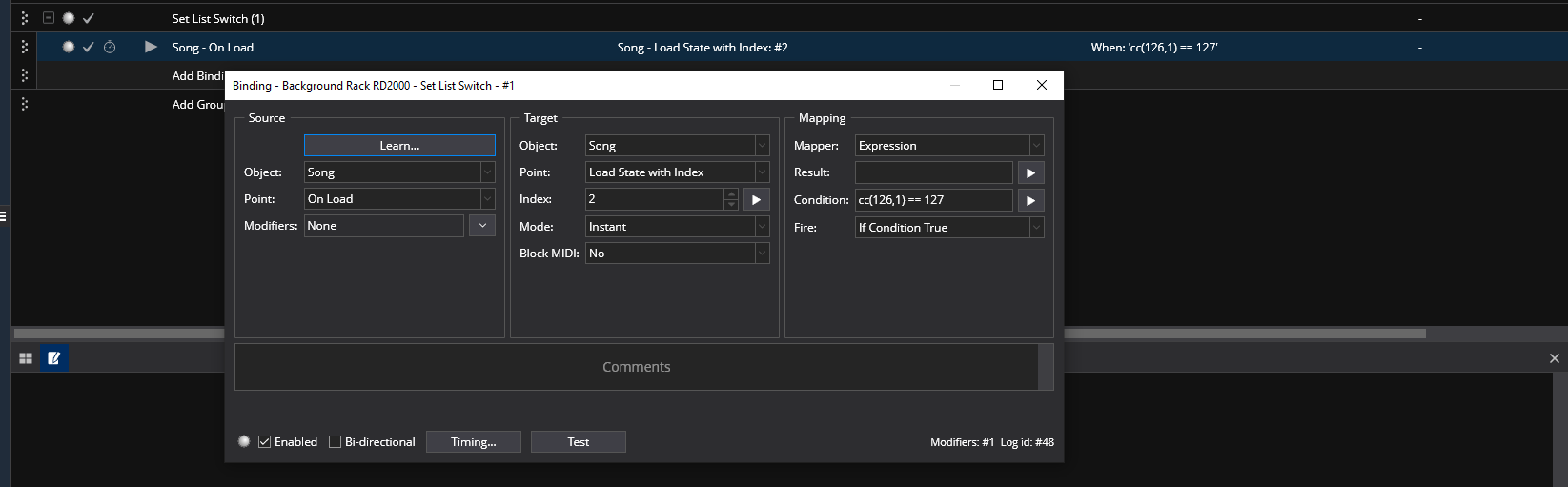
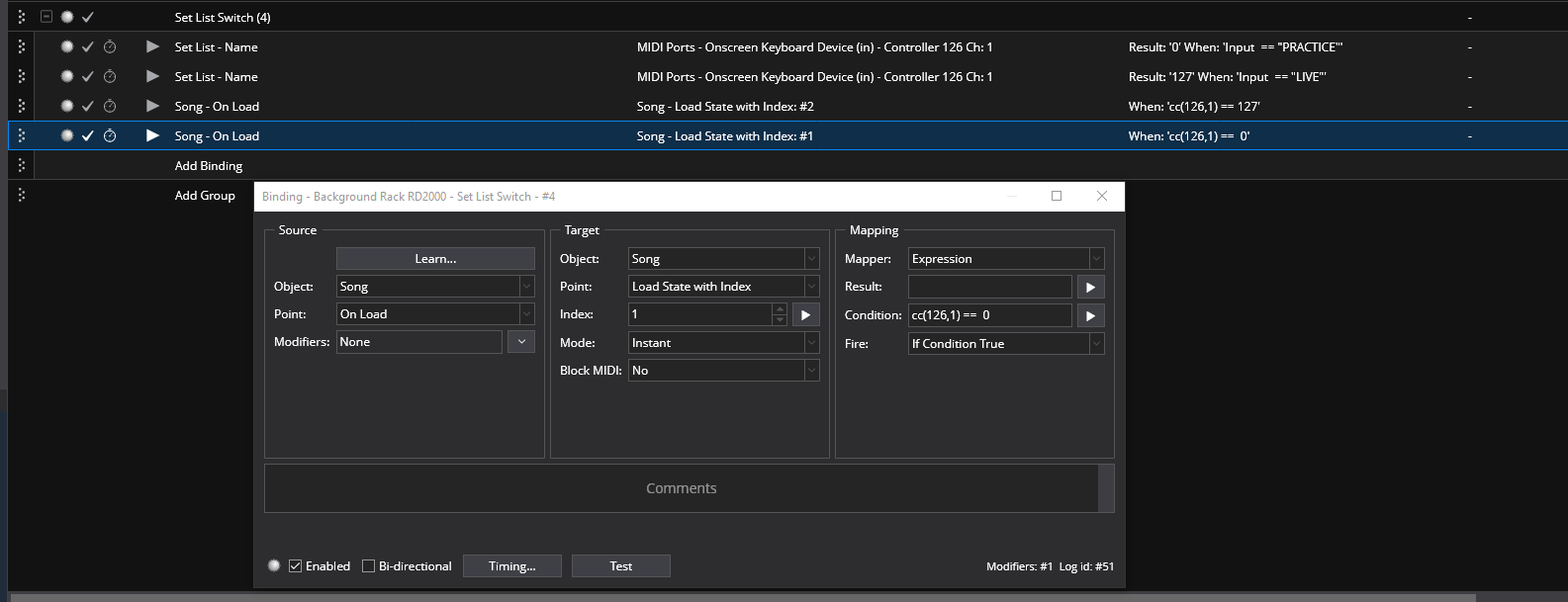
Then you put a binding in the Background rack like this to load the song state you want when the toggle button you made on the controller bar is pressed.
I found a solution that uses the Set List Name but it requires that you do at least one manual song change to get it going after each set list change. Once that is done the proper song state will load for the rest of the songs in the set list for your session. Here is how it works.
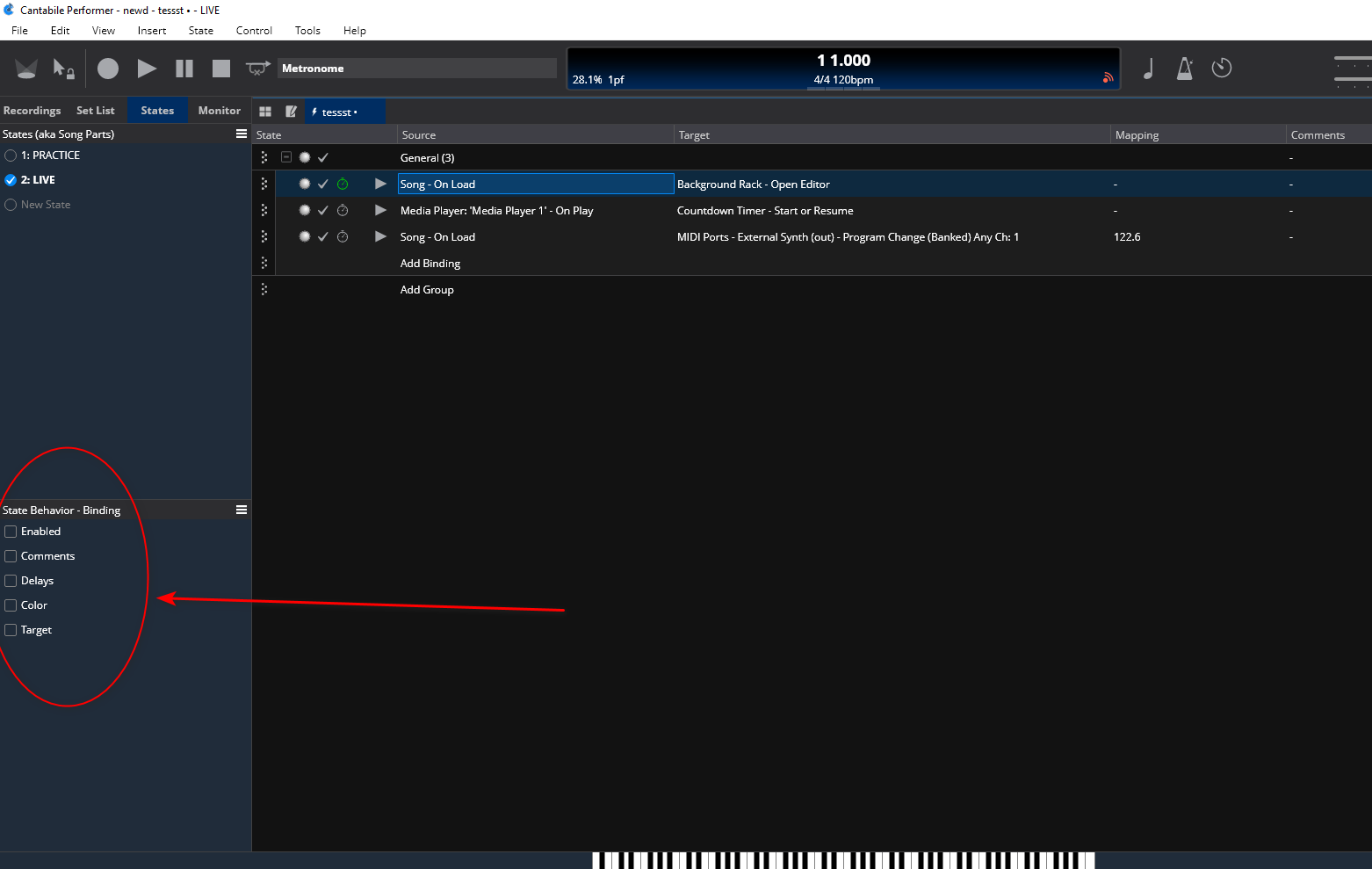
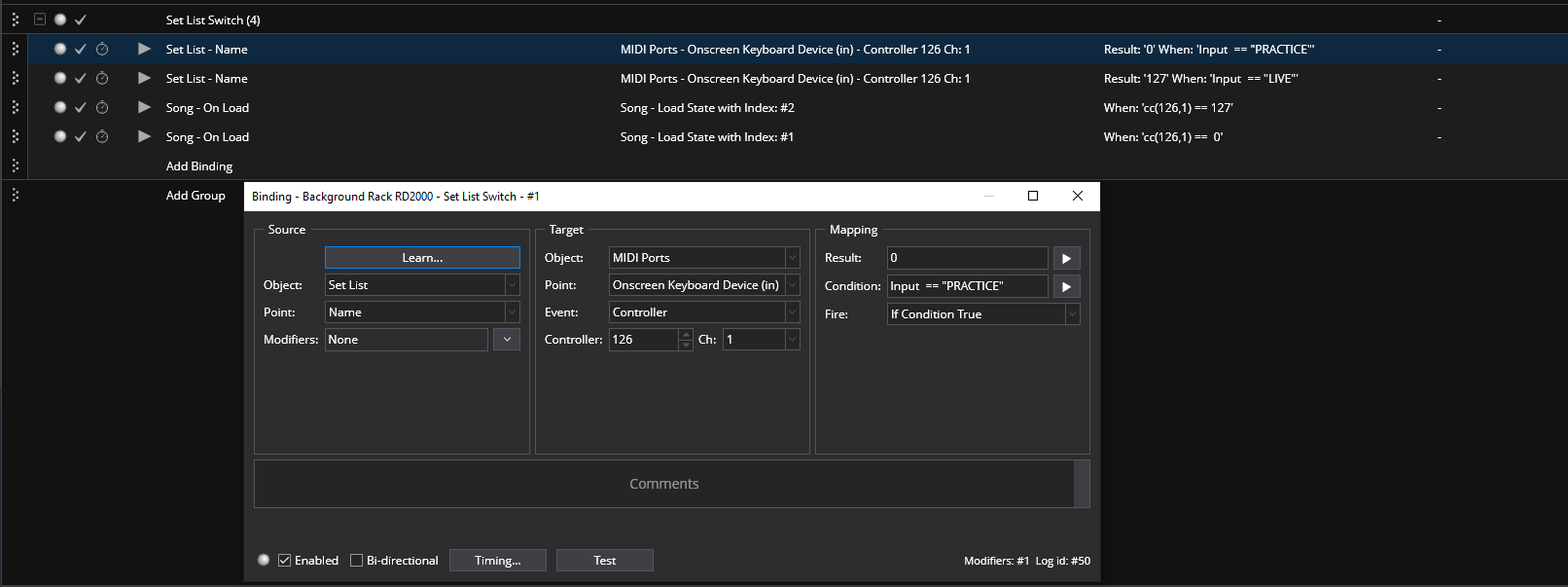
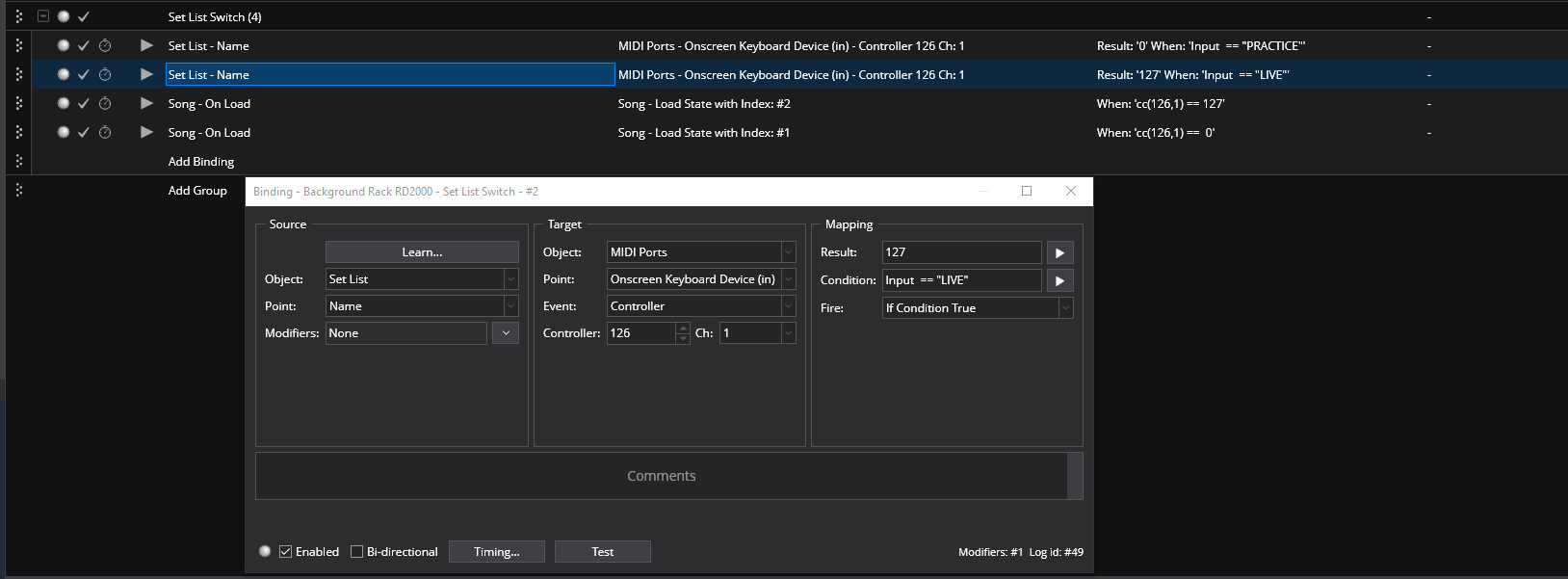
You only need these bindings in the Background rack and no controller bar button ( but you do utilize the onscreen keyboard’s cc values buffer).
The first 2 bindings set the buffer value to 127 or 0 according to the literal name of the current loaded set list. The second 2 bindings load the current loaded song state to 1 or 2 depending on the set list name that is loaded. If you add more states to the songs you can expand this to include more set lists. Let me know if you need assistance on that.
Let me take a quick step back here: what exactly is it you adjust between your three playing situations (home, rehearsal, live) for your songs? For me, there are two scenarios:
A simple change of EQ and possibly volume to adapt to different listening situations. That can be solved by having a final “output” rack (containing a state-controlled EQ) in all your songs that has three states “home”, “live”, “rehearsal” and that receives all output from your plugins. By de-activating the setting “Let the parent song control this rack’s selected state and gain” in the Rack Properties, you can adapt to your listening situation by selecting the correct rack state once - that selection will “stick” across the current session.
You change the mix between your plugins and maybe even the selected presets per plugin depending on the playing situation. In this case, @dave_dore 's solution using song states may help you, but I suspect that sooner or later you’ll discover how useful song states can be during a song (switching configs between chorus, verse, bridge etc), so this is a limited option. If your songs really vary that much between home, rehearsal and live, I would bite the bullet and actually have separate song files and set lists for these situations, even if that means that you’ll have to replicate future structural edits across all three versions.
I’ve been in a somewhat similar situation with two bands with overlapping repertoires, where the versions of songs between bands start similar, but will invariably diverge over time. I’ve made a hard cut in Cantabile between both repertoires - separate song files (but using the same racks) in separate directories, and different Cantabile configurations that use different setlist and song directories. Over the long haul, this has proven far more clean and reliable.
Like Torsten I also use separate song files for that situation. Seems like it would be too easy to select the wrong rack state while in a gig situation. But Torsten also touched on an important point… Why such a disparity in the mixes? For me, once I have all the song parts balanced properly at rehearsal, gig and rehearsal mix volume settings are the same. For example, the various song parts are adjusted properly, layered sounds are mixed right, etc. We rehearse with a PA but often use a different PA at gigs…I just change the overall EQ at the mixer as needed at gigs. In home practice when creating new songs I use songs that I know have been tested and set at gigs as a reference. That only gets you close, and then I check it at rehearsal. Granted, headphones do change the mix a bit, especially with layered sounds, but it might be easier for you to just get used that variation. Over time when practicing with mixes that have been set at rehearsals/gigs, your ears learn to adapt and look for that same kind of mix. But that’s just me, of course do what works for you. BTW if you use IEM at gigs (or even a stage monitor) you can create a separate Monitor rack to adjust volume, EQ, add a compressor, or whatever. I find that to be very handy in getting my own mix at gigs exactly how I need it.
Tom