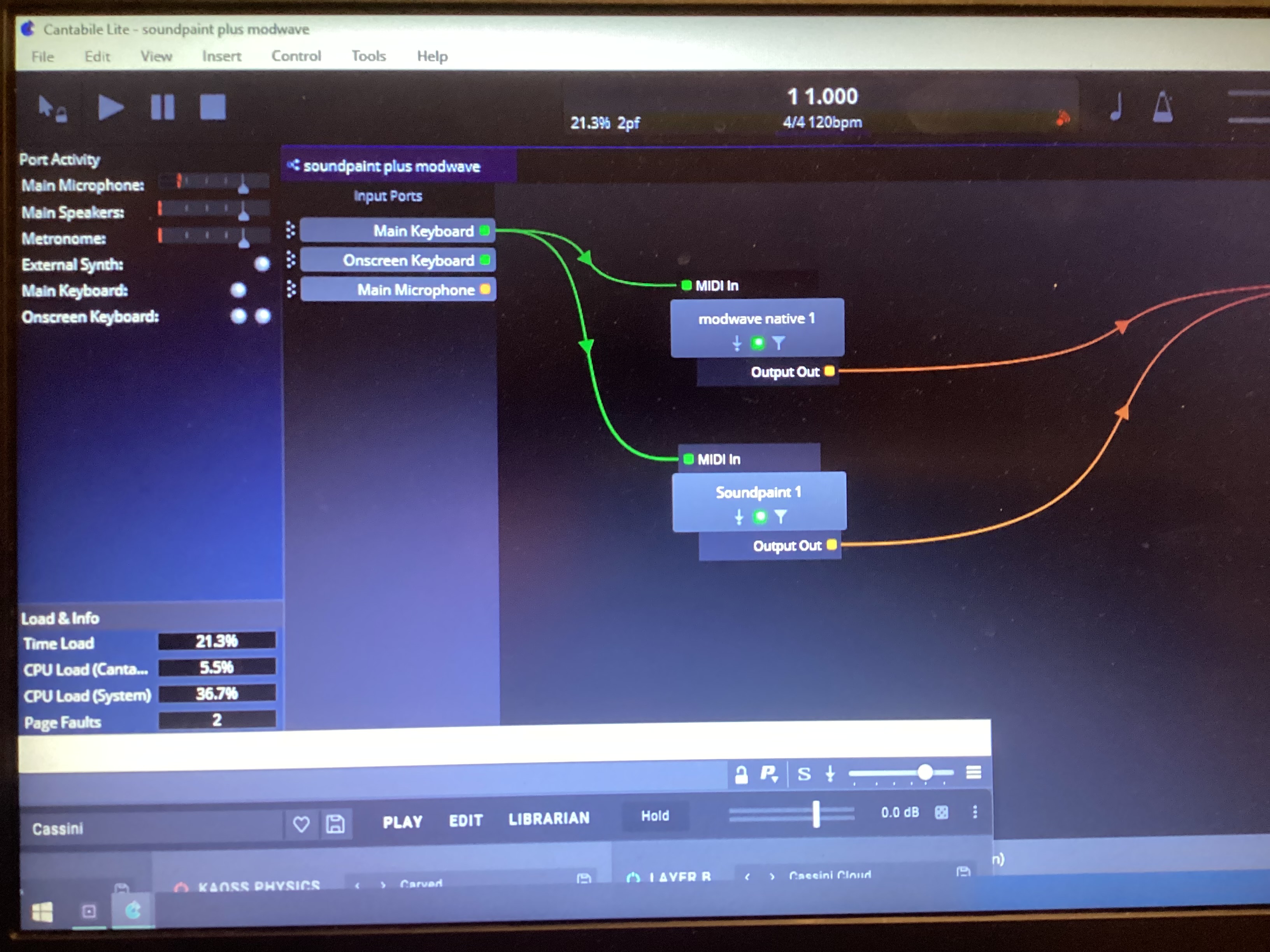
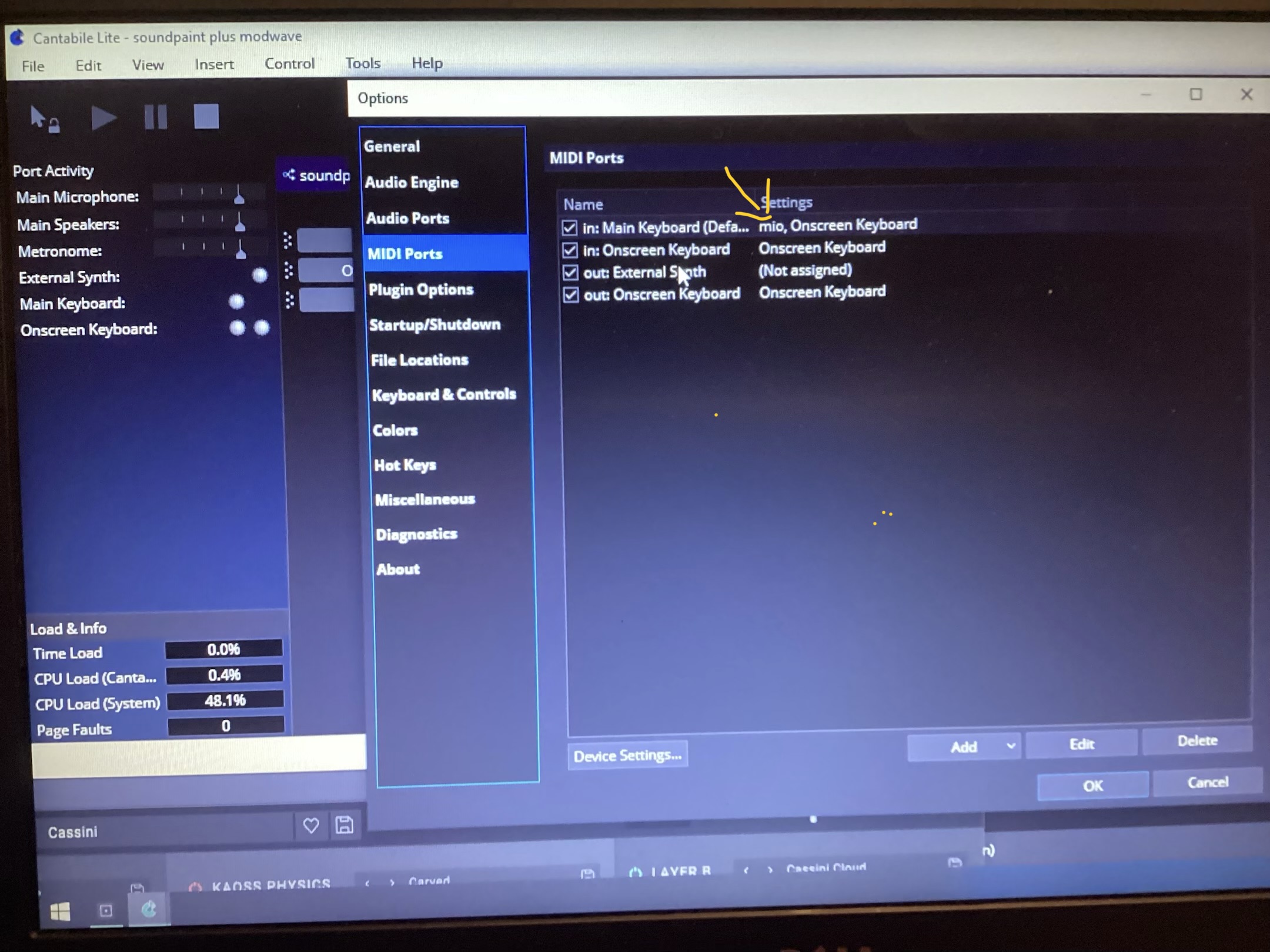
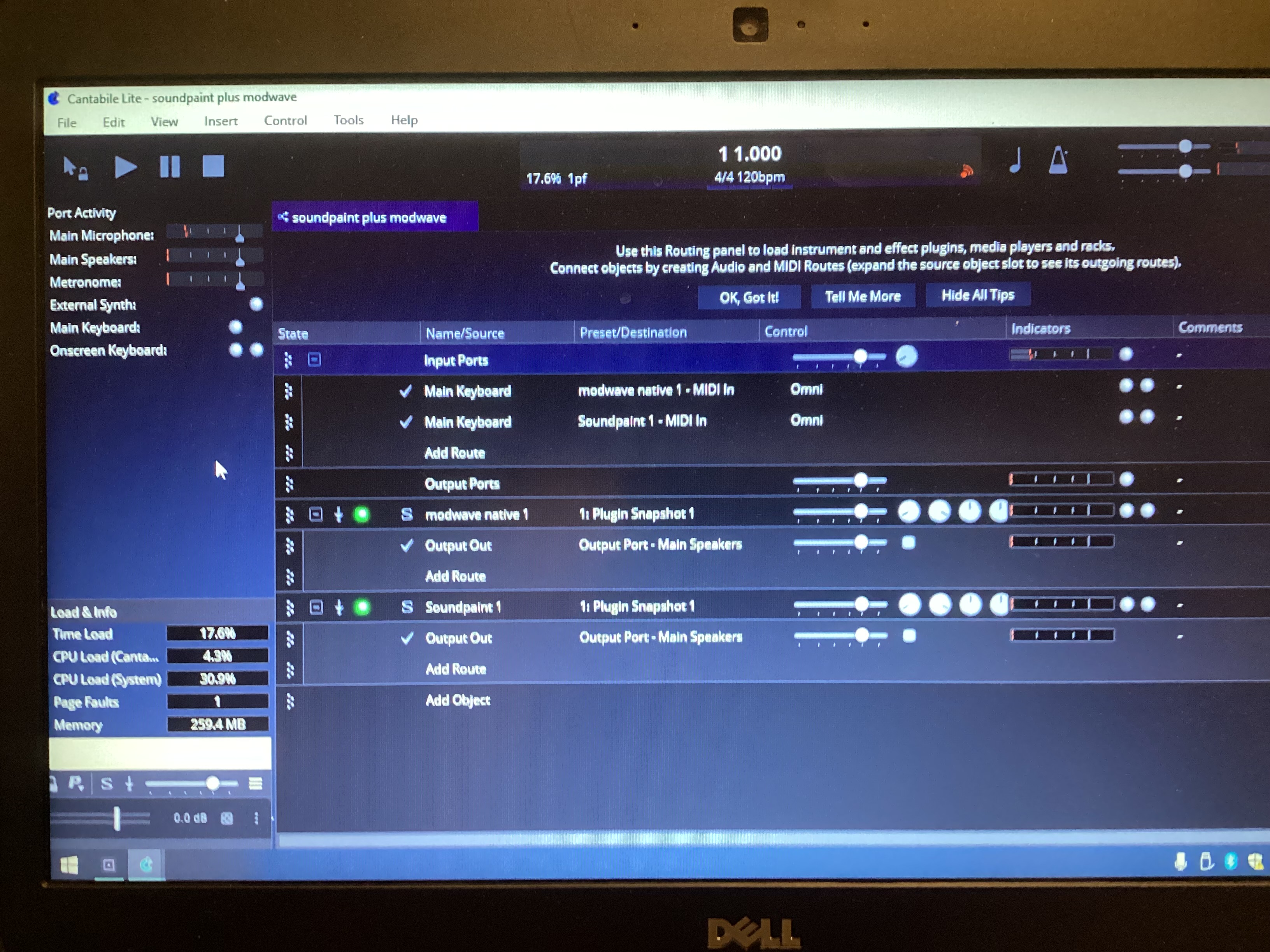
I’m a new Cantabile user - just installed version 4.0.4357. I have a MODX connected to my laptop via iConnectivity MIO Midi/USB interface. My input and output routings in Cantabile are correct. I get sound when playing the onboard Cantabile keyboards (Soundpaint and Modwave Native) but no sound and no midi is being sent from the MODX. MODX sends midi to Soundpaint and Modwave Native when these two VSTs are in stand-alone mode. I’m running Windows10.
This appears to be a common problem as recently posted by Bdo518. But I don’t understand the responses - like running Admin scripts and such. Is there a “simple” solution that a new user like me can understand?
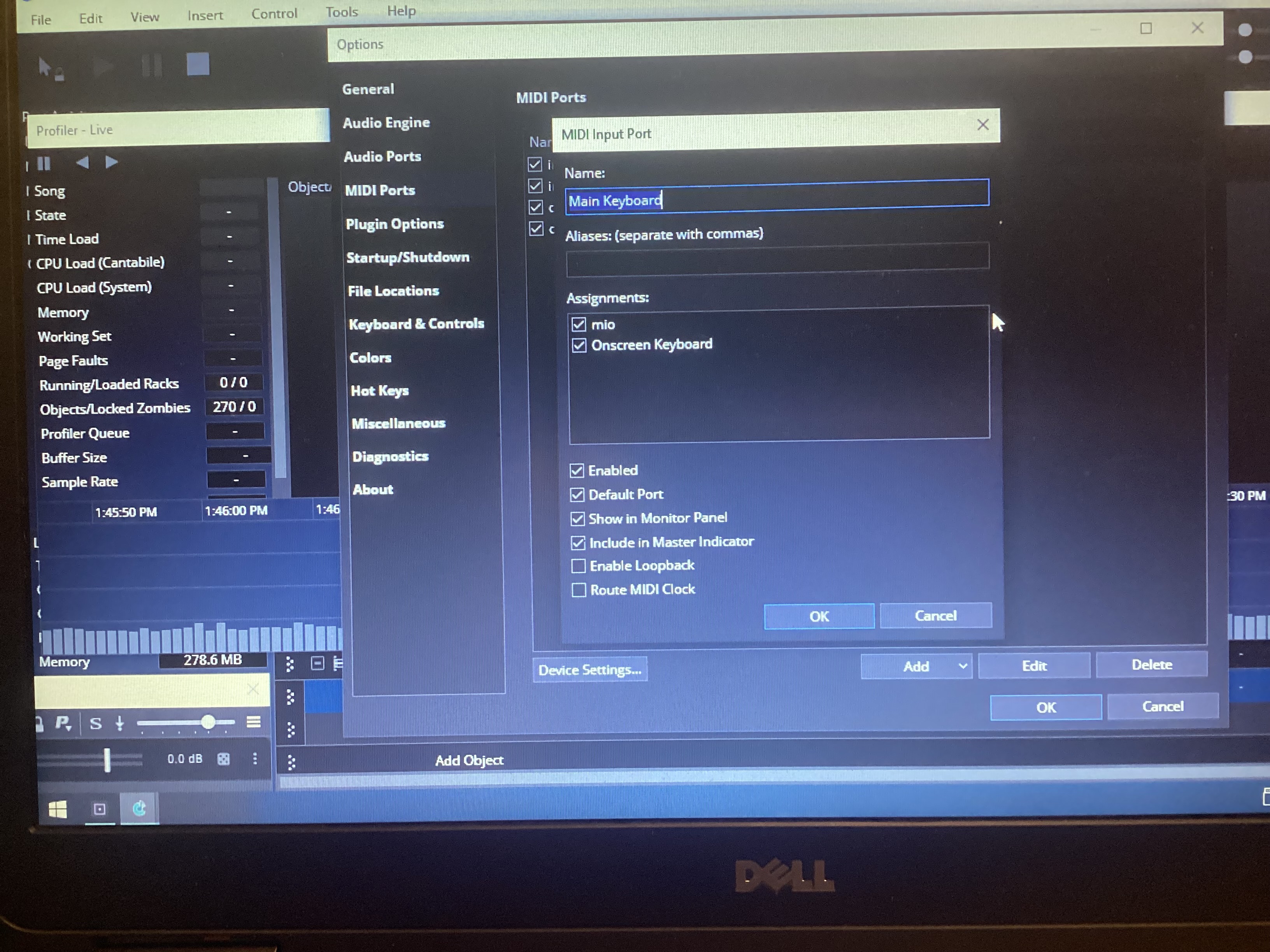
I’m attaching a screenshot showing my routing. (As a new user, I can’t submit the other screenshot which shows MIO as my Midi Port in along with Onscreen Keyboard).
I read your posts and wondered if you could open the port configuration box for the port you showed in picture #2 and post it to show us all the available ports and what you have check-boxed for that one. Sometimes if you switched the physical USB port you have been using the port will show up in that list as disconnected and there is usually another port for the same device in the list that is. That is what I would check first if you haven’t already done that. Also, if you are running Win11 there may MIDI issues from that people are navigating but I am not on it so could not help much on that.
Just wondering, are you using the latest MIO driver, and do you have the latest Windows updates? And are you using RtPMIDI for the MIO connection?
There were issues with the new Windows11 MIDI stack and specific RtPMIDI on the MIO, which should now have been resolved.
I have a rack of classic Yamaha rack units (TG77, EX5R, FS1r, Motif ES) where I use a MIO and a single network connection, and it stopped working in the early days of the new MIDI Stack, but it is all working fine now without the workarounds I had to apply a few months back.
Thanks Tom, you have it all done correctly from the Cantabile standpoint end of things but possibly Derek’s post will give a clue. Drivers are sometimes the key. I hope it works out easily.
Derek - My MIO interface is only about a year old. I never installed any MIO driver updates. It works fine with Soundpaint and Modwave standalone (outside of Cantabile).
RtPMIDI for the MIO connection??? I don’t think I’m running that.
I’m on Windows10 and I don’t think I get any more updates.