As you may know I’ve been rebuilding Cantabile’s audio engine. Now that the work on the engine itself is pretty much done, I thought I’d start a new topic for the next phase of work.
New execution model with automatic graph node clustering
New thread pool implementation for more efficient spreading of load across multiple cores and better awareness of low-power e-cores.
New approach to MIDI handling (everything is now “pull” rather than “push”)
New real-time heap implementation
Simplified and improved internal transport position handling
Improved VST 3 plugin hosting - especially around parameter handling
Updates to the underlying C++ template classes
All internal string handling switched from utf-16 to utf-8
Lots of decoupling objects for easier unit testing
Some functionality that doesn’t belong in the engine moved out
Reworked logging framework
Comprehensive set of unit tests (over 1,500 tests in all)
Lots of code clean up and other miscellaneous refactoring
This next phase will be mostly integration testing. The first of these tests yesterday was a simple confidence test that the engine could start/run/shutdown.
Today:
integrated the engine logging services with the test bench
actually got it to produce sounds (metronome ticks) - watch video.
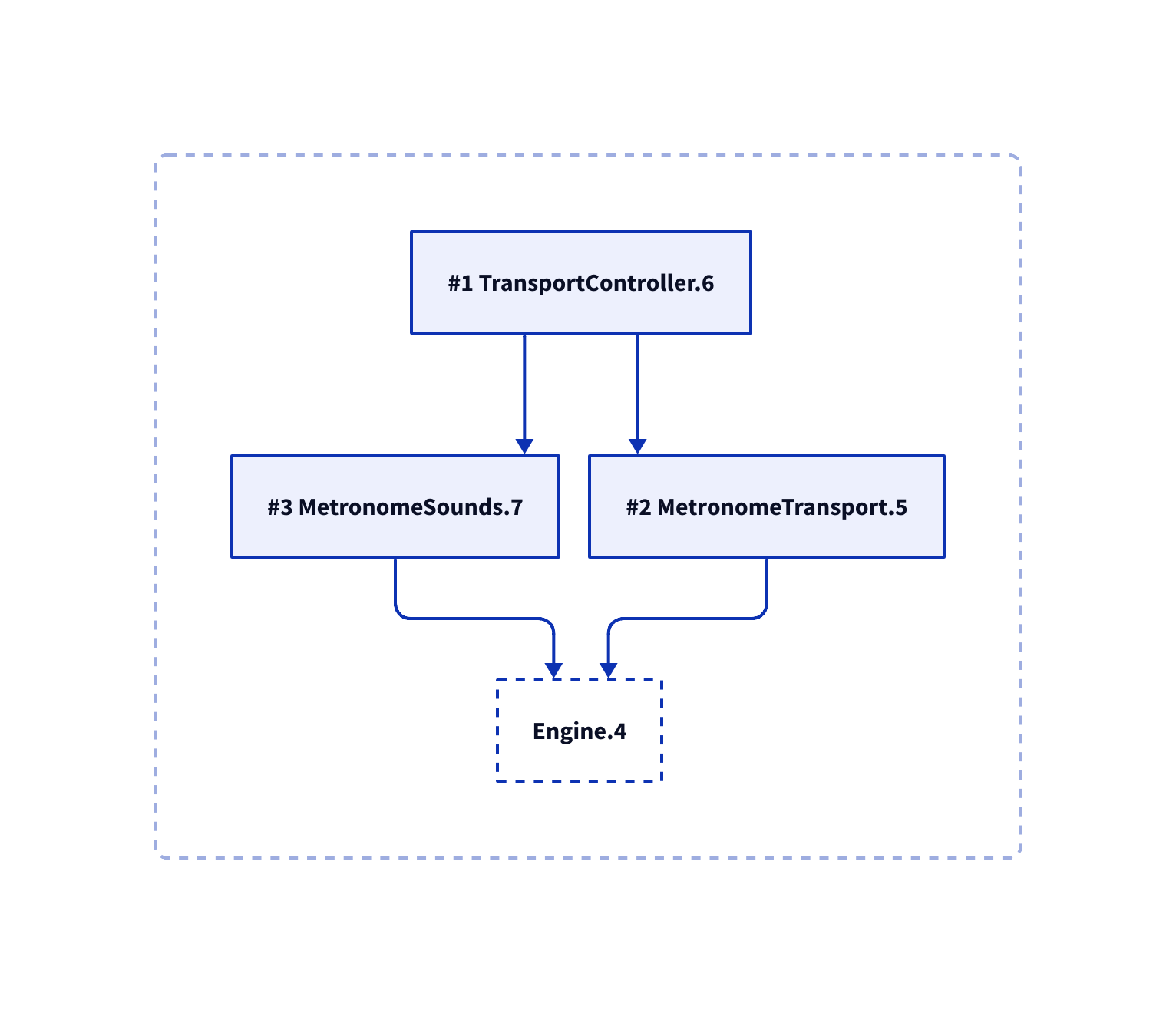
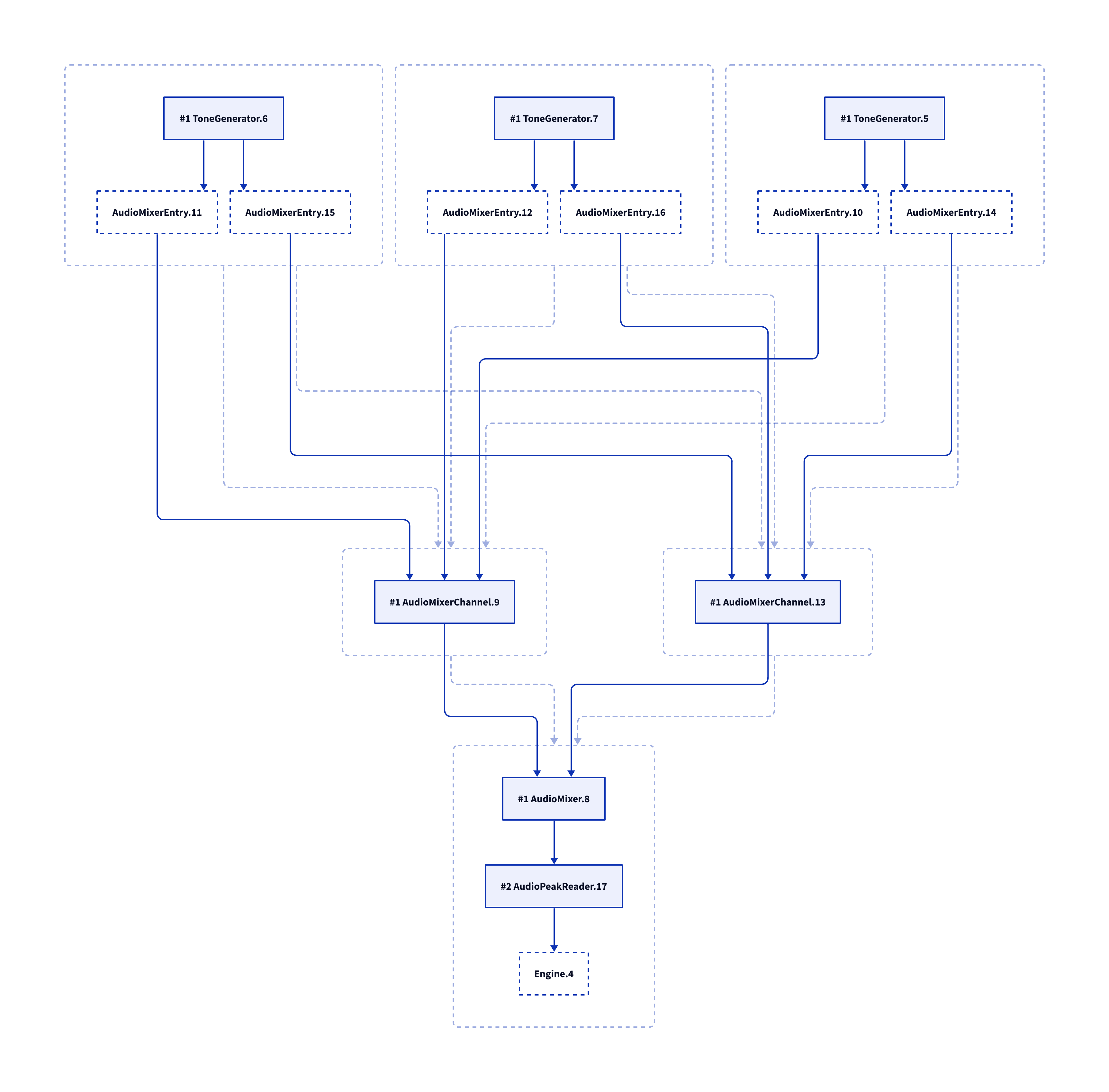
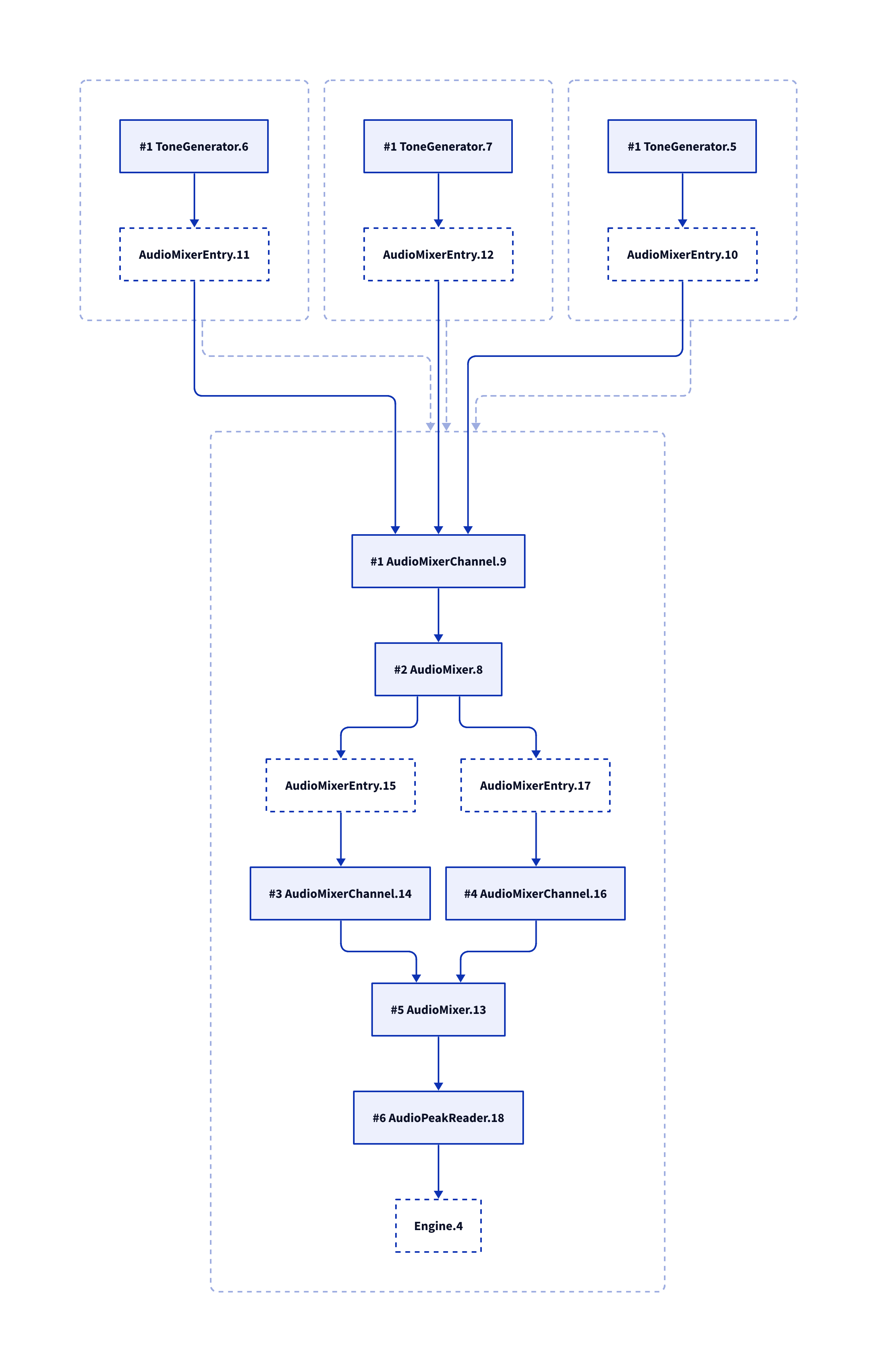
Sunday side project: updating the test bench to generate D2 node graph diagrams. They look good but highlighted some unpredictability with the node clustering algorithm which I’m going to have to revisit.
I feel the like integration tests weren’t really adding much - basically everything either just worked, or showed obvious bugs that would have shown up eventually anyway.
So I’ve decided to jump straight to phase III - which is updating Cantabile to the new engine. There’s three main layers to this:
Environment - the engine, audio driver, audio and midi port management and other lower level services. This is smallish area, but where the most technically significant changes will be.
Application - the main application level objects.- This is where songs, racks, bindings, plugin objects, media players etc… all live. This should be more mechanical work - just rearranging objects - but there’s lots of it.
User Interface - I bet you can’t guess what this is. This shouldn’t need much work.
Anyway, started on the Environment today and its going ok. It’s a bigger job than I hoped but I’m also deleting a lot of now redundant code thanks for the new engine’s simpler coding model.
Best of all… I’m mostly done with the C++ side of things now.
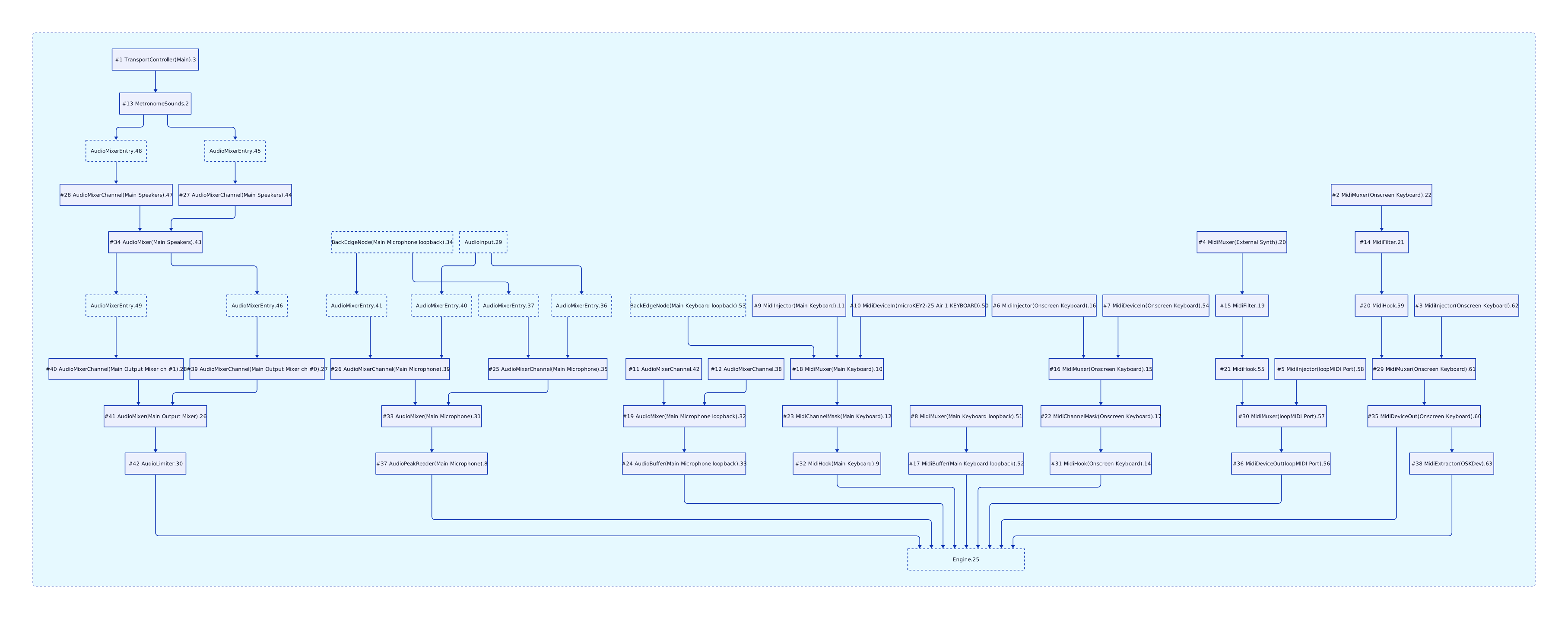
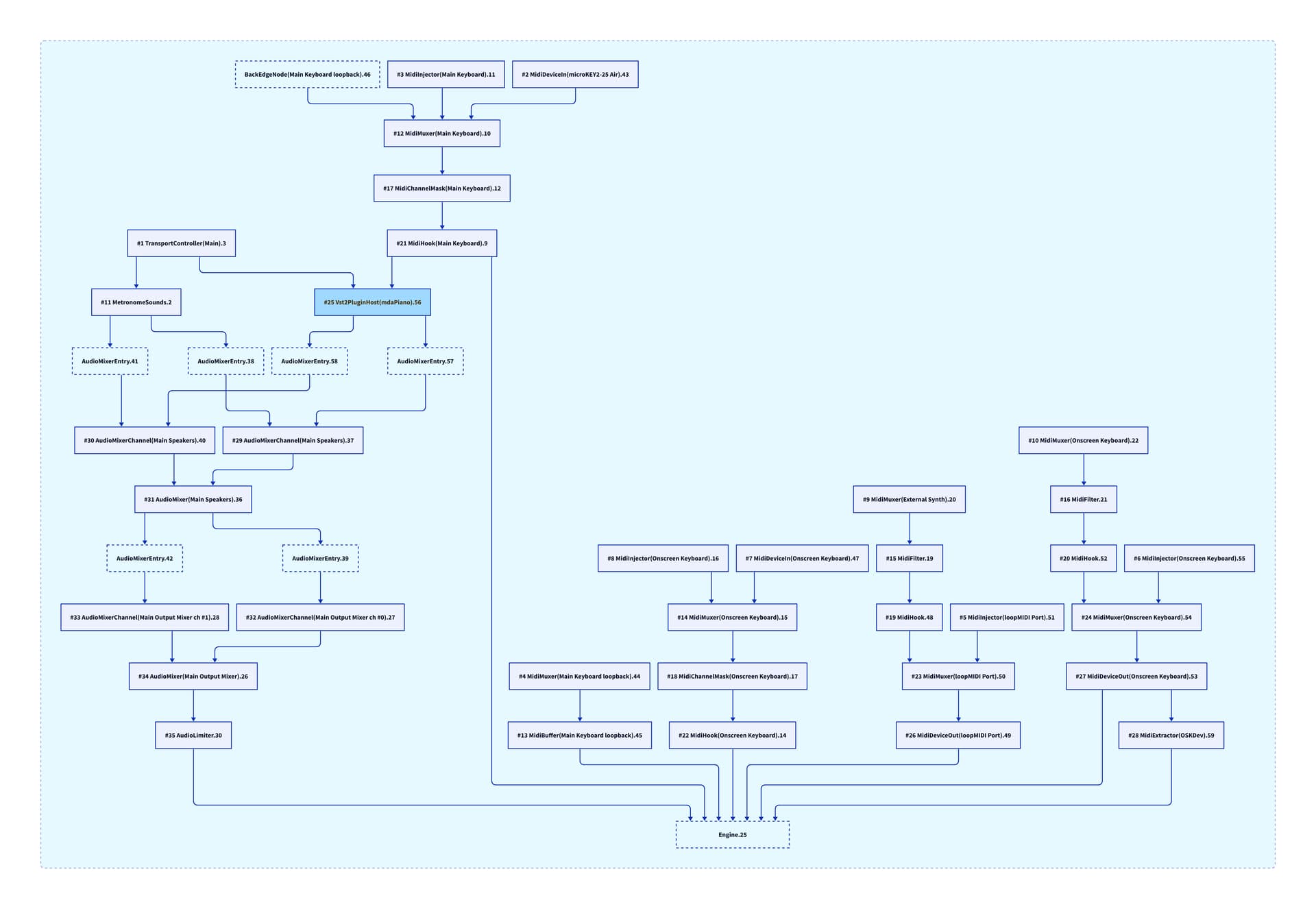
Environment layer running. The node graph is growing…
To view the graph at readable size, right click on it and choose “open in new tab” (but note it doesn’t render property in firefox, use Chrome/Edge)
Next job is to hook up the profiler. I noticed the engine was crashing after a couple of minutes because the profiler interval queue was filling up when there’s no running profiler to drain it.
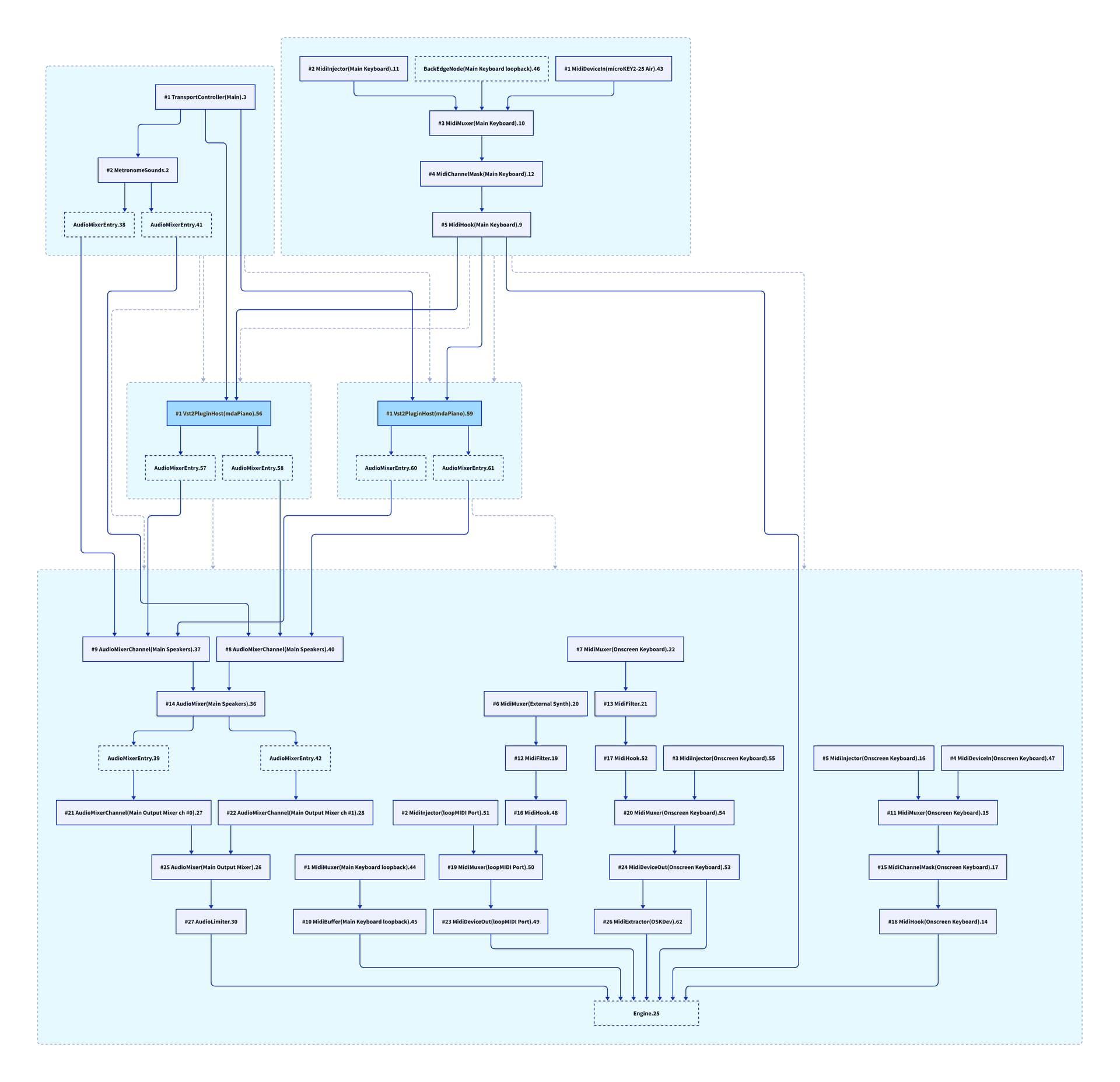
Now with two plugins, we get 5 clusters, 2x input clusters (metronome sounds and main keyboard port), 2x plugin clusters and 1x output cluster. Technically those first two input clusters could be combined but the way the algorithm now works it starts from “anchor nodes” (plugins) and works its way out and the split input clusters are a side effect of this. It’s not harmful so I’m going to leave it.
The profiler is sorted… for now. I’m going to have to revisit this later because the new execution model doesn’t map cleanly onto the old groupings in the profiler user interface. Not much I can do about it but at least it’s not crashing now.
I’m now moving onto the next layer - the Application layer.
The approach here is going to be a bit different since this is a pretty big chunk of code and I want to be able to actually run each piece as I go. The plan is to comment out/disable anything that doesn’t currently build, then get the user interface layer building and then gradually wire up things one piece at a time.
Application layer started with about 600 build errors. I’m commenting out and replacing with TODO comments and “not implemented” exceptions and have it down to about 180.
I’m a bit worried… I think this is bigger job than I’d hoped, but pressing on regardless.
Error trapping is a process of binary chops. The first fix you apply will solve half of the errors you are seeing. The last two errors will require far more time and effort than they have any right to!
Funny enough, I am having to do that today. The tool I use for making Java HTML help files into a single PDF for my librarian applications’ documentation is crashing with segmentation faults on my new Mac. I’ve seen it before, but it took me a while to remember that it is probably some minor formatting issues in the HTML that needs correcting (I am at a loss as to why it was fine on the old Mac and not on the new). I have a list of around 50 files to process, and the crash does not tell me which file is at fault, So it’s the good old “binary chop” I use to narrow it down…
Divide and conquer is great for that kind of bug. What I’m facing is different - the Engine’s API has changed and now I have literally hundreds of call sites that no longer line up.
Rather than try to fix one by one I’m disabling the call sites and replacing with an exception and a searchable todo comment. Once it’s all building again I can then run it and carefully work through each location to make sure it’s right.
Once all the todo comments and exceptions are gone I should be done. “should”.