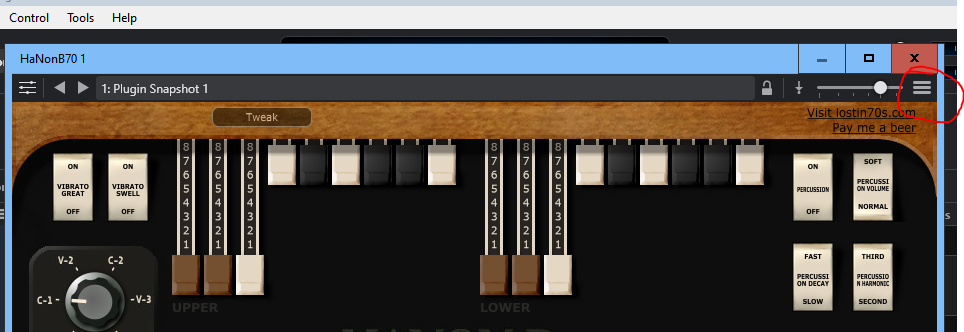
Have plugin chain (~12 plugins) for a microphone (call it “mic #1”) whose various settings are changed in 16 different states. Over 100 settings are changed in these 25 plugins across these 16 states. I am starting to use a second mic (call it mic#2) and need it to sound similar to mic #1, with some minor changes.
I need to duplicate the plugin chain for microphone #1 INCLUDING how they respond to different states. I’ve tried link racks, copy/paste, duplicating each plugin—the duplicated plugins for Mic #2 only reflect the settings of the state they were in when copied; all the other 15 states are not duplicated.
There are so many minor detailed changes across these 16 states/25 plugins I’m having trouble manually copying them. Been trying for 3 days now—roughly 15 hours—never able to duplicate all the changes I made across those 16 states to mic #2 plugin chain; mic #2 never sounds even remotely similar to mic #1.
There must be some way to do this? I expected “duplicate plugin” to literally duplicate the plugin—including how it responds to state changes—but that’s not what’s happening.
If I understand correctly, you have 16 SONG states, and want to duplicate each of the 16 states for Mic 2 but then make minor changes to each state for Mic 2? Or are they Rack states?
Do you need each state to have both Mic 1 AND Mic 2 as separate inputs and outputs? Or just 16 new states for Mic 2?
If it’s just 16 new Mic 2 states just select each Mic #1 state and save a new State for mic 2.
If you need both mics in each state I think you’ll have to manually add the plugins. (Of course you could just add a 2nd input port for Mic 2 and route it to the same chain, but both mics will be on 1 output.)
FWIW I’ve found the easiest way to save plugin presets is the Cantabile menu on each plugin:
Not sure if it’s a better idea but I wonder why you couldn’t just save the rack under another name and edit it and it’s states to the Mic 2 settings you want. Have you already tried this?
Thanks for the suggestion. I tried that but when I imported the linked rack into cantabile all the plugins in the rack lost their state settings. It was essentially the same as copy/paste.
I did a test here and the state info was retained using my suggestion. This might be a State Behaviors settings problem but without more information I can’t tell. Are you checking “Entire Bank” in the State Behaviors list for the Rack or using “Selected Program”?
Thanks very much for the detailed explanation and screen shots. Yes, 16 song states…and unfortunately, I do need both mics active in each state.That seems to be what is making this a hassle.
The most I’ve been able to do to kind-of automate this as much as possible is to:
Go into every plugin in mic#1’s plugin chain and create a snapshot for every state setting.
Copy and paste each plugin snapshot I created for mic#1 into to the same plugin in mic#2’s plugin chain.
For every plugin in mic#2’s plugin chain , cycle through every state and select the snapshot created for that state.
That’s working so far but I sure was hoping there would be something easier. Still lot’s of margin for error.
Since copy/paste dose not keep the plugin settings for each state, I’m thinking of making a suggestion to Brad to enable that feature for “duplicate plugin”.
To me, the term “duplicate” describes an exact duplication of the plugin—including all state change.
Thanks again.
PS: Yes, it’s live. I’m creating a karaoke system with 3 different mics whose settings are tailored for each singer in our family using the system (male voice, female voice, and a child’s voice). So far so good there; I have a total of 75 plugins running in real time with no issues/latency.
Wow. I tried that and it didn’t work. To make sure we are on the same page…I did this for example—did you do something similar?
Example of what I did:
You have a song named “Gain changes” with 2 states named “+10” and state named “-10”.
Create a linked rack named “Gain 10” with a gain plugin in it.
Switch to state +10 set the gain plugin to be +10
You then switch to state -10, set the gain plugin to be -10.
Save the rack.
In the file manager, copy the Gain 10 rack file and rename the copy to “Gain 20”
Insert the “Gain 20” rack into the same “Gain Changes” song, right next to the rack named “Gain 10”.
Open rack Gain 20.
Go into state behavior for Gain 20 rack and enable parent control of state behavior.
For me, the gain plugin in the Gain 20 rack no longer changed it’s gain setting lwhen I cycl through the song states.
It seems you got a different outcome…any ideas what I did wrong?
Many thanks,
Mike
PS: I thought the issue might have been rthe step where I renamed the rack. But when I try to insert the same linked rack twice I get an error stating the linked rack already exists. To get around that error, I embedded the original rack so I could re-link the exact same rack file; but still had the same outcome.
OK, good to know but that only covers the plugin’s settings.
Well I do a different procedure and will explain an example of it.
I open the first rack and populate it and get all the states I want done and save the rack itself
from the File menu I select “Save Rack As” or “Save Rack Copy As” and give the rack a new name
I Add the newly named rack from the Add menu so both racks are loaded
I tweak the second rack to what t needs and Save it.
The only thing I can think of that is different between your way and mine is that when you “Save Rack As” it rewrites the .json file to place the new rack name at the top of the file for reference and when just copy in the file manager all you rename is the windows file name but you don’t rewrite the .json file contents regarding the rack name. So the second file would seem identical to Cantabile from it’s contents.
Thanks for the detailed instructions and sorry for the delay in responding—got busy at work.
I followed your instructions to-the-letter and that did not work. By “Add menu” I assumed. you meant click the “+” button in the routing diagram and select “existing linked rack”. The newly inserted rack does not change identically to the origional plugin as the states change.
To be clear, I’m looking for the following behavior (suing your detailed instructions):
I open the first rack and populate it and get all the states I want done and save the rack itself
from the File menu I select “Save Rack As” or “Save Rack Copy As” and give the rack a new name
I Add the newly named rack from the Add menu so both racks are loaded
Desired behavior—> I open the newly added rack, cycle through the song states, and see the plugin’s setting for each state are identical to the plugin the the other rack.
Any ideas? I’d be happy to make a youtube video to show you what I’m doing.
Do you mean rack states instead of song states? Just want to be sure.
Yes, a video might help. I might not be getting the whole picture. If you could post a rack that you are talking about for examination that might help too. Sorry it didn’t work out I must have overlooked something and need to look at it again.
No problem at all Dave. I really appreaciate the help. I meant cycle throught the song states. I’ll post a video later tonight.
As I think about this more, I’m not sure my desired behavior would be possible given the intent of linked states. If a linked stated is meant to be reused across different songs, it is reasonable to conclude that how the rack responds to specific song-states would not be carried over when the object is inested. I’m thinking I should use rack states instead, and trigger those.
This shouldn’t happen. If you duplicate a rack file (by copying in Windows File Explorer, or by using File Save Rack As, or File Save Rack Copy As and then re-add it to a song all it’s states should come across too.
If not, that’d be a surprising bug. Can you replicate this and send me details if that’s what you’re seeing?
Thanks for the reply brad. To be clear, States within the rack itself do come through. I’m talking about how the rack reacts to song States. Consider rack “a” whose plugins are controlled by three states in a song. As I cycle through those three song states, the plugins in rack “a” change.
I then duplicate rack “a” using a save as copy command and call the duplicate rack “b”. I then insert rack “b” into the song next to rack “a”. When I cycle through the same three song states, rack “a” changes as expected, but rack “b” does not.
In fact, the same happens for duplicated plugins in the same song. The duplicateed plugins also don’t respond to song states changes.
Are the duplicated racks supposed to respond to the song States the same way as the original? If so, there’s definitely a bug and I’ll be happy to post a video of what happens so you can see what I’m talking aboutfirst hand.
I got around this limitation by transferring the song States into the rack itself through a manual effort. It was a hassle but it worked.