Hi Andrii, ok, here is my Excel file in a zip file with some instructions and examples. I have uploaded one version with no macro, and one with the macro. You can partially use it without the macro, it will display the XML for you to copy and paste into a DMXIS file.
The macro only runs if you press the button on the output tab, or if you run it manually from the macros menu. Nothing auto runs on open.
Caveats on the macro as follows
-
I stopped using DMXIS a month ago, so I have not finished off the documentation or put in much (any) error checking, or tidied up the code.
-
This Excel 2013 file has a macro in, that will create files on your system and will overwrite your DMXIS config if you configure it to do so. So treat it with the suspicion it deserves if you download it! I suggest changing the output directories to something safe, stepping through the code and inspecting what it creates. It also creates a Cantabile rack file in the directory of your choosing. I’m not sure if there is a safer way I can provide the file, but open to suggestions.
-
My Windows regional settings are set to UK. I’ve not tested this with other regional settings.
That being said, the sheet does take in inputs for the Oscillator and Sound tracker so you can actually create full moving presets using all the functionality in DMXIS.
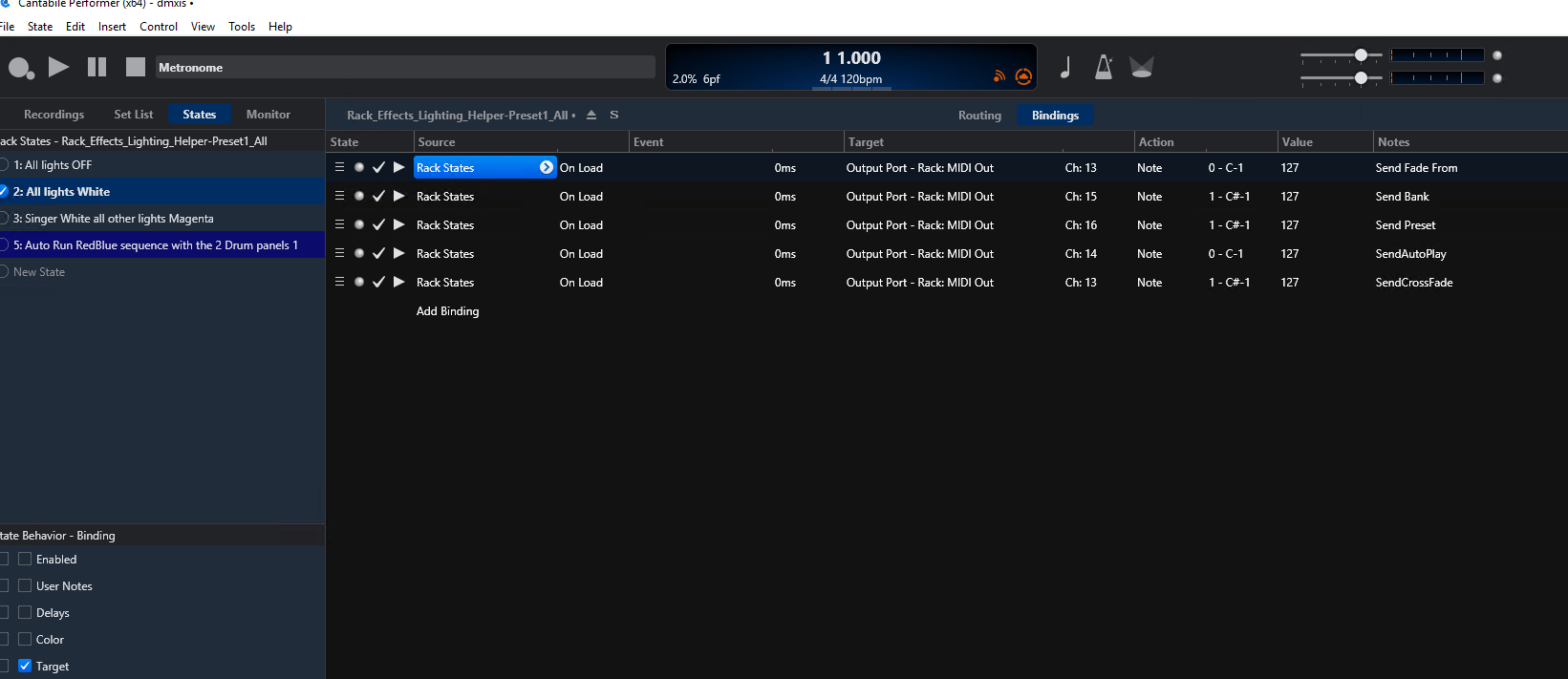
The other cool thing since I wrote the original post, is that the macro now also generates a new Cantabile Rack each time it runs which provides all the DMXIS presets it just created as Rack States. These rack states have the correct bindings on channel 15 and 16 to select the bank, preset, cross fade and auto run! It will colour code them in Cantabile based upon your entries in the sheet.
When I was using this properly, I had around 200 rack states and DMXIS presets all automatically generated. and working perfectly.
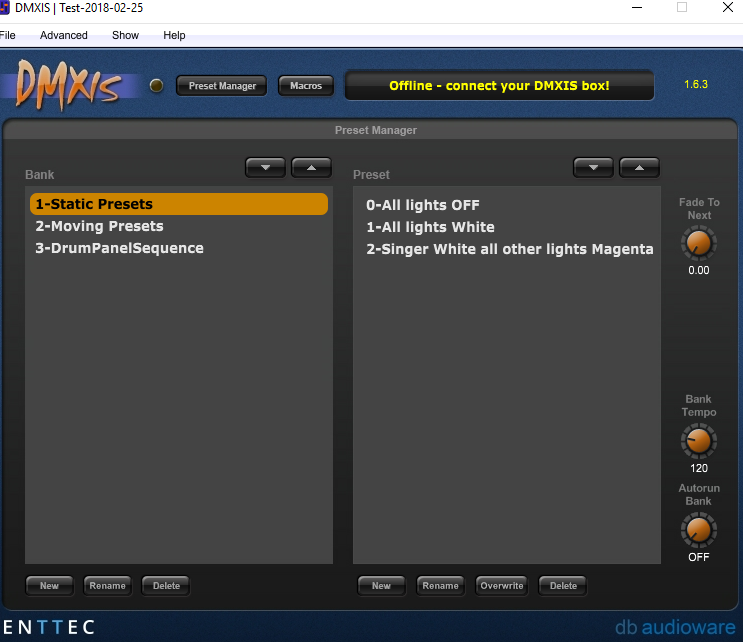
Here is the new example show in DMXIS and the new Cantabile rack the excel sheet just created.
Cheers.
DMXIS.zip (374.3 KB)