Hello, Bindings Brothers.
After a MIDI USB port name clearout, I decided to reassign MIDI to ‘real’ ports and then rebuild assignments and aliases from a clean slate.
Some bindings took a hit, There are several Controller Bar color assignments which flip the buttons from red to green - that’s values 1 and 4 FWIW.
EDIT - it looks like most aspects of the programming got blown out with the exception of, ironically, the source.
Any idea why the result would have been torpedoed, @brad?
I’m not sure what might have happened here but I’d like to investigate. If you can put together a set of steps the reproduces the issue I’ll check it out.
fwiw: the easiest way to remove/replace audio or MIDI ports is by using the aliases feature.
There a few discussions about this already - see here, but basically by setting an alias on a port you’re telling Cantabile to rename anything that references that alias to the new main name of that port. By leaving the alias in place you don’t need to update your songs/racks as they’ll get renamed each time you load them - until you save them when they’ll get saved with the new main name.
Brad
Hi @brad
As removing redundant ports acquired over the years can result in some work to reconfig, I have reproduced the issue by opening the song into another computer where I was happy to remove and reintroduce MIDI ports according to a scheme which I hope will translate as and when hardware changes happen.
This is the correctly presented binding, with the source, target and mapping correctly functioning.
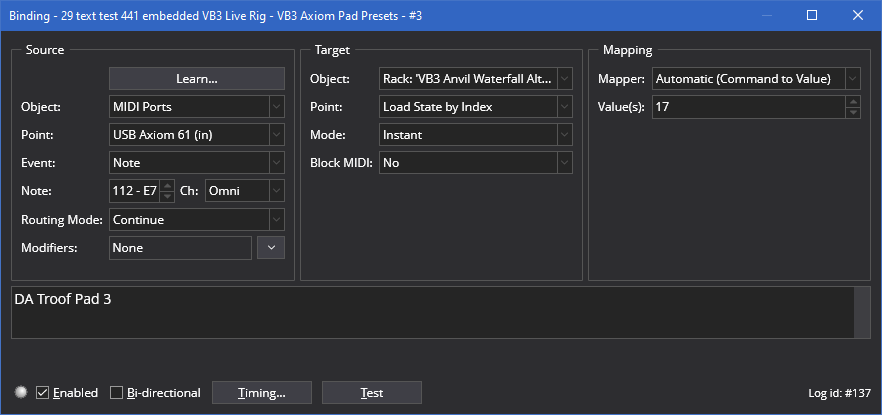
And after importing the same song into another computer, using different interfaces, with the MIDI ports named appropriately, the mapping is blown out. The source and target are presented correctly.
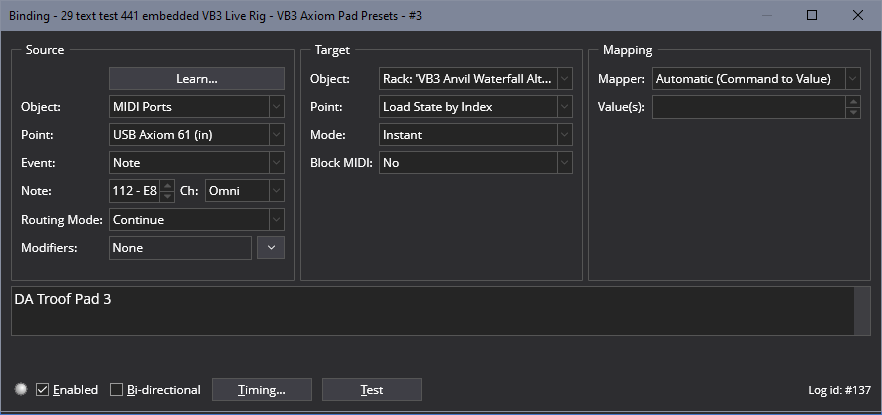
Interestingly, where the blank mapping value is presented, once a value is manually entered, it cannot be deleted and returned to its blank state. It defaults to 1.
Maybe irrelevant, but it caught my eye.
I can understand how a source could be missing, but why the mapping should be the victim is certainly strange to me.
Hope this illustration gives you enough to work on.
Best
Adrian
Hi @Ade,
If the source port existed at the time the binding was loaded then I’m not sure why the mapping value would be lost. If the port wasn’t defined then the mapping should be preserved, but there could be an issue there with it getting lost.
I’m away from my main dev PC for the next couple of weeks, but will check it out when I get back.
Also, are you using Alias to do port remappings? I’m wondering if this is an issue related to that.
Brad
@brad
I had a cross-post - I think there are two potential issues, so I’ll try to make sense out of what’s happening here, although the issue is making my eyes cross 
If this particular use can be cleared up, I suspect I’ll be able to address other issues.
- First off, I’m using the dual control bar hack, which allows for two different CBs to appear when switching between live and regular mode. There is (undesirable) interaction between the remote controllers and the two CBs where text injected in one CB can arrive in the other, at the equivalent location. No big deal because initiating a state or hitting the appropriate remote button can inject the correct text back into the CB button - but I do wish they were immune from each other.
I’m not sure if there are attendant risks using this approach. I would appeal for CBs to be loaded with the song file and loadable via states/bindings. It’s way too critical a functionality for it to be unwittingly divorced from its required assignment. I know you were considering this, but it’s certainly a priority in my particular use, where CBs are the vital glue between external controllers and the user, IMO. (Notwithstanding the use of web interfaces, etc. I’m viewing Cantabile exclusively,.) - In this last breakdown, there was no errant MIDI port behavior. Suddenly aspects of the bindings to CBs ceased to function, and no reload from backup files would cure.
Some functionality which worked perfectly has now ceased. If it’s possible to ascertain where the current roadblock is, it may well address other issues, so I’ll focus on the VB3.
The task is to have the Upper and Lower ‘reverse key’ presets of the VB3 organ be switched by a remote two octave keyboard. The switching should trigger a binding to inject the appropriate text into the controller bar.
This was working perfectly, and now does not.
What does work?
Mouse clicking the VB3 GUI ‘reverse’ preset keys, which live below the drawbars, correctly injects text into the CB via bindings.
Here is an example of a binding:
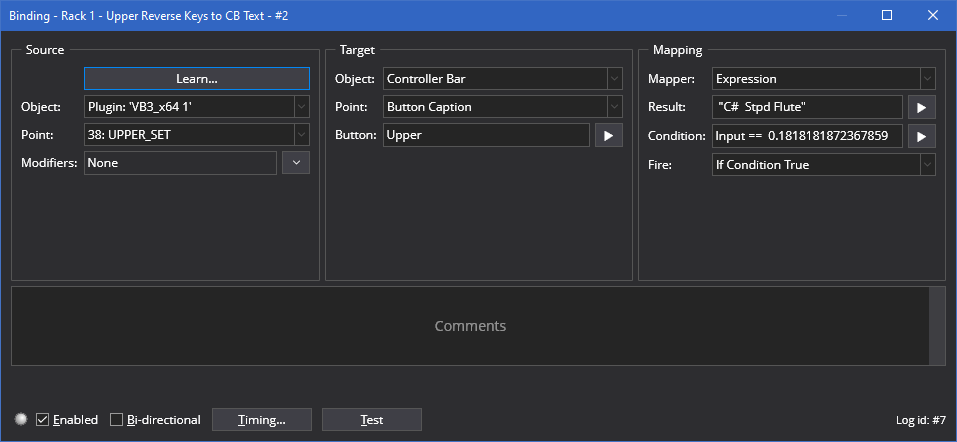
There are a couple of folders dedicated to these preset bindings. This is ‘Upper’:
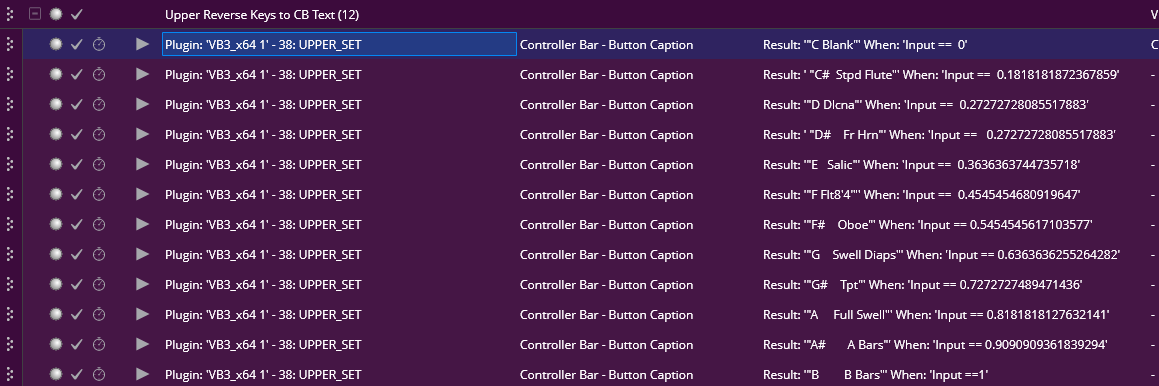
The binding works perfectly when the GUI is clicked but fails when tested from the binding itself.
So - GUI works. Binding test does not.
The other failure is in assigning a midi keyboard to the reverse presets. I have a dedicated 2 octave which was handling both upper and lower perfectly.
The assignment does move the GUI correctly but, once again, refuses to output the assigned text data, even though we are seeing the same switches move.
@dave_dore did work through this with me previously, I found some anomalies in the values required to move both the GUI and trigger the text binding but we nailed that. Suddenly - it’s gone AWOL.
LPK Triggering.
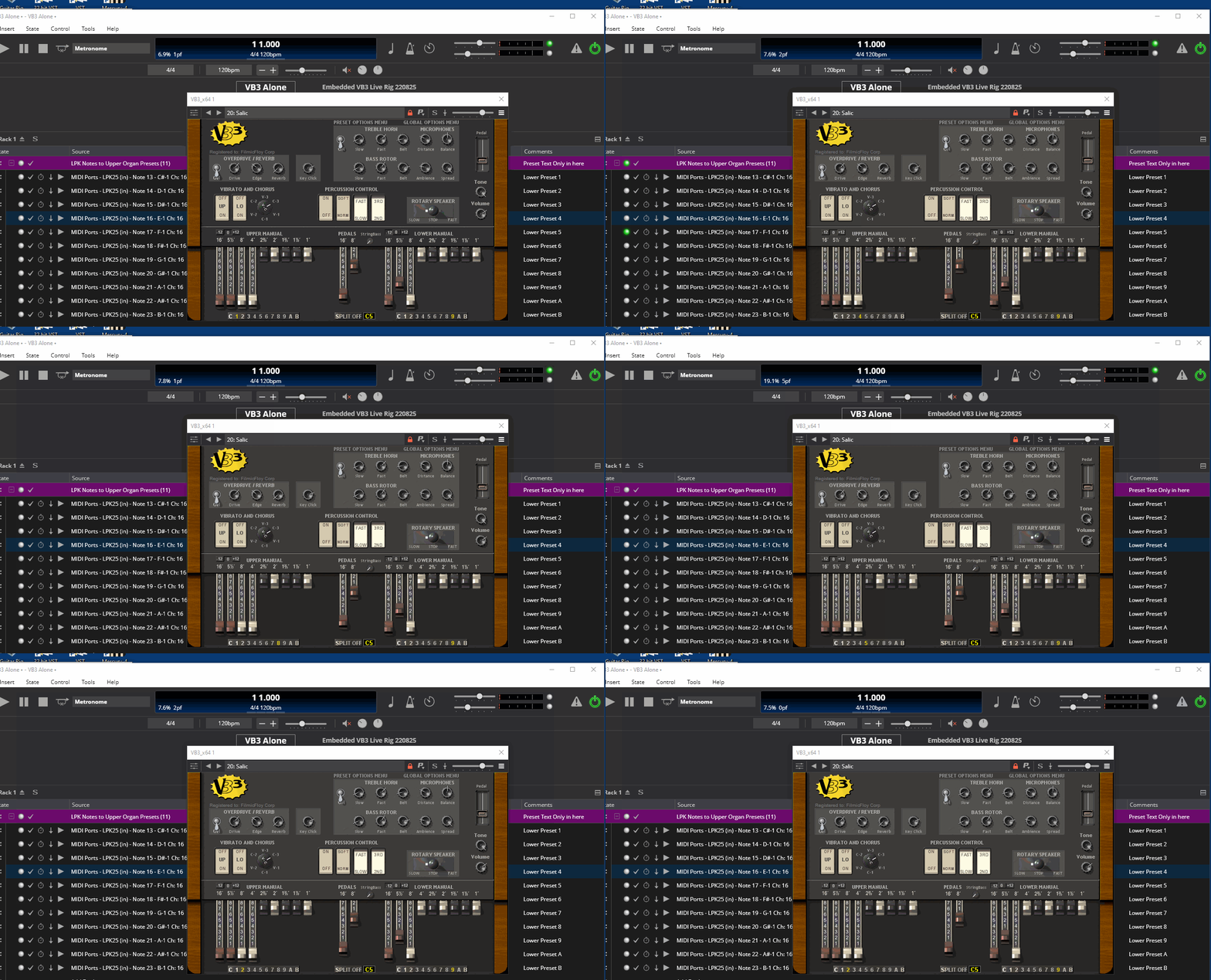
Of course, the major concern here is in data suddenly failing to function or, as in the case of the MIDI port issue, actually destroying the mapping target.
Thanks Brad.
Hi Ade,
I spent an hour of so this morning looking into this - in particular the issue with the binding value getting dropped when opening the song in a different environment.
I couldn’t reproduce any issues when the environment was appropriately configured - ie: the same source ports were available.
What I did notice though is if the source midi port was missing at the time the song was loaded, then a binding error was displayed and the binding basically fails to load. This is expected since if either the source or target of the binding is missing the binding can’t work.
However, if I then corrected the environment so source MIDI port was available then for the loaded song the binding half corrects itself in that the source port appears and the mapping type is established but the mapping value (ie: the 17 in your example) is missing.
I could correct this by reloading the song (File → Revert) and everything was back to normal and the binding worked.
So there’s an issue with the mapping not getting reloaded correcly on a currently loaded song/rack if the environment is adjusted. I’ll look into this and see if I can find a fix. In the meantime, reloading the song/rack or restarting Cantabile should resolve it.
But… I’m not sure if this explains all the issues you’re encountering and I’m not sure I’m completely understanding everything in your prior post. Are you able to reduce this to a simple setup that I can reproduce here. I just dug out and reinstalled VB3 so if you’ve got a simple setup that just uses that plugin and demonstrates the problem, send me the song/rack file(s) and I’ll dig deeper.
Brad
1 Like
Hi Brad
Let’s assume that the source midi port has gone AWOL, you’re a minute from show time and you need to get a port into the bindings.
The least stressful scenario I can envisage is having the target data intact and a warning that the source is missing.
That way, you simply slam in a controller and it all works.
Currently, the binding can dissolve in its entirety.
In addition, checking operation when the bindings are rack based can be a real bear due to the current limitations of the split screen, which I raised in an earlier conversation.
The ability to edit bindings and monitor the operation in the appropriate routing window, be it top level or within a rack, would improve workflow immensely, I would suggest.
Thx
Hi @Ade,
A MIDI Port can only go AWOL if you rename or delete it, or load a song into an environment with a missing port. If the physical device is missing, the port that it was connected to can’t just disappear.
Yep, that’s all you should need to do now.
With the fix in the next build, that should no longer happen.
Yes - I hope to make improvements in this area.
Brad
2 Likes