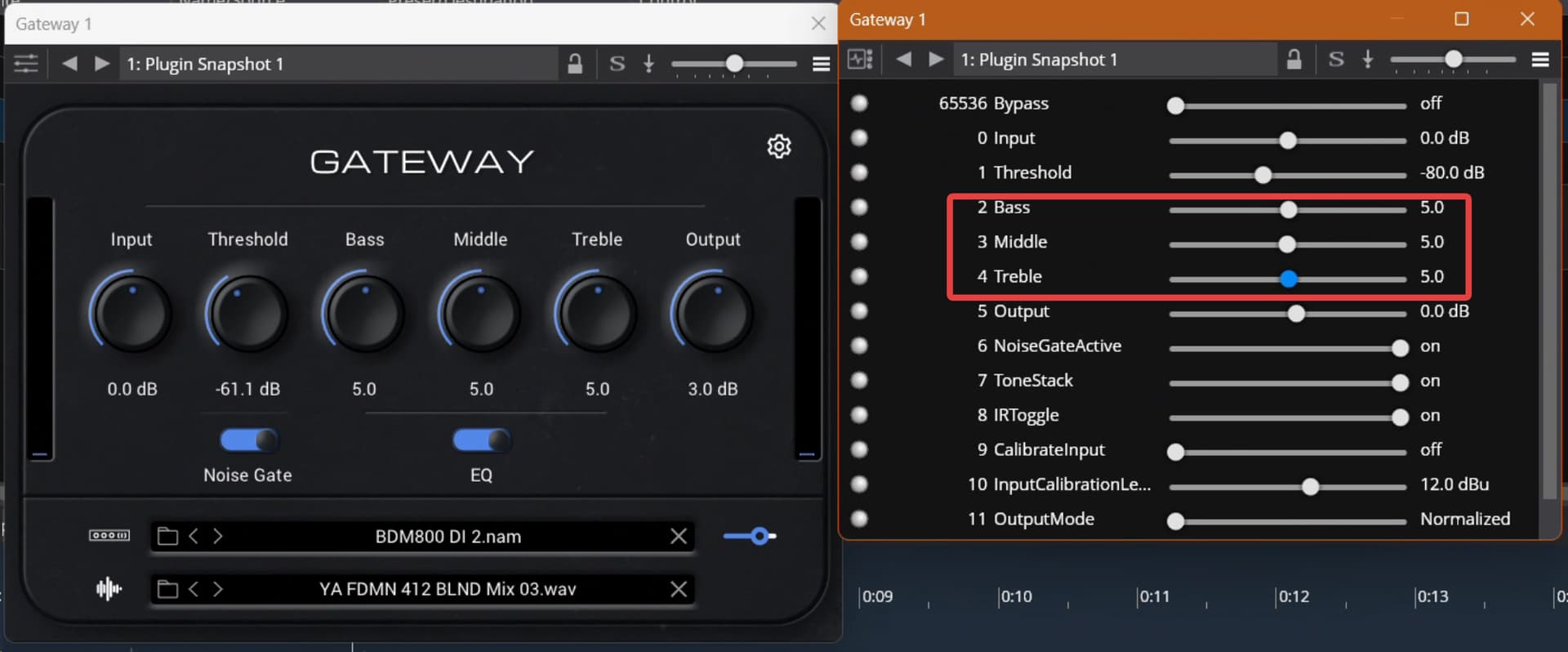
Here’s a small one I found: when editing patches in Gateway (NAM plugin), I typically need to use the “classic” VST parameter editor, since trying to edit via the plugin GUI gets me uncontrolled parameter jumps (I’m using RustDesk for remote editing). So I simply open the parameter editor and use the sliders to adjust.
But whenever I change the plugin parameters using an “entire Bank” state change, the labels in the parameter editor don’t catch up with the parameter change - the sliders do, but the labels don’t catch up. Seems the labels only update when the sliders get moved manually, but not on a programmed parameter change:
Hi Brad,
thanx for the quick turnaround - but now I find an interesting behavior: when I change a parameter via the parameter sliders, the plugin GUI updates accordingly, but the underlying parameter doesn’t change. Easy to find using the “output” of the Gateway plugin: pull it down in the parameter editor, and the Gateway GUI changes, but the volume stays up. I need to turn the actual dial on the Gateway GUI to actually achieve the volume change.
Not quite what I had in mind for using the parameter editor yet…
This seems to be a Gateway-specific issue - tried it with some other plugins, and changing the params via the parameter sliders works nicely. Not sure what’s wrong with Gateway here?
OK, just an addendum to this: I just tested this with a clean song just dropping in the Gateway plugin - controlling the plugin via the Parameters sliders works nicely.
Next, I re-loaded my Guitar song containing the NAM rack - and initially controlling via Parameters also works nicely. BUT: once I change the rack state (and with it the Gateway snapshot via “Entire Bank”), the connection between the Parameters sliders and the plugin gets broken.
I’ve also checked this using a MIDI binding, controlling the Output parameter using the Mod Wheel: when I initially load the rack, the modwheel controls output correctly. But after the first state change, the modwheel control is broken as well.
I went back to 4357, and this issue is not there. Looks like the change you made to address the “labels” issue after loading a snapshot broke something in VST parameter control (including control via bindings).
Hope this makes it easier to track down the issue!
There was a bug here on my side when a native bank is loaded (as used by an entire snapshot preset switch) it was flagging parameters incorrectly and the plugin’s processor component wasn’t getting any future updates for it. This is fixed in 4359.
However, I’m still seeing issues with Gatway which I can’t really explain. In my test case, after one selected one state, the editor controls work but after selecting the other, they don’t. I’ve traced through it and can’t see any difference on my side.
In any case, give it a try and let me know how it works for you.
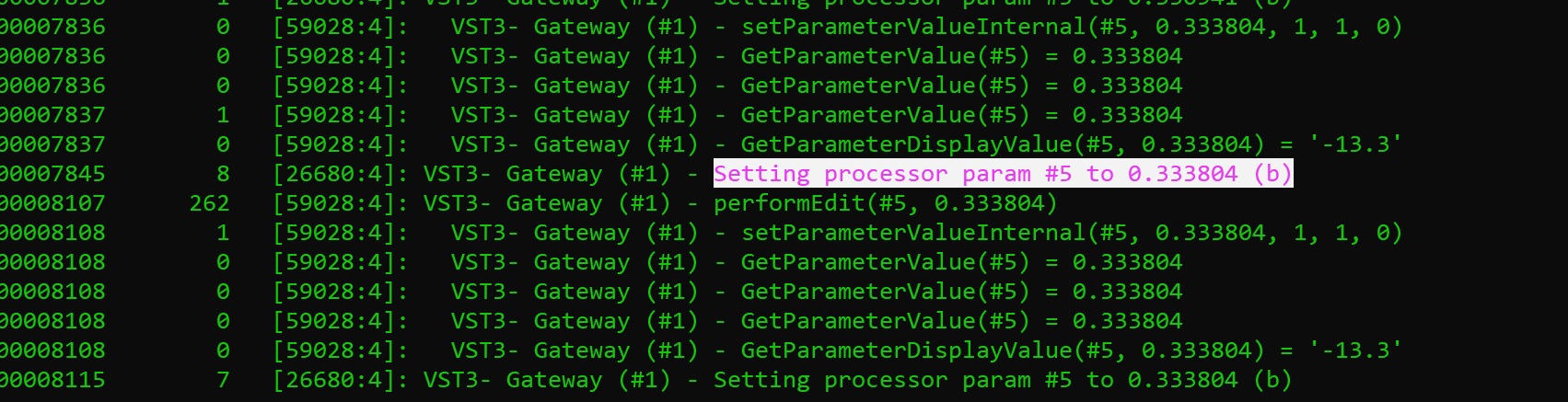
If you want to dig in further this build (4359) has verbose mode logging for parameter #5 (the main output gain setting on Gateway). If you turn on console logger and verbose logging you can see all the get/set calls for that parameter. The one that should actually make the difference is the “Setting processor param” - that’s Cantabile telling the processor side of the plugin what value to use during audio processing.