Is it possible in Cantabile Performer to configure the media player when playing MIDI files so that a VST plugin is used by default, but individual different tracks of MIDI files are routed to different other VST plugins and played back through them?
No problem at all. Two general approaches:
-
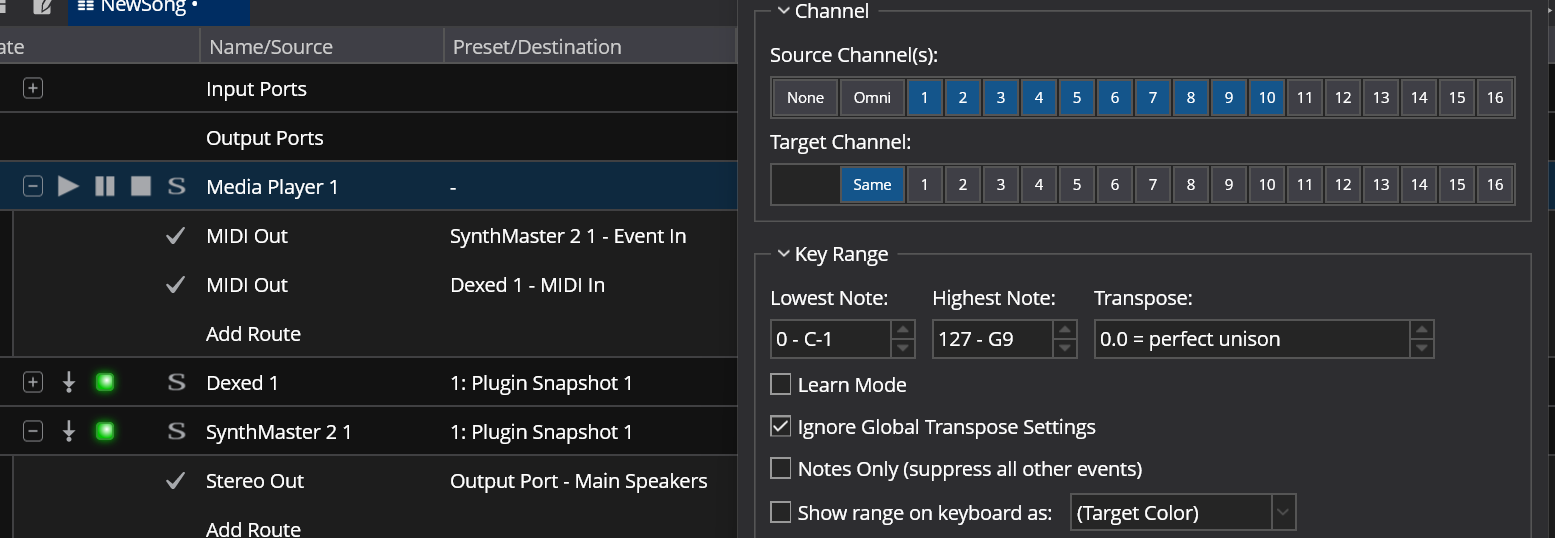
simple MIDI channel filtering: use the “MIDI Out” channel of the Media player and create multiple routes to your plugins. Then use channel filtering in the route properties to select the channels to be played on which plugin. This works when it is always the same MIDI channels that get sent to individual instruments, e.g. channels 1-9 to your all-purpose workstation, channel 10 to a drum sampler, channel 11 to a specialized piano plugin, etc:
-
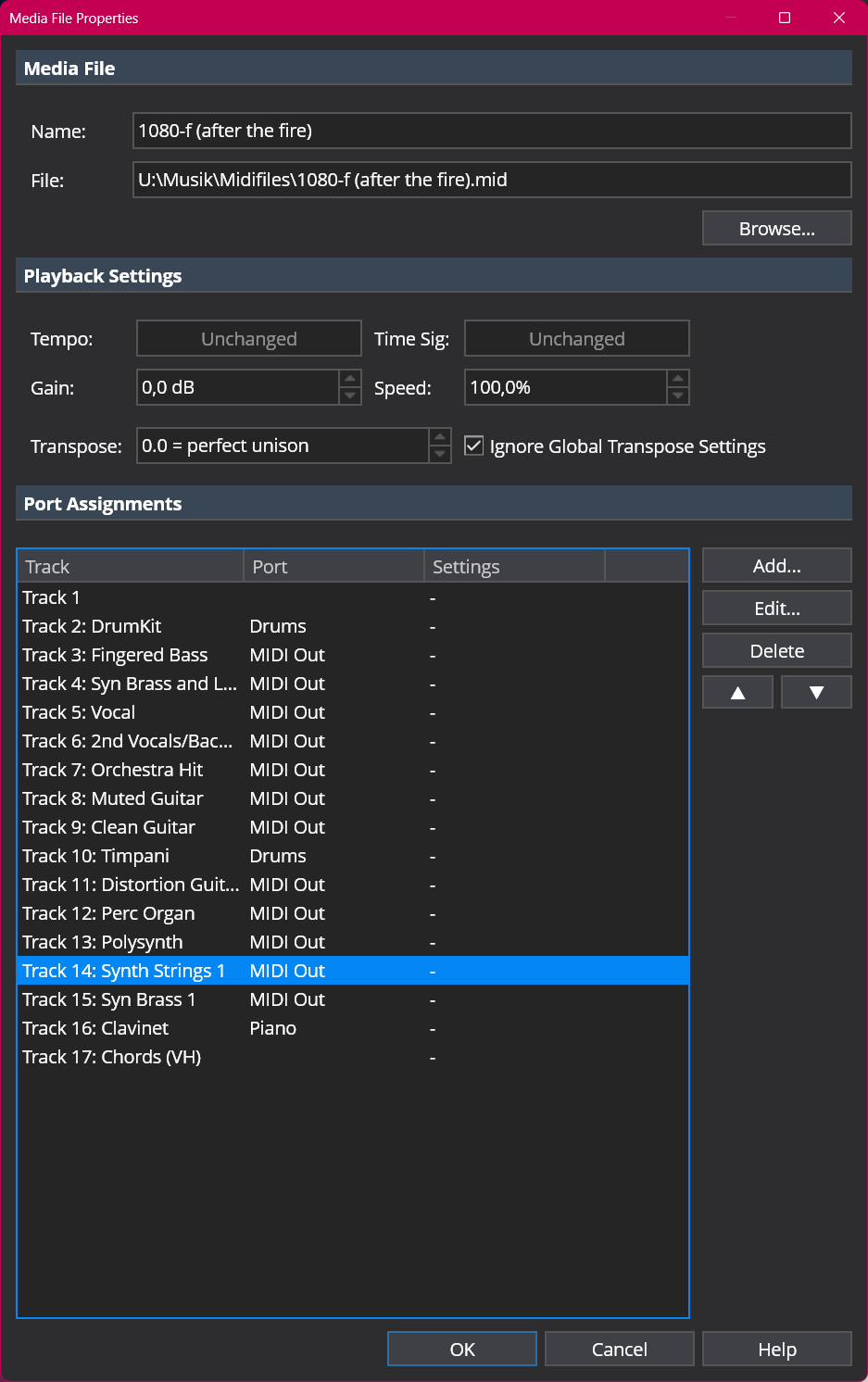
per-song routing: create multiple MIDI output ports for your media player, then edit each individual MIDI file’s properties and send the tracks to different outputs. More fiddly work, but you can make individual assignments customized to each MIDI file:
Cheers,
Torsten
4 Likes
Thanks for the support, Torsten.
This thread gave me the answers I was looking for. As usual, Torsten saved the day! Many Thanks
I have two more questions about configuring the media player:
Is it possible to configure the media player slot so that a continuous beat display appears instead of the percentage display?
Can the media player display also appear in a separate scalable window with more detailed information, independently of the timeline?