Hi Ellef and Welcome to the forum!
This is most often addressed by opening the plugins’ audio port configuration and adding the extra inputs to Cantabiles’ virtual port & route management. So …
select the surround plugin
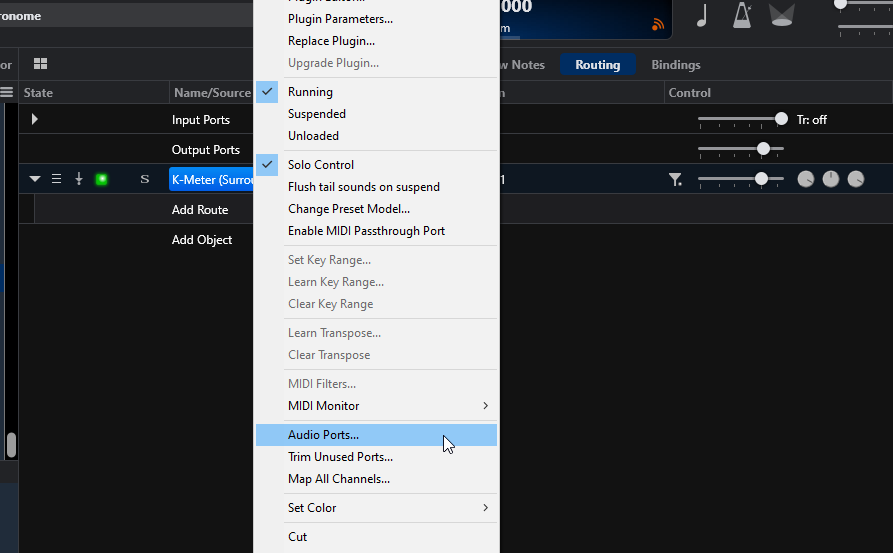
you will see the existing port configuration
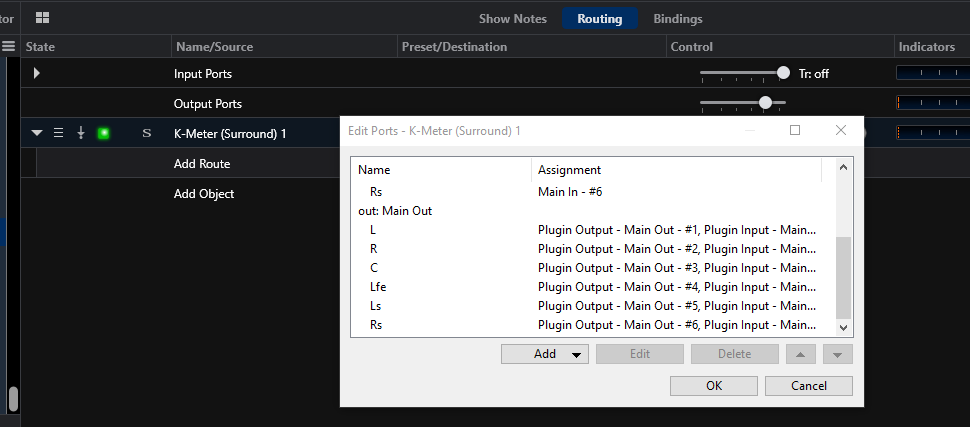
You can select each input and output port for editing
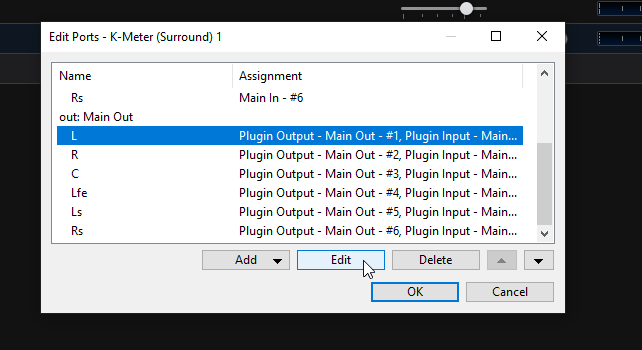
In the edit area you also add ports if not there already and this is probably where you will spend your time getting it properly ported for both the virtual input and output ports
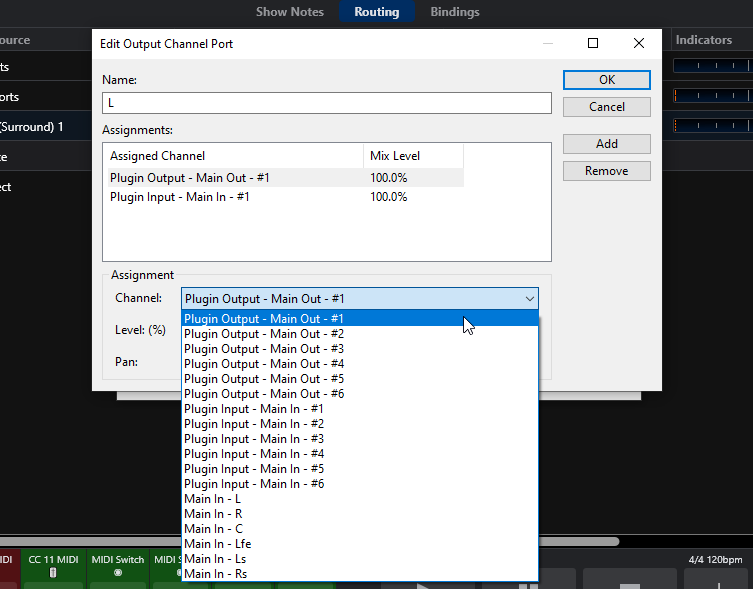
My examples were from K-Meter surround plug which shows it’s ports. Some plugins do not report all their ports so that is why you don’t automatically see them now on yours. You will have to add them and configure them.
Anyway that is the rough explanation of what you need to configure. It is of course also subject to the audio interface you have and it’s hardware port configuration in Cantabiles’ Audio Ports configuration in the options window. Sorry it’s not an easy thing but it is the way to get there. If you get hung there are other folks here that probably know even more about how to set up surround so don’t be afraid to ask 
Cheers,
Dave